
- ✔ Verified by VirusTotal
- ✔ 100% Original Product & Virus-Free
- ✔ Lifetime Free Updates on Single Purchase
- ✔ Unlimited Website Usage
- ✔ Prices in USD (Tax Included)
🔥 Limited-Time Deal — Ends Soon!
Docket – WooCommerce Collections / Wishlist / Watchlist – WordPress Plugin 1.7.0
$39.00 Original price was: $39.00.$2.99Current price is: $2.99.
Instant Access
7 Day Money Back Guarantee
Online Support 24/7
Secure Payment
Description
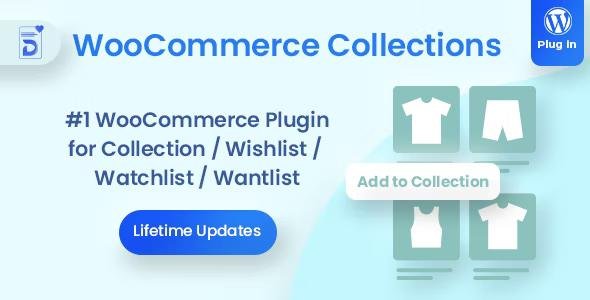
Docket – WooCommerce Collections / Wishlist / Watchlist is a powerful WordPress plugin that lets your customers collect, organize, and share their favorite products on your WooCommerce store. Enhance user engagement, increase social sharing, and boost sales by allowing shoppers to create personalized collections, wishlists, or watchlists. This GPL-distributed version is clean, secure, and legally redistributed under the GPL license (no official support included).
Key Features:
✔ Quickly add products to collections without leaving the product page
✔ Create unlimited collections; guest collections last 30 days, registered users’ collections are permanent
✔ Privacy controls – choose public or private collections
✔ Share collections via social media: Facebook, Twitter, LinkedIn, Google+
✔ Share collections via email
✔ Manage and view customers’ collections directly from WordPress admin
✔ Display as text links, buttons, or choose from 5 customizable icons
✔ Set any collection as a featured collection
✔ Disable guest users from creating collections if desired
✔ Customize “Add to Collection” text easily
✔ Enable only selected social sharing services
✔ Supports both pretty and non-pretty permalinks
✔ Manage sort order of collections and items via drag & drop interface
Docket Plugin is ideal for eCommerce stores, WooCommerce shops, and online marketplaces that want to increase user engagement, encourage social sharing, and improve customer experience by letting visitors save and share their favorite products effortlessly.
Be the first to review “Docket – WooCommerce Collections / Wishlist / Watchlist – WordPress Plugin 1.7.0” Cancel reply
How to Install
Follow these quick steps to install from a .zip file or directly from your WP dashboard.
-
1
Go to Plugins → Add New
In your WordPress dashboard, open Plugins and click Add New.
-
2
Click Upload Plugin
Press Upload Plugin → Choose File and select the downloaded
plugin-name.zip. -
3
Install & Activate
Click Install Now, then Activate. You’re done!
-
4
(Optional) Enter License / Use Shortcode
Open Plugins → Your Plugin → Settings to enter your license. Add the box on the product page with:
[plugin_info_box]
Alternative: Install from WordPress directory
Go to Plugins → Add New, search the plugin name, click Install then Activate.
Manual (FTP) method
Unzip locally → upload the folder to /wp-content/plugins/ using FTP → activate from Plugins.
-
1
Go to Appearance → Themes
Click Add New → Upload Theme.
-
2
Upload the .zip file
Select
theme-name.zip, click Install Now, then Activate. -
3
Install Required Plugins
If prompted, click Begin installing plugins and activate them.
-
4
(Optional) Import Starter Content
Use the theme’s Demo Import (if provided) to load sample pages and settings.
Manual (FTP) theme install
Unzip the theme → upload to /wp-content/themes/ → activate from Appearance → Themes.




Reviews
There are no reviews yet.