
- ✔ Verified by VirusTotal
- ✔ 100% Original Product & Virus-Free
- ✔ Lifetime Free Updates on Single Purchase
- ✔ Unlimited Website Usage
- ✔ Prices in USD (Tax Included)
🔥 Limited-Time Deal — Ends Soon!
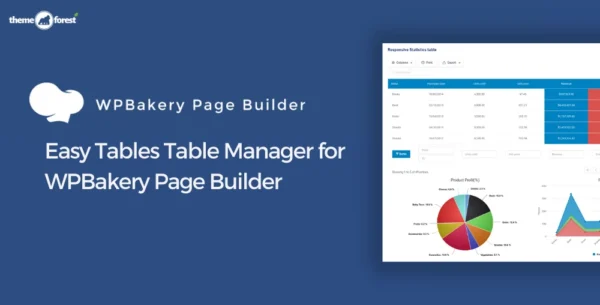
Easy Tables Table Manager for WPBakery Page Builder 2.2.0
$13.00 Original price was: $13.00.$2.99Current price is: $2.99.
Instant Access
7 Day Money Back Guarantee
Online Support 24/7
Secure Payment
Description
Easy Tables Table Manager for WPBakery Page Builder – Latest GPL Version
Easy Tables (vc) is a powerful table manager addon for WPBakery Page Builder (formerly Visual Composer) that gives you an Excel-like experience for creating and managing tables inside WordPress. With a drag-and-drop interface, formatting tools, and pre-built table styles, managing data tables on your website has never been easier.
This is a GPL-distributed version – clean, secure, and legally redistributed under the GPL license (no official support included).
✨ Key Features of Easy Tables (vc)
📊 Excel-Style Interface – Manage tables with a familiar spreadsheet-like environment.
➕ Add/Remove Rows & Columns – Insert or delete rows and columns in bulk with ease.
🎨 WYSIWYG Toolbar – Format cells with controls for font size, bold, italic, underline, strikethrough, colors, alignment, and borders.
🖼 12 Pre-Built Table Styles – Quickly apply visual themes to your tables.
💻 HTML Support – Insert HTML code directly into table cells for advanced customization.
⚡ Drag & Drop Simplicity – Create and organize structured data in just a few clicks.
✅ What Can You Do with Easy Tables?
Show statistics and reports
Present analytics and charts data
Build pricing tables for services or products
Create comparisons or schedules
Display any structured data neatly on your site
With Easy Tables Table Manager GPL for WPBakery, you can transform your website’s data presentation into a professional, easy-to-read, and visually appealing format without coding.
Be the first to review “Easy Tables Table Manager for WPBakery Page Builder 2.2.0” Cancel reply
How to Install
Follow these quick steps to install from a .zip file or directly from your WP dashboard.
-
1
Go to Plugins → Add New
In your WordPress dashboard, open Plugins and click Add New.
-
2
Click Upload Plugin
Press Upload Plugin → Choose File and select the downloaded
plugin-name.zip. -
3
Install & Activate
Click Install Now, then Activate. You’re done!
-
4
(Optional) Enter License / Use Shortcode
Open Plugins → Your Plugin → Settings to enter your license. Add the box on the product page with:
[plugin_info_box]
Alternative: Install from WordPress directory
Go to Plugins → Add New, search the plugin name, click Install then Activate.
Manual (FTP) method
Unzip locally → upload the folder to /wp-content/plugins/ using FTP → activate from Plugins.
-
1
Go to Appearance → Themes
Click Add New → Upload Theme.
-
2
Upload the .zip file
Select
theme-name.zip, click Install Now, then Activate. -
3
Install Required Plugins
If prompted, click Begin installing plugins and activate them.
-
4
(Optional) Import Starter Content
Use the theme’s Demo Import (if provided) to load sample pages and settings.
Manual (FTP) theme install
Unzip the theme → upload to /wp-content/themes/ → activate from Appearance → Themes.



Reviews
There are no reviews yet.