
- ✔ Verified by VirusTotal
- ✔ 100% Original Product & Virus-Free
- ✔ Lifetime Free Updates on Single Purchase
- ✔ Unlimited Website Usage
- ✔ Prices in USD (Tax Included)
🔥 Limited-Time Deal — Ends Soon!
EventOn RSVP Events Waitlist Addon 1.1.5
$58.00 Original price was: $58.00.$2.99Current price is: $2.99.
Instant Access
7 Day Money Back Guarantee
Online Support 24/7
Secure Payment
Description
⚡ EventOn RSVP Events
The EventOn RSVP Events Waitlist Addon (GPL version) is the perfect solution for managing fully booked events while keeping guest engagement alive. Designed as an extension for the EventOn RSVP Events Addon, this plugin allows attendees to join a waitlist automatically when all event spots are filled — ensuring your events never miss out on potential participants.
This GPL-distributed version is 100% clean, secure, and legally redistributed under the GPL license. It includes all premium features, giving you full control over how waitlists are managed, displayed, and communicated to both organizers and attendees.
With EventOn RSVP Waitlist, you can maintain a professional event booking flow — automatically notifying waitlisted guests when new spaces open up and keeping your events running at full capacity effortlessly.
🔑 Key Features
🧾 Waitlist Count Display:
Allow guests to see how many people are already on the waitlist directly from the event card, creating transparency and excitement.👥 Guest Self-Enrollment:
When an event reaches full capacity, visitors can add themselves to the waitlist instantly — no manual input needed.🏷️ Waitlist Attendee Tag:
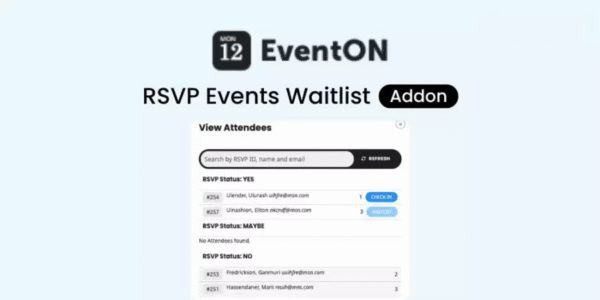
Easily identify waitlisted guests in the admin dashboard with a special waitlist tag on the attendee list.🔄 Auto Waitlist to Attendee Conversion:
When a confirmed guest cancels, the system automatically offers the available spot to the next person in line.📩 Automated Notifications:
Keep organizers and guests informed with email notifications when someone joins the waitlist or when a seat becomes available.⚙️ Seamless Integration:
Works perfectly with the EventOn RSVP Events Addon and the core EventOn calendar plugin, ensuring smooth compatibility.💻 Simple Backend Management:
View, track, and manage all RSVP and waitlist data directly from your event dashboard — no third-party tools required.
💥 Why Choose This
The EventOn RSVP Events Waitlist Addon (GPL) ensures your events stay fully booked and your attendees engaged. Instead of losing interested guests when an event fills up, you can capture their interest instantly and automatically fill any cancellations.
This addon streamlines your event workflow with automated queue management, real-time status updates, and customizable notifications, so you spend less time managing lists and more time hosting great events.
It’s a must-have for organizers running workshops, conferences, webinars, or ticketed events, where maintaining attendance capacity and guest satisfaction is key.
🏁 Conclusion
The EventOn RSVP Events Waitlist Addon (GPL version) is an essential extension for anyone using EventOn to manage events. It keeps your events organized, your attendees informed, and your seats full — automatically.
With intelligent waitlist handling, instant notifications, and smooth integration with RSVP Events, this plugin ensures you never miss an opportunity to fill your event to capacity.
Simplify your event management, improve user experience, and keep every seat filled with EventOn RSVP Events Waitlist Addon.
Be the first to review “EventOn RSVP Events Waitlist Addon 1.1.5” Cancel reply
How to Install
Follow these quick steps to install from a .zip file or directly from your WP dashboard.
-
1
Go to Plugins → Add New
In your WordPress dashboard, open Plugins and click Add New.
-
2
Click Upload Plugin
Press Upload Plugin → Choose File and select the downloaded
plugin-name.zip. -
3
Install & Activate
Click Install Now, then Activate. You’re done!
-
4
(Optional) Enter License / Use Shortcode
Open Plugins → Your Plugin → Settings to enter your license. Add the box on the product page with:
[plugin_info_box]
Alternative: Install from WordPress directory
Go to Plugins → Add New, search the plugin name, click Install then Activate.
Manual (FTP) method
Unzip locally → upload the folder to /wp-content/plugins/ using FTP → activate from Plugins.
-
1
Go to Appearance → Themes
Click Add New → Upload Theme.
-
2
Upload the .zip file
Select
theme-name.zip, click Install Now, then Activate. -
3
Install Required Plugins
If prompted, click Begin installing plugins and activate them.
-
4
(Optional) Import Starter Content
Use the theme’s Demo Import (if provided) to load sample pages and settings.
Manual (FTP) theme install
Unzip the theme → upload to /wp-content/themes/ → activate from Appearance → Themes.




Reviews
There are no reviews yet.