
- ✔ Verified by VirusTotal
- ✔ 100% Original Product & Virus-Free
- ✔ Lifetime Free Updates on Single Purchase
- ✔ Unlimited Website Usage
- ✔ Prices in USD (Tax Included)
🔥 Limited-Time Deal — Ends Soon!
Finale – Sales Countdown Timer & Discount Plugin 2.22.1
$58.00 Original price was: $58.00.$2.99Current price is: $2.99.
Instant Access
7 Day Money Back Guarantee
Online Support 24/7
Secure Payment
Description
⏳ Finale – Sales Countdown Timer & Discount Plugin (Basic)
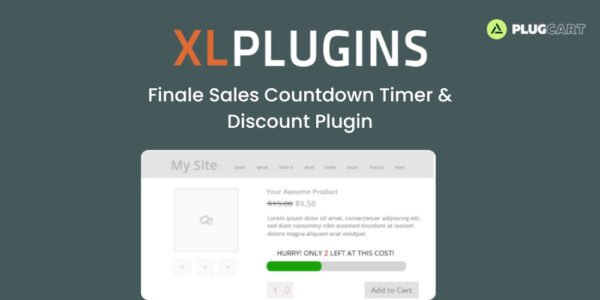
Finale – Sales Countdown is the ultimate WooCommerce plugin to help you run limited-time offers, create urgency, and increase conversions effortlessly. Whether it’s a seasonal sale, flash offer, or product launch — Finale makes it simple to schedule, automate, and manage all your promotional campaigns.
💥 Key Features of Finale – Sales Countdown
🕒 Fixed-Time Sales Campaigns
Plan your festive or seasonal discounts in advance. Set precise start and end times and apply them across multiple products — no manual updates needed.
🔁 Recurring Campaigns
Automate campaigns to start, pause, and restart at regular intervals without any manual intervention. Perfect for weekly or monthly sales events.
⏰ Countdown Timers
Add beautiful countdown timers to create urgency and push customers to take action before time runs out. Choose from a variety of skins that match your store’s design.
📉 Stock Counter Bar
Display live stock levels to trigger scarcity-driven purchases. Show messages like “Only 3 left!” or “70% of stock claimed!” to increase buyer motivation.
📢 Sticky Header/Footer Notifications
Use attention-grabbing sticky bars to promote ongoing offers and include call-to-action buttons that link directly to discounted products or categories.
🎟️ Time-Bound Coupons
Show coupon expiry timers on cart and checkout pages to motivate shoppers to complete their purchases before the deal disappears.
🚀 Launch Countdown for New Products
Create excitement for upcoming releases by displaying countdown timers for “Coming Soon” products that automatically become purchasable when the timer ends.
🕹️ Smart Campaign Rules
Use up to 15 advanced conditions to personalize offers by category, country, cart value, or stock quantity. Perfect for targeted sales strategies.
🎯 Why Use Finale?
Boosts urgency and scarcity to drive immediate purchases
Automates complex sales campaigns and reduces manual effort
Enhances user engagement with interactive timers and banners
Works seamlessly with WooCommerce stores of any size
🏁 Conclusion
🔥Finale – Sales Countdown Timer & Discount Plugin (Basic) is your go-to tool for creating urgency, automating discounts, and driving higher conversions. With advanced scheduling, recurring campaigns, real-time stock displays, and dynamic countdown timers, Finale transforms your WooCommerce store into a high-converting sales machine.
Be the first to review “Finale – Sales Countdown Timer & Discount Plugin 2.22.1” Cancel reply
How to Install
Follow these quick steps to install from a .zip file or directly from your WP dashboard.
-
1
Go to Plugins → Add New
In your WordPress dashboard, open Plugins and click Add New.
-
2
Click Upload Plugin
Press Upload Plugin → Choose File and select the downloaded
plugin-name.zip. -
3
Install & Activate
Click Install Now, then Activate. You’re done!
-
4
(Optional) Enter License / Use Shortcode
Open Plugins → Your Plugin → Settings to enter your license. Add the box on the product page with:
[plugin_info_box]
Alternative: Install from WordPress directory
Go to Plugins → Add New, search the plugin name, click Install then Activate.
Manual (FTP) method
Unzip locally → upload the folder to /wp-content/plugins/ using FTP → activate from Plugins.
-
1
Go to Appearance → Themes
Click Add New → Upload Theme.
-
2
Upload the .zip file
Select
theme-name.zip, click Install Now, then Activate. -
3
Install Required Plugins
If prompted, click Begin installing plugins and activate them.
-
4
(Optional) Import Starter Content
Use the theme’s Demo Import (if provided) to load sample pages and settings.
Manual (FTP) theme install
Unzip the theme → upload to /wp-content/themes/ → activate from Appearance → Themes.




Reviews
There are no reviews yet.