
- ✔ Verified by VirusTotal
- ✔ 100% Original Product & Virus-Free
- ✔ Lifetime Free Updates on Single Purchase
- ✔ Unlimited Website Usage
- ✔ Prices in USD (Tax Included)
🔥 Limited-Time Deal — Ends Soon!
Findgo Theme – Directory Listing WordPress Theme 1.3.61
$59.00 Original price was: $59.00.$2.99Current price is: $2.99.
Instant Access
7 Day Money Back Guarantee
Online Support 24/7
Secure Payment
Description
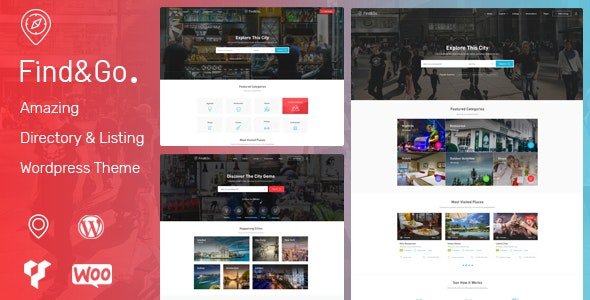
🗺️ Findgo Theme – Directory & Listing WordPress Theme (Latest Version)
This is a GPL-distributed version. No official support. Clean, secure, and legally redistributed under the GPL license.
Findgo Theme is a powerful and modern directory and listing WordPress theme designed to help you create, manage, and monetize local or global directory websites effortlessly. Whether you’re launching a restaurant guide, travel listing site, business directory, or real estate listings — Findgo provides all the essential tools to get your listings online and generating revenue quickly.
With WP Job Manager integration, intuitive front-end submission, and WooCommerce monetization, Findgo makes it easy to create a professional, feature-rich directory website without touching a single line of code.
⚙️ Required or Recommended Plugins
To unlock full functionality, Findgo integrates seamlessly with these plugins:
WP Job Manager (Free) – Core listing management functionality
Apus Findgo (Free) – Theme functionality plugin
WooCommerce (Free) – Enables monetization and payments
CMB2 (Free) – Custom field management
Contact Form 7 (Free) – Contact and inquiry forms
MailChimp for WordPress (Free) – Email marketing integration
WordPress Social Login (Free) – Easy social media login for users
Optional Premium Plugins:
WooCommerce Bookings – Add reservation and appointment features
WP Job Manager – WooCommerce Paid Listings – Create paid listing packages for extra revenue
🌟 Findgo Theme GPL Features
➕ Front-end Listing Submission – Let users add listings directly from the front end.
✅ Claim a Listing – Allow business owners to claim their listings.
🕒 Booking & Appointment System – Offer reservations or booking services directly on the site.
💬 Reviews & Replies – Users can review listings, and owners can reply.
❤️ Favorite Listings – Enable visitors to save their favorite listings for later.
🗺️ Multiple Layouts –
5 Listing Layouts: Half Map, Grid, List, and more.
5 Listing Detail Layouts for maximum flexibility.
🏠 Homepage Options – 6 modern and stylish homepage designs to get started quickly.
🦶 Footer Builder – Easily create or customize footers with drag-and-drop flexibility.
💼 WooCommerce 3.5 Ready – Fully compatible for monetization via paid listings or ads.
📱 Responsive Design – Optimized for all devices: desktop, tablet, and mobile.
📰 Multiple Blog Layouts – Choose from different layouts to run your own blog or news section.
🏁 Conclusion
The Findgo Theme is a complete and flexible solution for building professional directory and listing websites on WordPress. It combines the power of WP Job Manager and WooCommerce with a sleek, responsive design to help you create, manage, and monetize listings with ease.
Be the first to review “Findgo Theme – Directory Listing WordPress Theme 1.3.61” Cancel reply
How to Install
Follow these quick steps to install from a .zip file or directly from your WP dashboard.
-
1
Go to Plugins → Add New
In your WordPress dashboard, open Plugins and click Add New.
-
2
Click Upload Plugin
Press Upload Plugin → Choose File and select the downloaded
plugin-name.zip. -
3
Install & Activate
Click Install Now, then Activate. You’re done!
-
4
(Optional) Enter License / Use Shortcode
Open Plugins → Your Plugin → Settings to enter your license. Add the box on the product page with:
[plugin_info_box]
Alternative: Install from WordPress directory
Go to Plugins → Add New, search the plugin name, click Install then Activate.
Manual (FTP) method
Unzip locally → upload the folder to /wp-content/plugins/ using FTP → activate from Plugins.
-
1
Go to Appearance → Themes
Click Add New → Upload Theme.
-
2
Upload the .zip file
Select
theme-name.zip, click Install Now, then Activate. -
3
Install Required Plugins
If prompted, click Begin installing plugins and activate them.
-
4
(Optional) Import Starter Content
Use the theme’s Demo Import (if provided) to load sample pages and settings.
Manual (FTP) theme install
Unzip the theme → upload to /wp-content/themes/ → activate from Appearance → Themes.




Reviews
There are no reviews yet.