
- ✔ Verified by VirusTotal
- ✔ 100% Original Product & Virus-Free
- ✔ Lifetime Free Updates on Single Purchase
- ✔ Unlimited Website Usage
- ✔ Prices in USD (Tax Included)
🔥 Limited-Time Deal — Ends Soon!
FlyingPress Pro – Lightning-Fast WordPress on Autopilot 5.2.0
$71.00 Original price was: $71.00.$2.99Current price is: $2.99.
Instant Access
7 Day Money Back Guarantee
Online Support 24/7
Secure Payment
Description
FlyingPress Pro ⚡ – WordPress Speed Optimization Made Easy
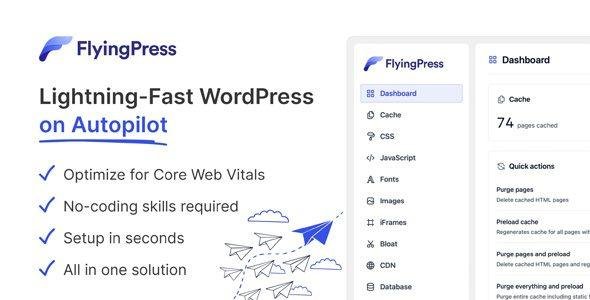
FlyingPress Pro is the ultimate WordPress performance plugin designed to speed up your website effortlessly. Whether you’re a novice or a professional, FlyingPress simplifies website optimization while delivering outstanding Core Web Vitals performance.
Why Choose FlyingPress Pro? 🚀
Easy to Use: Step-by-step interface for fast website speed optimization
Fewer Settings: Configure only what matters for maximum efficiency
Core Web Vitals Optimized: Modern browser optimization for real-user performance metrics
All-in-One Solution: No need for multiple optimization plugins
Compatibility: Works seamlessly with major hosting providers, themes, and plugins
Key Features 📝
1. Real-User Core Web Vitals Leader 🌟
Optimizes websites based on real-user data, not just synthetic scores
Focused on metrics valued by Google for SEO and user experience
2. Page Caching & Cache Preloading 🗂️
Generate static HTML pages served directly from your server
Preload caches automatically when pages are updated
Boost load times for returning and new visitors
3. CSS & JS Optimization 🎨
Remove unused CSS and generate critical CSS for faster rendering
Minify CSS & JavaScript files server-side or via FlyingCDN
Delay execution of non-critical scripts until user interaction
4. Smart Preloading & Performance Enhancements ⚡
Preload Links to reduce load time before user clicks
Combine caching, minification, and script delay for lightning-fast performance
Benefits of Using FlyingPress Pro 🌈
Faster Websites: Improve page load times and Core Web Vitals scores
Better SEO: Aligns with Google’s metrics for higher rankings
Enhanced User Experience: Deliver smooth browsing for all visitors
Saves Time: Simple setup and fewer configurations for quick optimization
All-in-One: Replace multiple plugins with a single, powerful tool
With FlyingPress Pro, your WordPress site will load faster, perform better, and delight users, all while boosting your SEO and Core Web Vitals scores
Be the first to review “FlyingPress Pro – Lightning-Fast WordPress on Autopilot 5.2.0” Cancel reply
How to Install
Follow these quick steps to install from a .zip file or directly from your WP dashboard.
-
1
Go to Plugins → Add New
In your WordPress dashboard, open Plugins and click Add New.
-
2
Click Upload Plugin
Press Upload Plugin → Choose File and select the downloaded
plugin-name.zip. -
3
Install & Activate
Click Install Now, then Activate. You’re done!
-
4
(Optional) Enter License / Use Shortcode
Open Plugins → Your Plugin → Settings to enter your license. Add the box on the product page with:
[plugin_info_box]
Alternative: Install from WordPress directory
Go to Plugins → Add New, search the plugin name, click Install then Activate.
Manual (FTP) method
Unzip locally → upload the folder to /wp-content/plugins/ using FTP → activate from Plugins.
-
1
Go to Appearance → Themes
Click Add New → Upload Theme.
-
2
Upload the .zip file
Select
theme-name.zip, click Install Now, then Activate. -
3
Install Required Plugins
If prompted, click Begin installing plugins and activate them.
-
4
(Optional) Import Starter Content
Use the theme’s Demo Import (if provided) to load sample pages and settings.
Manual (FTP) theme install
Unzip the theme → upload to /wp-content/themes/ → activate from Appearance → Themes.




Reviews
There are no reviews yet.