
- ✔ Verified by VirusTotal
- ✔ 100% Original Product & Virus-Free
- ✔ Lifetime Free Updates on Single Purchase
- ✔ Unlimited Website Usage
- ✔ Prices in USD (Tax Included)
🔥 Limited-Time Deal — Ends Soon!
Icelander Theme – Accessible Business Portfolio & WooCommerce WordPress Theme 1.7.5
$60.00 Original price was: $60.00.$2.99Current price is: $2.99.
Instant Access
7 Day Money Back Guarantee
Online Support 24/7
Secure Payment
Description
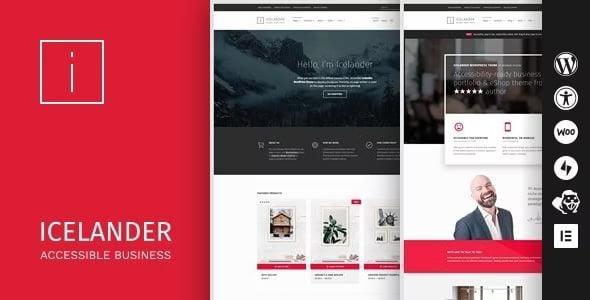
Icelander Theme is a modern and accessibility-ready Portfolio & WooCommerce WordPress Theme designed to put your content and products in the spotlight. Fully compliant with WCAG 2.1 Level AA accessibility standards, Icelander ensures your website is barrier-free, inclusive, and user-friendly for all visitors, including those with disabilities.
Perfect for creative professionals, agencies, freelancers, and online shops, Icelander combines stunning portfolio layouts with beautiful WooCommerce integration. Whether you’re showcasing design projects, running a digital agency, or managing an online store, Icelander delivers a clean, professional, and conversion-optimized experience.
✨ Why Choose Icelander Theme?
♿ Accessibility First – WCAG 2.1 Level AA compliant, keyboard & screen reader friendly, high color contrast, and optimized readability.
🎨 Portfolio Ready – Showcase your work with 2 project list styles (standard & blurred overlay), unique layouts, automatic taxonomy filters, and dedicated project templates.
🛒 WooCommerce Integration – Conversion-optimized product layouts, shop pages, and checkout guide for higher sales.
📰 Creative Blog Layouts – Choose from masonry, list, or minimal styles with page builder support inside posts.
📱 Responsive & Mobile-First – Adaptive design ensures flawless performance across all devices.
🌍 Multilingual & RTL Support – Translation-ready and optimized for global audiences.
🖱️ Easy Customization – Real-time preview in WordPress customizer for colors, typography, layouts, and sticky headers.
🏆 Icelander Theme Features
Accessibility-Ready (WCAG 2.1 AA) ♿
100% Responsive + Mobile-First Approach 📱
One-Click Demo Import 🚀
Beaver Builder Templates Included 🧩
Unique Page Intro Headers (with video support) 🎥
Automatic Table of Contents for Paginated Pages 📑
Portfolio with Multiple Layouts 🎨
WooCommerce Shop Integration 🛒
3 Blog Layout Styles (Masonry, List, Minimal) ✍️
Sticky Header + Adjustable Site Width ⚙️
Localization, WPML & RTL Language Support 🌍
Cross-Browser Optimized 🌐
🚀 Who Can Use Icelander?
Creative Professionals & Freelancers 🎨
Agencies & Studios 🏢
Designers & Photographers 📸
E-Commerce Shop Owners 🛒
Accessibility-Focused Businesses ♿
With Icelander Theme, you can create a modern, inclusive, and high-performing portfolio or eCommerce website that ensures accessibility for everyone while maintaining elegant design and user-friendly functionality.
🔑 SEO Keywords
Icelander Theme, Portfolio WordPress Theme, WooCommerce Portfolio Theme, Accessibility Ready WordPress Theme, WCAG 2.1 WordPress Theme, Inclusive WordPress Theme, Freelancer WordPress Theme, Creative Agency Portfolio Theme, Minimal Portfolio WooCommerce Theme
Be the first to review “Icelander Theme – Accessible Business Portfolio & WooCommerce WordPress Theme 1.7.5” Cancel reply
How to Install
Follow these quick steps to install from a .zip file or directly from your WP dashboard.
-
1
Go to Plugins → Add New
In your WordPress dashboard, open Plugins and click Add New.
-
2
Click Upload Plugin
Press Upload Plugin → Choose File and select the downloaded
plugin-name.zip. -
3
Install & Activate
Click Install Now, then Activate. You’re done!
-
4
(Optional) Enter License / Use Shortcode
Open Plugins → Your Plugin → Settings to enter your license. Add the box on the product page with:
[plugin_info_box]
Alternative: Install from WordPress directory
Go to Plugins → Add New, search the plugin name, click Install then Activate.
Manual (FTP) method
Unzip locally → upload the folder to /wp-content/plugins/ using FTP → activate from Plugins.
-
1
Go to Appearance → Themes
Click Add New → Upload Theme.
-
2
Upload the .zip file
Select
theme-name.zip, click Install Now, then Activate. -
3
Install Required Plugins
If prompted, click Begin installing plugins and activate them.
-
4
(Optional) Import Starter Content
Use the theme’s Demo Import (if provided) to load sample pages and settings.
Manual (FTP) theme install
Unzip the theme → upload to /wp-content/themes/ → activate from Appearance → Themes.




Reviews
There are no reviews yet.