
- ✔ Verified by VirusTotal
- ✔ 100% Original Product & Virus-Free
- ✔ Lifetime Free Updates on Single Purchase
- ✔ Unlimited Website Usage
- ✔ Prices in USD (Tax Included)
🔥 Limited-Time Deal — Ends Soon!
JetBlocks For Elementor 1.3.20.1
$49.00 Original price was: $49.00.$2.99Current price is: $2.99.
Instant Access
7 Day Money Back Guarantee
Online Support 24/7
Secure Payment
Description
JetBlocks for Elementor – Ultimate Header & Footer Widgets
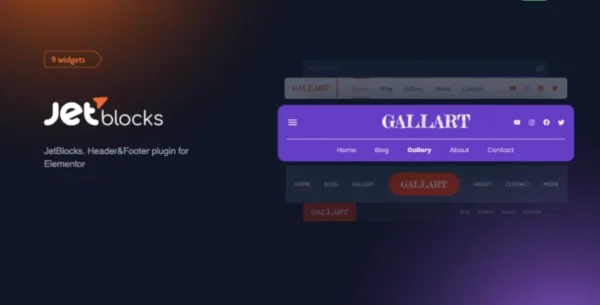
JetBlocks for Elementor is a must-have toolkit for anyone building headers and footers with Elementor. This powerful plugin adds a collection of 8 highly customizable widgets designed to enrich your website’s headers, footers, and other key areas with essential interactive elements.
Whether you’re building a professional business site, an online store, or a personal blog, JetBlocks makes it easy to add login forms, navigation menus, search bars, shopping carts, and more—all without touching a line of code.
⚡ Key Features
8 Powerful Widgets Included
Site Logo: Add and customize your site logo anywhere in your header or footer.
Auth Links: Display login/logout links dynamically based on user status.
Login Form: Embed front-end login forms seamlessly into headers or popups.
Registration Form: Allow new users to register directly from your site header or footer.
Hamburger Panel: Mobile-friendly menu panel for responsive navigation.
Nav Menu: Fully customizable navigation menus for Elementor headers or footers.
Search: Add a powerful search form anywhere on your site.
Shopping Cart: Display WooCommerce cart icons and mini cart previews for instant access.
Designed for Elementor 2.0 PRO ✅
Works perfectly with Elementor PRO, enabling quick creation of custom headers and footers.
Drag-and-drop integration with Elementor widgets makes site design fast and intuitive.
Fully Customizable Design 🎨
Multiple style settings for every widget to match your site’s branding.
Adjust colors, typography, layouts, and hover effects without coding.
Combine widgets to create unique header/footer designs.
User-Friendly & Code-Free 🛠️
Add login forms, menus, search bars, and cart elements without writing code.
Perfect for beginners and developers alike looking for speed and flexibility.
Save time while maintaining full creative control over headers and footers.
🚀 Why Choose JetBlocks for Elementor?
All-in-One Header & Footer Widgets: Every essential widget needed to build professional headers and footers.
Seamless Elementor Integration: Works smoothly with Elementor 2.0 PRO for fast, intuitive design.
No Coding Skills Required: Add and customize widgets easily using Elementor’s drag-and-drop interface.
Responsive & Mobile-Friendly: Hamburger menu and search panels optimized for mobile.
Enhance User Experience: Login forms, shopping carts, and dynamic menus improve user interaction and site usability.
JetBlocks for Elementor is the ultimate solution for building highly interactive, professional, and fully customized headers and footers. Add the features your users need, style them your way, and streamline your site building process—all without coding.
Take your Elementor designs to the next level with JetBlocks today! 🚀
Be the first to review “JetBlocks For Elementor 1.3.20.1” Cancel reply
How to Install
Follow these quick steps to install from a .zip file or directly from your WP dashboard.
-
1
Go to Plugins → Add New
In your WordPress dashboard, open Plugins and click Add New.
-
2
Click Upload Plugin
Press Upload Plugin → Choose File and select the downloaded
plugin-name.zip. -
3
Install & Activate
Click Install Now, then Activate. You’re done!
-
4
(Optional) Enter License / Use Shortcode
Open Plugins → Your Plugin → Settings to enter your license. Add the box on the product page with:
[plugin_info_box]
Alternative: Install from WordPress directory
Go to Plugins → Add New, search the plugin name, click Install then Activate.
Manual (FTP) method
Unzip locally → upload the folder to /wp-content/plugins/ using FTP → activate from Plugins.
-
1
Go to Appearance → Themes
Click Add New → Upload Theme.
-
2
Upload the .zip file
Select
theme-name.zip, click Install Now, then Activate. -
3
Install Required Plugins
If prompted, click Begin installing plugins and activate them.
-
4
(Optional) Import Starter Content
Use the theme’s Demo Import (if provided) to load sample pages and settings.
Manual (FTP) theme install
Unzip the theme → upload to /wp-content/themes/ → activate from Appearance → Themes.




Reviews
There are no reviews yet.