
- ✔ Verified by VirusTotal
- ✔ 100% Original Product & Virus-Free
- ✔ Lifetime Free Updates on Single Purchase
- ✔ Unlimited Website Usage
- ✔ Prices in USD (Tax Included)
🔥 Limited-Time Deal — Ends Soon!
JetBlog Blogging Package for Elementor Page Builder 2.4.6
$22.00 Original price was: $22.00.$2.99Current price is: $2.99.
Instant Access
7 Day Money Back Guarantee
Online Support 24/7
Secure Payment
Description
JetBlog Blogging
This is a GPL-distributed plugin.
✔ 100% clean and secure
✔ Legally redistributed under the GPL license
❌ No official support included
✨ Overview
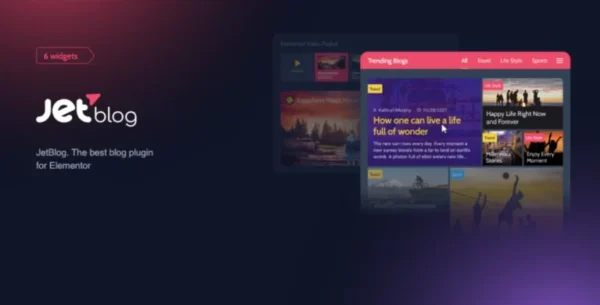
JetBlog is a powerful add-on for Elementor Page Builder that takes your blog design to the next level. Packed with dynamic content widgets such as Smart Tiles, Smart Lists, Video Playlists, and Text Tickers, JetBlog allows you to display your blog posts in stylish, modern layouts—all without writing a single line of code.
Whether you’re a blogger, content creator, or web developer, JetBlog makes it easy to create professional blog pages and engaging content sections in just a few clicks using Elementor’s intuitive drag-and-drop builder.
With JetBlog, you’re not just displaying posts—you’re transforming your content presentation into something visually stunning, interactive, and highly customizable.
🚀 Why Choose JetBlog?
🎯 Designed specifically for Elementor Page Builder
🎨 Adds unique, content-focused widgets to enhance your blog design
⚡ Lightweight and easy to use with drag-and-drop functionality
📱 Fully responsive layouts for mobile, tablet, and desktop
🔤 Complete styling freedom with advanced typography, colors, and layout settings
🧩 Key Features
📰 Text Ticker
Showcase the latest news, announcements, or trending blog posts with a scrolling text ticker. Create a dynamic newsfeed-style display that keeps readers engaged.
🧾 Smart List
Design unique and stylish blog post lists with ease. Choose from multiple layouts to organize your content and make it look professional and attractive.
🖼 Smart Tiles
Transform ordinary blog posts into modern content tiles. Arrange them in visually stunning grids that highlight your most important stories and grab readers’ attention instantly.
🎥 Video Playlist
Create engaging video content sections with JetBlog’s Video Playlist widget. Ideal for vloggers, tutorials, and media sites, it provides customizable layouts and styles to fit your branding.
🎨 Versatile Layouts
Pick from a variety of layouts to match your theme and design vision. JetBlog ensures your blog pages always look fresh, creative, and professional.
📱 Responsive Design
JetBlog layouts are fully responsive, ensuring your blog looks perfect on every device—desktop, tablet, and mobile.
⚙️ Customization & Style Settings
Easily adjust typography, colors, borders, shadows, and alignments with JetBlog’s rich styling options, so every widget blends seamlessly with your website design.
🌍 RTL & Multilingual Support
JetBlog is RTL-ready and works perfectly with WPML, making it ideal for multilingual websites and international audiences.
🏆 Who Is JetBlog For?
Bloggers who want to display posts in a stylish, interactive way
News websites looking for tickers, video feeds, and advanced layouts
Content creators who publish multimedia-rich posts
Developers & designers building custom blogs for clients with Elementor
🎯 Conclusion
If you want to go beyond simple blog layouts and create beautiful, engaging, and modern blog pages inside Elementor, JetBlog is the ultimate solution. From animated tickers to video playlists and smart tiles, JetBlog equips you with all the tools needed to turn your content into a visual experience.
This GPL version of JetBlog gives you the exact same plugin sold by the developer, clean and secure, but without official support—making it a cost-effective solution for bloggers, businesses, and agencies alike.
Be the first to review “JetBlog Blogging Package for Elementor Page Builder 2.4.6” Cancel reply
How to Install
Follow these quick steps to install from a .zip file or directly from your WP dashboard.
-
1
Go to Plugins → Add New
In your WordPress dashboard, open Plugins and click Add New.
-
2
Click Upload Plugin
Press Upload Plugin → Choose File and select the downloaded
plugin-name.zip. -
3
Install & Activate
Click Install Now, then Activate. You’re done!
-
4
(Optional) Enter License / Use Shortcode
Open Plugins → Your Plugin → Settings to enter your license. Add the box on the product page with:
[plugin_info_box]
Alternative: Install from WordPress directory
Go to Plugins → Add New, search the plugin name, click Install then Activate.
Manual (FTP) method
Unzip locally → upload the folder to /wp-content/plugins/ using FTP → activate from Plugins.
-
1
Go to Appearance → Themes
Click Add New → Upload Theme.
-
2
Upload the .zip file
Select
theme-name.zip, click Install Now, then Activate. -
3
Install Required Plugins
If prompted, click Begin installing plugins and activate them.
-
4
(Optional) Import Starter Content
Use the theme’s Demo Import (if provided) to load sample pages and settings.
Manual (FTP) theme install
Unzip the theme → upload to /wp-content/themes/ → activate from Appearance → Themes.

Reviews
There are no reviews yet.