
- ✔ Verified by VirusTotal
- ✔ 100% Original Product & Virus-Free
- ✔ Lifetime Free Updates on Single Purchase
- ✔ Unlimited Website Usage
- ✔ Prices in USD (Tax Included)
🔥 Limited-Time Deal — Ends Soon!
JetEngine For Elementor 3.7.7
$22.00 Original price was: $22.00.$2.99Current price is: $2.99.
Instant Access
7 Day Money Back Guarantee
Online Support 24/7
Secure Payment
Description
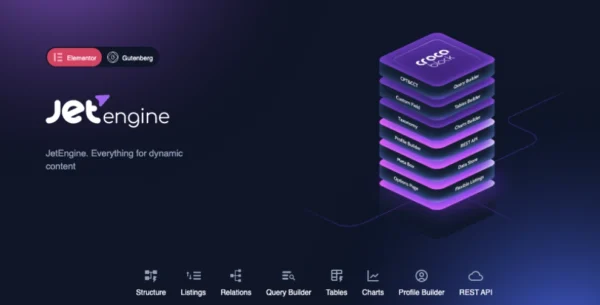
🚀 JetEngine for Elementor – Dynamic Content Builder
JetEngine For Elementor is a powerful WordPress plugin designed for Elementor that lets you create and manage dynamic content without writing a single line of code. It enables you to build custom post types, taxonomies, meta fields, and Elementor-based templates — all visually inside your WordPress dashboard.
Whether you’re developing a directory, real estate site, portfolio, or booking platform, JetEngine gives you the tools to structure and display content dynamically with ease.
⚙️ Key Features of JetEngine For Elementor
🧩 Create Custom Post Types
Add unlimited custom post types to your site, such as Services, Projects, Portfolios, or Products. Configure post settings, attach meta fields, and set hierarchical structures—all without PHP or coding.
🗂️ Build Custom Taxonomies
Easily create and assign custom taxonomies to your posts. Add advanced fields, hierarchies, and custom data like images or repeaters to make your content relationships more powerful and organized.
🧱 Custom Templates in Elementor
Design single post and archive templates visually using Elementor’s drag-and-drop editor. Use JetEngine’s dynamic widgets (Dynamic Field, Dynamic Image, Dynamic Repeater) to display post data exactly how you want.
🧭 Term & Listing Templates
Use dynamic widgets to create unique templates for taxonomies and listings. Style your term pages visually and include fields like featured images, repeaters, or metadata to make each page engaging and functional.
🎨 Dynamic Widgets
JetEngine includes multiple widgets that help you display dynamic content:
Dynamic Field: Outputs data from meta fields or taxonomy terms.
Dynamic Image: Displays featured or custom images dynamically.
Dynamic Repeater: Show repeating content like galleries, features, or lists.
🔧 Advanced Meta Field Types
Add rich data fields such as images, galleries, color pickers, switches, checkboxes, sliders, and more to your custom post types or taxonomies.
⚡ No Coding Needed
Create complex websites using only Elementor’s interface. JetEngine eliminates the need for custom PHP or CSS when structuring your website’s dynamic content.
🌟 Why Use JetEngine
JetEngine For Elementor transforms Elementor into a full dynamic content builder, letting you build custom data structures, design templates, and display content dynamically anywhere on your website. It’s ideal for developers, freelancers, and agencies who want to create advanced, database-driven sites visually.
✅ Conclusion
With JetEngine For Elementor , you can turn your WordPress site into a powerful dynamic platform. Build custom post types, fields, and listings easily, design templates visually, and showcase dynamic content beautifully — all without touching code.
Be the first to review “JetEngine For Elementor 3.7.7” Cancel reply
How to Install
Follow these quick steps to install from a .zip file or directly from your WP dashboard.
-
1
Go to Plugins → Add New
In your WordPress dashboard, open Plugins and click Add New.
-
2
Click Upload Plugin
Press Upload Plugin → Choose File and select the downloaded
plugin-name.zip. -
3
Install & Activate
Click Install Now, then Activate. You’re done!
-
4
(Optional) Enter License / Use Shortcode
Open Plugins → Your Plugin → Settings to enter your license. Add the box on the product page with:
[plugin_info_box]
Alternative: Install from WordPress directory
Go to Plugins → Add New, search the plugin name, click Install then Activate.
Manual (FTP) method
Unzip locally → upload the folder to /wp-content/plugins/ using FTP → activate from Plugins.
-
1
Go to Appearance → Themes
Click Add New → Upload Theme.
-
2
Upload the .zip file
Select
theme-name.zip, click Install Now, then Activate. -
3
Install Required Plugins
If prompted, click Begin installing plugins and activate them.
-
4
(Optional) Import Starter Content
Use the theme’s Demo Import (if provided) to load sample pages and settings.
Manual (FTP) theme install
Unzip the theme → upload to /wp-content/themes/ → activate from Appearance → Themes.




Reviews
There are no reviews yet.