
- ✔ Verified by VirusTotal
- ✔ 100% Original Product & Virus-Free
- ✔ Lifetime Free Updates on Single Purchase
- ✔ Unlimited Website Usage
- ✔ Prices in USD (Tax Included)
🔥 Limited-Time Deal — Ends Soon!
JetPopup For Elementor 2.0.17.1
$22.00 Original price was: $22.00.$2.99Current price is: $2.99.
Instant Access
7 Day Money Back Guarantee
Online Support 24/7
Secure Payment
Description
JetPopup for Elementor – Latest GPL Version
This is a GPL-distributed version. No official support is included. Clean, secure, and legally redistributed under the GPL license.
🌟 Overview
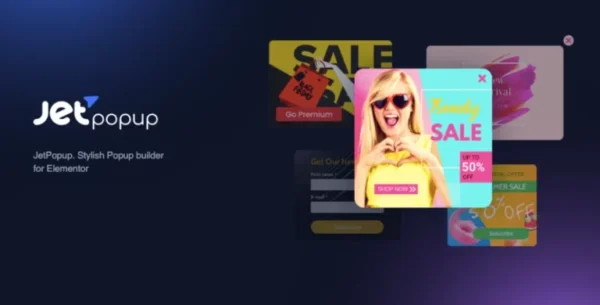
JetPopup for Elementor is a premium addon from Crocoblock that empowers you to create highly engaging popups using the Elementor page builder. Unlike generic popup tools, JetPopup is built exclusively for Elementor, meaning you can use all Elementor widgets and styling options to craft popups that perfectly match your website’s design.
Whether you need newsletter signups, promotional banners, exit-intent offers, cookie notices, or advanced conditional popups, JetPopup gives you full flexibility without requiring a single line of code.
🚀 Why JetPopup?
Popups are one of the most effective tools for capturing attention, increasing conversions, and delivering important messages. With JetPopup, you’re not limited to rigid templates — you can design any popup visually and control exactly when, where, and how it appears.
✨ JetPopup Features
🎨 Drag & Drop Builder – Create popups the same way you build Elementor templates.
🛠️ Dozens of Styling Options – Customize typography, colors, spacing, borders, and animations.
⏰ Advanced Trigger Events – Display popups on page load, exit intent, scroll depth, inactivity, or a specific date/time.
🔗 Attach to Widgets – Show popups when a user clicks a button, hovers over an element, or interacts with a custom selector.
📍 Flexible Positioning – Place popups anywhere: top bar, corner notification, slide-in, full screen, or classic centered modal.
🎬 Animation Effects – Choose from multiple entrance/exit animations: bounce, fade, zoom, slide, and more.
📚 Popup Presets Library – Access ready-made templates for quick deployment.
👥 User Role Control – Restrict visibility based on user roles (e.g., logged-in members only).
⚖️ GDPR & Cookie Popups – Use built-in templates for compliance notices.
✅ No Coding Required – Build and deploy professional popups with zero technical knowledge.
🏆 Use Cases
Lead generation with email opt-in popups
Highlight promotions, discounts, or flash sales
Create exit-intent offers to reduce cart abandonment
Display GDPR compliance messages or cookie notices
Showcase limited-time announcements or updates
Build interactive Yes/No decision popups
Trigger custom forms for surveys or registrations
💡 Key Benefits
Fully Elementor-native – no external builders or integrations.
Unlimited design possibilities with Elementor widgets.
Control who sees what, when, and where.
Works perfectly on all devices with responsive layouts.
Boosts engagement, reduces bounce rate, and improves conversions.
Be the first to review “JetPopup For Elementor 2.0.17.1” Cancel reply
How to Install
Follow these quick steps to install from a .zip file or directly from your WP dashboard.
-
1
Go to Plugins → Add New
In your WordPress dashboard, open Plugins and click Add New.
-
2
Click Upload Plugin
Press Upload Plugin → Choose File and select the downloaded
plugin-name.zip. -
3
Install & Activate
Click Install Now, then Activate. You’re done!
-
4
(Optional) Enter License / Use Shortcode
Open Plugins → Your Plugin → Settings to enter your license. Add the box on the product page with:
[plugin_info_box]
Alternative: Install from WordPress directory
Go to Plugins → Add New, search the plugin name, click Install then Activate.
Manual (FTP) method
Unzip locally → upload the folder to /wp-content/plugins/ using FTP → activate from Plugins.
-
1
Go to Appearance → Themes
Click Add New → Upload Theme.
-
2
Upload the .zip file
Select
theme-name.zip, click Install Now, then Activate. -
3
Install Required Plugins
If prompted, click Begin installing plugins and activate them.
-
4
(Optional) Import Starter Content
Use the theme’s Demo Import (if provided) to load sample pages and settings.
Manual (FTP) theme install
Unzip the theme → upload to /wp-content/themes/ → activate from Appearance → Themes.


Reviews
There are no reviews yet.