
- ✔ Verified by VirusTotal
- ✔ 100% Original Product & Virus-Free
- ✔ Lifetime Free Updates on Single Purchase
- ✔ Unlimited Website Usage
- ✔ Prices in USD (Tax Included)
🔥 Limited-Time Deal — Ends Soon!
JetTabs Tabs & Accordions for Elementor 2.2.1.0
$15.00 Original price was: $15.00.$2.99Current price is: $2.99.
Instant Access
7 Day Money Back Guarantee
Online Support 24/7
Secure Payment
Description
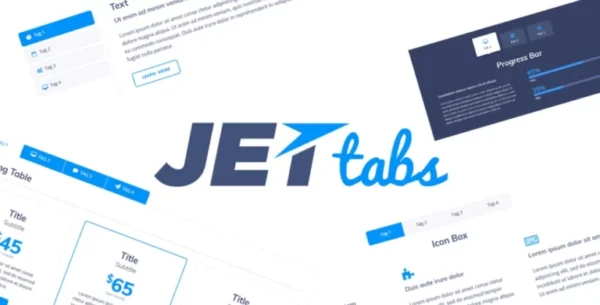
JetTabs Tabs
JetTabs for Elementor – Latest GPL Version
JetTabs is a powerful and stylish addon for Elementor, designed to help you build modern tabs, accordions, image accordions, and switchable content blocks with ease. This is a GPL-licensed version – clean, secure, and legally redistributed under the GPL license. No official support is included.
With JetTabs, you can organize content into well-structured, professional layouts that improve both user experience and design aesthetics. Whether you want to add classic tabbed sections, collapsible accordion blocks, or image-driven accordions, JetTabs makes it effortless — all through Elementor’s drag-and-drop interface.
⚡ Key Features of JetTabs for Elementor
Works Seamlessly with Elementor – Add text, images, videos, dividers, and any Elementor widget inside your tabs or accordions.
Tabs Widget – Create smart, elegant tabbed content that’s easy to navigate.
Classic Accordion – Design stylish expanding sections for FAQs, feature lists, and more.
Image Accordion – Build unique, creative designs with interactive image-based accordions.
Content Switcher – Provide visitors with the option to switch between templates or layouts effortlessly.
Vertical & Horizontal Layouts – Flexible design options for every type of content structure.
Rich Styling Options – Customize typography, colors, shadows, and borders to perfectly match your theme.
Responsive by Default – Ensures your tabs and accordions look flawless on desktop, tablet, and mobile.
RTL Supported – Change text direction for right-to-left languages.
WPML Compatible – Build multilingual websites with ease.
🚀 Why Choose JetTabs?
Tabs and accordions are essential for creating engaging, structured, and space-saving layouts. JetTabs takes these essentials further by combining them with beautiful animations, image support, and powerful style controls. It’s the perfect tool for building FAQs, product showcases, service highlights, portfolio displays, or any interactive section your website needs.
Whether you’re a designer, developer, or WordPress beginner, JetTabs makes it simple to transform ordinary layouts into visually impressive, fully responsive designs.
Be the first to review “JetTabs Tabs & Accordions for Elementor 2.2.1.0” Cancel reply
How to Install
Follow these quick steps to install from a .zip file or directly from your WP dashboard.
-
1
Go to Plugins → Add New
In your WordPress dashboard, open Plugins and click Add New.
-
2
Click Upload Plugin
Press Upload Plugin → Choose File and select the downloaded
plugin-name.zip. -
3
Install & Activate
Click Install Now, then Activate. You’re done!
-
4
(Optional) Enter License / Use Shortcode
Open Plugins → Your Plugin → Settings to enter your license. Add the box on the product page with:
[plugin_info_box]
Alternative: Install from WordPress directory
Go to Plugins → Add New, search the plugin name, click Install then Activate.
Manual (FTP) method
Unzip locally → upload the folder to /wp-content/plugins/ using FTP → activate from Plugins.
-
1
Go to Appearance → Themes
Click Add New → Upload Theme.
-
2
Upload the .zip file
Select
theme-name.zip, click Install Now, then Activate. -
3
Install Required Plugins
If prompted, click Begin installing plugins and activate them.
-
4
(Optional) Import Starter Content
Use the theme’s Demo Import (if provided) to load sample pages and settings.
Manual (FTP) theme install
Unzip the theme → upload to /wp-content/themes/ → activate from Appearance → Themes.


Reviews
There are no reviews yet.