
- ✔ Verified by VirusTotal
- ✔ 100% Original Product & Virus-Free
- ✔ Lifetime Free Updates on Single Purchase
- ✔ Unlimited Website Usage
- ✔ Prices in USD (Tax Included)
🔥 Limited-Time Deal — Ends Soon!
JoomUnited WP Media Folder Addon 4.0.0
$57.00 Original price was: $57.00.$2.99Current price is: $2.99.
Instant Access
7 Day Money Back Guarantee
Online Support 24/7
Secure Payment
Description
JoomUnited WP Media Folder Addon – Advanced WordPress Media Management
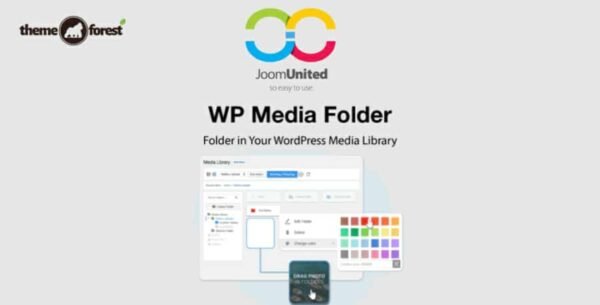
The JoomUnited WP Media Folder Addon enhances the native WordPress Media Library, allowing you to organize, manage, and display media files efficiently. It provides folder-based organization, galleries, SEO-friendly options, and deep integration with WordPress and page builders.
⭐ Key Features
1. Media Organization & Galleries
Create galleries from any media folder using 4 pre-designed themes with customizable display options.
Place a single media item in multiple folders without duplicating it.
Import folders directly from the server with complete folder structure maintained.
Sort and filter media by name, date, size, type, dimension, or custom criteria.
2. Media Access Control
Limit access to user-owned media or media by user role.
Automatically assign root folders per user and control upload permissions.
3. SEO & Performance
Automatic media renaming on upload to improve SEO and findability.
Supports image compression via ImageRecycle or other services.
Regenerate thumbnails after migration, watermark insertion, or bulk editing.
Compatible with Gutenberg editor: blocks, gallery integration, and media connectors.
4. Advanced Media Handling
Upload and manage remote videos (e.g., YouTube) like local media.
Display animated GIFs correctly, including auto-play options.
Replace or duplicate media while keeping links intact.
Bulk delete folders, subfolders, and media with optional safety checks.
5. Galleries & Watermarks
Configure default gallery settings for all 4 themes.
Apply watermarks with options for size, position, margins, and folder-specific application.
6. Server Folder Sync
Two-way synchronization between server folders and WordPress media library.
Define sync delay, direction, and exact folder matching for automated management.
7. User-Friendly Views & Previews
Admin media views: list, small thumbnails, big thumbnails.
Hover preview of images for faster identification.
Customizable media filters stored per session or applied globally.
8. Developer & Translation Support
Extensive developer documentation and support by the plugin team.
Fully translation-ready with multiple languages supported.
Compatible with major third-party plugins and themes.
JoomUnited WP Media Folder Addon transforms the WordPress Media Library into a powerful, organized, and SEO-optimized media management system, ideal for agencies, content-heavy websites, and professional media workflows.
Be the first to review “JoomUnited WP Media Folder Addon 4.0.0” Cancel reply
How to Install
Follow these quick steps to install from a .zip file or directly from your WP dashboard.
-
1
Go to Plugins → Add New
In your WordPress dashboard, open Plugins and click Add New.
-
2
Click Upload Plugin
Press Upload Plugin → Choose File and select the downloaded
plugin-name.zip. -
3
Install & Activate
Click Install Now, then Activate. You’re done!
-
4
(Optional) Enter License / Use Shortcode
Open Plugins → Your Plugin → Settings to enter your license. Add the box on the product page with:
[plugin_info_box]
Alternative: Install from WordPress directory
Go to Plugins → Add New, search the plugin name, click Install then Activate.
Manual (FTP) method
Unzip locally → upload the folder to /wp-content/plugins/ using FTP → activate from Plugins.
-
1
Go to Appearance → Themes
Click Add New → Upload Theme.
-
2
Upload the .zip file
Select
theme-name.zip, click Install Now, then Activate. -
3
Install Required Plugins
If prompted, click Begin installing plugins and activate them.
-
4
(Optional) Import Starter Content
Use the theme’s Demo Import (if provided) to load sample pages and settings.
Manual (FTP) theme install
Unzip the theme → upload to /wp-content/themes/ → activate from Appearance → Themes.




Reviews
There are no reviews yet.