
- ✔ Verified by VirusTotal
- ✔ 100% Original Product & Virus-Free
- ✔ Lifetime Free Updates on Single Purchase
- ✔ Unlimited Website Usage
- ✔ Prices in USD (Tax Included)
🔥 Limited-Time Deal — Ends Soon!
JoomUnited WP Media Folder Addon 4.0.1
$57.00 Original price was: $57.00.$2.99Current price is: $2.99.
Instant Access
7 Day Money Back Guarantee
Online Support 24/7
Secure Payment
Description
📂 JoomUnited WP Media Folder Addon (Latest Version)
This is a GPL-distributed version. No official support. Clean, secure, and legally redistributed under the GPL license.
🧭 Overview
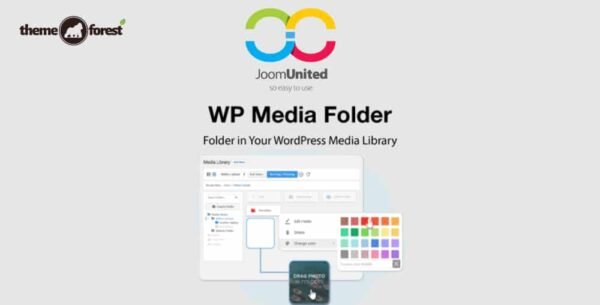
The WP Media Folder Addon by JoomUnited enhances your WordPress media library with powerful folder management, SEO tools, and advanced filtering options. This intuitive extension lets you organize, sort, and access your media files just like you would on your desktop — with drag-and-drop functionality and total control.
Easily create galleries from folders, sync with your server, manage access permissions, and even add watermarks or rename files automatically to boost SEO performance.
⚙️ Key Features of JoomUnited WP Media
🖼️ Create Beautiful Galleries
Build dynamic galleries from your media folders using 4 customizable themes, each with flexible layout options and responsive design.
👤 Media Access Control
Restrict or share media by user or user role, ensuring secure and organized collaboration.
🗂️ Multiple Folders per Media
Assign media files to multiple folders without duplication — making it easier to reuse assets efficiently.
💨 Lightweight & Compatible
Built on WordPress’ native media library and taxonomy system, the plugin remains fast, stable, and compatible with major plugins and themes.
🔍 SEO Friendly
Automatically rename media files, regenerate thumbnails, and replace images without breaking links — all designed for optimal SEO results.
🔎 Advanced Sorting & Filtering
Sort media by name, size, date, or custom order. Use advanced filters for format, dimension, or weight to find files in seconds.
🧰 Custom Filters & Views
Create and save custom filters. Choose between list view, small thumbnails, or large thumbnails for your media grid.
📹 Remote Video Management
Import and manage YouTube videos alongside your media files for easy embedding and reuse.
✍️ Gutenberg Integration
Includes dedicated Gutenberg blocks for galleries and cloud-connected media, seamlessly fitting modern WordPress workflows.
🖋️ Watermark Options
Add automatic watermarks with precise control over position, size, margins, and image selection.
🔁 Folder Sync & File Management
Sync server folders with your media library, bulk delete folders and media, or preview GIFs and images instantly.
🏁 Conclusion
The JoomUnited WP Media Folder Addon is an essential upgrade for anyone managing a WordPress site rich in images, videos, or files. With seamless organization tools, SEO enhancements, and full integration with page builders and Gutenberg, it transforms the default media library into a professional-grade file manager.
If you value speed, control, and efficiency — this addon delivers the perfect media management experience for WordPress.
Be the first to review “JoomUnited WP Media Folder Addon 4.0.1” Cancel reply
How to Install
Follow these quick steps to install from a .zip file or directly from your WP dashboard.
-
1
Go to Plugins → Add New
In your WordPress dashboard, open Plugins and click Add New.
-
2
Click Upload Plugin
Press Upload Plugin → Choose File and select the downloaded
plugin-name.zip. -
3
Install & Activate
Click Install Now, then Activate. You’re done!
-
4
(Optional) Enter License / Use Shortcode
Open Plugins → Your Plugin → Settings to enter your license. Add the box on the product page with:
[plugin_info_box]
Alternative: Install from WordPress directory
Go to Plugins → Add New, search the plugin name, click Install then Activate.
Manual (FTP) method
Unzip locally → upload the folder to /wp-content/plugins/ using FTP → activate from Plugins.
-
1
Go to Appearance → Themes
Click Add New → Upload Theme.
-
2
Upload the .zip file
Select
theme-name.zip, click Install Now, then Activate. -
3
Install Required Plugins
If prompted, click Begin installing plugins and activate them.
-
4
(Optional) Import Starter Content
Use the theme’s Demo Import (if provided) to load sample pages and settings.
Manual (FTP) theme install
Unzip the theme → upload to /wp-content/themes/ → activate from Appearance → Themes.




Reviews
There are no reviews yet.