
- ✔ Verified by VirusTotal
- ✔ 100% Original Product & Virus-Free
- ✔ Lifetime Free Updates on Single Purchase
- ✔ Unlimited Website Usage
- ✔ Prices in USD (Tax Included)
🔥 Limited-Time Deal — Ends Soon!
JP Students Result Management System Premium 1.1.7
$22.00 Original price was: $22.00.$2.99Current price is: $2.99.
Instant Access
7 Day Money Back Guarantee
Online Support 24/7
Secure Payment
Description
🎓 JP Students Result Management System – Premium WordPress Plugin (GPL)
JP Students Result Management System is a powerful WordPress plugin designed to help schools, colleges, and universities manage and publish student results online with ease.
This plugin offers advanced search, CSV import/export, and customizable templates, making it the perfect solution for educational institutions of any size.
This is a GPL-distributed version:
✅ 100% Clean, Secure & Legal
✅ Same as Original Developer’s Version
❌ No Official Support Included
🚀 Key Features
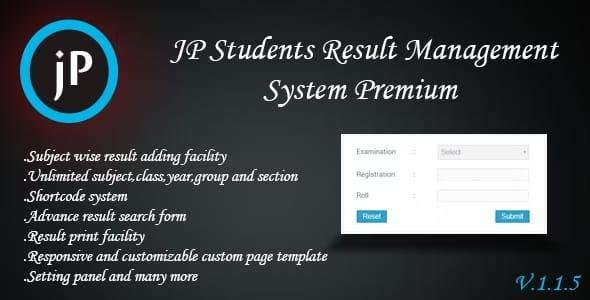
📚 Unlimited Subjects & Classes – Manage unlimited subjects, classes, years, groups, and sections.
📝 Certificate Management – Add, view, and download certificates.
📥 CSV Import/Export – Quickly add or back up thousands of results via CSV.
🔍 Advanced Search System – Ajax-powered, responsive search with 8 form styles.
🖨️ Printable Results – Easily print results and certificates.
🌍 Translation Support – Fully translatable for multilingual sites.
🖥️ Customizable Templates – Responsive, editable templates for results and search forms.
🔒 Validation & Security – Validate and customize form fields with ease.
🔗 Shortcodes – Easily embed result search forms anywhere.
🌐 WordPress Multisite Ready – Perfect for managing multiple institutions.
📖 Detailed Documentation – Available both online and offline.
🎯 Why Use JP Students Result Management System?
This plugin is perfect for educational institutions seeking an easy way to publish, search, and manage student results online. With CSV support, advanced filtering, and full customization, it helps save time while improving accessibility for students, teachers, and administrators.
Be the first to review “JP Students Result Management System Premium 1.1.7” Cancel reply
How to Install
Follow these quick steps to install from a .zip file or directly from your WP dashboard.
-
1
Go to Plugins → Add New
In your WordPress dashboard, open Plugins and click Add New.
-
2
Click Upload Plugin
Press Upload Plugin → Choose File and select the downloaded
plugin-name.zip. -
3
Install & Activate
Click Install Now, then Activate. You’re done!
-
4
(Optional) Enter License / Use Shortcode
Open Plugins → Your Plugin → Settings to enter your license. Add the box on the product page with:
[plugin_info_box]
Alternative: Install from WordPress directory
Go to Plugins → Add New, search the plugin name, click Install then Activate.
Manual (FTP) method
Unzip locally → upload the folder to /wp-content/plugins/ using FTP → activate from Plugins.
-
1
Go to Appearance → Themes
Click Add New → Upload Theme.
-
2
Upload the .zip file
Select
theme-name.zip, click Install Now, then Activate. -
3
Install Required Plugins
If prompted, click Begin installing plugins and activate them.
-
4
(Optional) Import Starter Content
Use the theme’s Demo Import (if provided) to load sample pages and settings.
Manual (FTP) theme install
Unzip the theme → upload to /wp-content/themes/ → activate from Appearance → Themes.



Reviews
There are no reviews yet.