
- ✔ Verified by VirusTotal
- ✔ 100% Original Product & Virus-Free
- ✔ Lifetime Free Updates on Single Purchase
- ✔ Unlimited Website Usage
- ✔ Prices in USD (Tax Included)
🔥 Limited-Time Deal — Ends Soon!
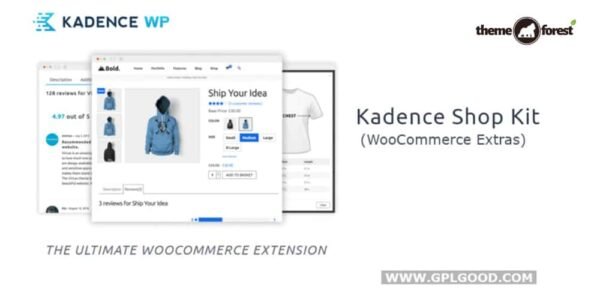
Kadence WooCommerce Extras Extension (Shop Kit) 2.4.9
$57.00 Original price was: $57.00.$2.99Current price is: $2.99.
Instant Access
7 Day Money Back Guarantee
Online Support 24/7
Secure Payment
Description
🛒 Ultimate WooCommerce Extension – Kadence WooCommerce Extras (GPL Version)
Supercharge your online store with 10 premium WooCommerce extensions bundled into a single modular plugin. With Kadence WooCommerce Extras, you can enable only the features you need – making your shop faster, more elegant, and far more customer-friendly.
👉 This is a GPL-distributed version: 100% clean, secure, and legally redistributed. No license restrictions, no hidden costs.
🚀 Why Use Kadence WooCommerce Extras?
Running a successful eCommerce store means delivering a smooth, modern shopping experience. This plugin gives you advanced tools to:
📸 Create stunning product galleries with sliders & zoom.
⭐ Enable advanced reviews with helpful voting & featured highlights.
📏 Add custom size charts in elegant modal popups.
🎨 Transform product variations into color swatches, images, or buttons.
🛒 Display custom cart messages that drive conversions with coupons & CTAs.
Everything is built for performance, flexibility, and next-level WooCommerce features.
🌟 Key Features
🖼️ Product Galleries with Sliders
Replace the default gallery with a beautiful slider layout.
Add thumbnails beside or below the main product image.
Option to use a custom slider shortcode (Kadence Slider Pro).
🔍 Product Image Zoom on Hover
Enable zoom functionality when customers hover over product images.
Show product details clearly without extra clicks.
Perfect for fashion, accessories, and detailed product lines.
⭐ Advanced Reviews System
Allow customers to vote on the most helpful reviews.
Highlight featured reviews for social proof.
Boost engagement & trust with a community-driven review section.
📏 Custom Size Charts
Add size guides in a sleek modal popup.
Make charts easily accessible without cluttering the product page.
Reduce returns by helping customers choose the right size.
🎨 Elegant Variation Swatches
Replace boring dropdowns with:
✔️ Color swatches
✔️ Image swatches
✔️ Radio buttons
✔️ Custom select boxes
Give your store a professional, modern look.
🛒 Smart Cart Messages
Show custom messages targeting specific cart conditions.
Add coupon codes, upsell products, or CTAs directly in the cart.
Drive urgency and increase average order value (AOV).
💡 Benefits for Store Owners
🎯 Increase conversions with smarter upsells & cart interactions.
📈 Improve user experience with better galleries & variation swatches.
🛍️ Reduce product returns by guiding customers with size charts.
⭐ Build trust & credibility with advanced review features.
🔧 Modular design – enable only the features you need, keeping your store lightweight.
🏆 Conclusion
The Ultimate WooCommerce Extension (Kadence Woo Extras – GPL Version) is the perfect all-in-one toolkit for store owners who want to:
Showcase products beautifully,
Enhance customer confidence with reviews & charts,
Add smart upselling features,
And create a shopping experience that keeps buyers coming back.
👉 If you’re looking for a single plugin to elevate your WooCommerce store, this extension is a must-have.
Be the first to review “Kadence WooCommerce Extras Extension (Shop Kit) 2.4.9” Cancel reply
How to Install
Follow these quick steps to install from a .zip file or directly from your WP dashboard.
-
1
Go to Plugins → Add New
In your WordPress dashboard, open Plugins and click Add New.
-
2
Click Upload Plugin
Press Upload Plugin → Choose File and select the downloaded
plugin-name.zip. -
3
Install & Activate
Click Install Now, then Activate. You’re done!
-
4
(Optional) Enter License / Use Shortcode
Open Plugins → Your Plugin → Settings to enter your license. Add the box on the product page with:
[plugin_info_box]
Alternative: Install from WordPress directory
Go to Plugins → Add New, search the plugin name, click Install then Activate.
Manual (FTP) method
Unzip locally → upload the folder to /wp-content/plugins/ using FTP → activate from Plugins.
-
1
Go to Appearance → Themes
Click Add New → Upload Theme.
-
2
Upload the .zip file
Select
theme-name.zip, click Install Now, then Activate. -
3
Install Required Plugins
If prompted, click Begin installing plugins and activate them.
-
4
(Optional) Import Starter Content
Use the theme’s Demo Import (if provided) to load sample pages and settings.
Manual (FTP) theme install
Unzip the theme → upload to /wp-content/themes/ → activate from Appearance → Themes.




Reviews
There are no reviews yet.