
- ✔ Verified by VirusTotal
- ✔ 100% Original Product & Virus-Free
- ✔ Lifetime Free Updates on Single Purchase
- ✔ Unlimited Website Usage
- ✔ Prices in USD (Tax Included)
🔥 Limited-Time Deal — Ends Soon!
Kreatura SliderLayerSlider Premium – Responsive WordPress Slider Plugin 8.0.0.1
$35.00 Original price was: $35.00.$2.99Current price is: $2.99.
Instant Access
7 Day Money Back Guarantee
Online Support 24/7
Secure Payment
Description
🎞️ Kreatura LayerSlider Premium – Responsive WordPress Slider Plugin 8.0.0.1
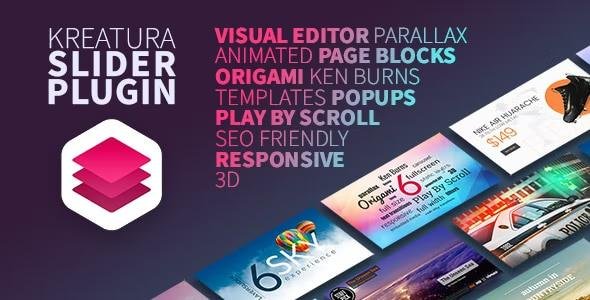
Kreatura SliderLayerSlider Premium is a top-tier, fully responsive WordPress slider plugin designed to help you create visually stunning image sliders, animated presentations, and dynamic web content. With its powerful drag-and-drop visual editor and 200+ pre-defined animations, LayerSlider makes building high-end sliders easier than ever — no coding required.
⚙️Kreatura SliderLayerSlider Premium Features
🎬 200+ Pre-Built Transitions – Choose from a huge range of professional animations.
🌌 3D Parallax & Ken Burns Effects – Add motion depth and cinematic effects to your slides.
🔁 Hover, Loop & Multi-Step Animations – Create dynamic and engaging interactions.
🕹️ Play by Scroll & Timelines – Animate layers and slides seamlessly as visitors scroll.
🎨 Filters & Layer Masks – Enhance visuals with powerful design and masking tools.
🔄 Random & Cycle Properties – Create unique motion patterns for each animation.
🧩 Static Layers & Pop-Out Effects – Keep elements visible across slides or animate independently.
🖱️ Drag & Drop Visual Editor – Build and manage sliders effortlessly with live previews.
✂️ Adobe-Powered Image Editor – Edit and refine your images directly inside the plugin.
🕓 Timeline with Color Markers – Track and organize animations for precise control.
⌨️ Keyboard Shortcuts & Undo/Redo – Streamline your workflow for faster editing.
📰 Dynamic Content Integration – Pull live data from posts, pages, or external sources.
📱 Fully Responsive & Retina Ready – Looks perfect on all devices and high-resolution screens.
🌐 Full Width, Hero Scene & Fullscreen Layouts – Create immersive visual experiences.
🎭 18+ Skins & Theme Options – Customize every detail to match your website’s branding.
🔍 SEO Friendly & Localization Ready – Built for speed, accessibility, and search visibility.
🧠 Cross-Browser Compatibility – Works flawlessly across all modern browsers.
💡 Why Choose LayerSlider Premium
LayerSlider Premium isn’t just a slider plugin — it’s a complete animation platform. Whether you’re designing a portfolio, building a marketing presentation, or crafting a homepage hero slider, this plugin gives you total creative freedom to bring your vision to life.
Perfect for:
🎨 Designers and creatives
🏢 Business and corporate websites
🛍️ Online stores and product showcases
📣 Advertising and marketing visuals
🚀 Conclusion
Kreatura SliderLayerSlider Premium 8.0.0.1 delivers everything you need to design professional, high-quality sliders with stunning animation effects. It’s responsive, SEO-optimized, and ideal for any website looking to stand out visually and engage visitors with motion-rich storytelling.
Be the first to review “Kreatura SliderLayerSlider Premium – Responsive WordPress Slider Plugin 8.0.0.1” Cancel reply
How to Install
Follow these quick steps to install from a .zip file or directly from your WP dashboard.
-
1
Go to Plugins → Add New
In your WordPress dashboard, open Plugins and click Add New.
-
2
Click Upload Plugin
Press Upload Plugin → Choose File and select the downloaded
plugin-name.zip. -
3
Install & Activate
Click Install Now, then Activate. You’re done!
-
4
(Optional) Enter License / Use Shortcode
Open Plugins → Your Plugin → Settings to enter your license. Add the box on the product page with:
[plugin_info_box]
Alternative: Install from WordPress directory
Go to Plugins → Add New, search the plugin name, click Install then Activate.
Manual (FTP) method
Unzip locally → upload the folder to /wp-content/plugins/ using FTP → activate from Plugins.
-
1
Go to Appearance → Themes
Click Add New → Upload Theme.
-
2
Upload the .zip file
Select
theme-name.zip, click Install Now, then Activate. -
3
Install Required Plugins
If prompted, click Begin installing plugins and activate them.
-
4
(Optional) Import Starter Content
Use the theme’s Demo Import (if provided) to load sample pages and settings.
Manual (FTP) theme install
Unzip the theme → upload to /wp-content/themes/ → activate from Appearance → Themes.




Reviews
There are no reviews yet.