
- ✔ Verified by VirusTotal
- ✔ 100% Original Product & Virus-Free
- ✔ Lifetime Free Updates on Single Purchase
- ✔ Unlimited Website Usage
- ✔ Prices in USD (Tax Included)
🔥 Limited-Time Deal — Ends Soon!
KuteShop Theme – Fashion, Electronics & Marketplace Elementor WooCommerce Theme (RTL Supported) 4.2.6
$89.00 Original price was: $89.00.$2.99Current price is: $2.99.
Instant Access
7 Day Money Back Guarantee
Online Support 24/7
Secure Payment
Description
🛍️ KuteShop – WooCommerce Marketplace WordPress Theme
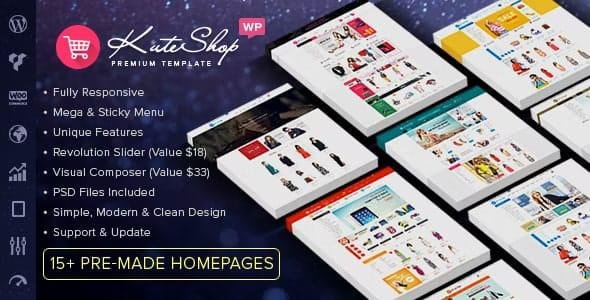
KuteShop Theme is a powerful, modern, and highly flexible WooCommerce Marketplace WordPress Theme, perfect for creating professional online stores and multi-vendor marketplaces like Amazon, eBay, or Envato. Whether you’re launching an electronics shop, fashion boutique, furniture store, hi-tech marketplace, or accessories shop, KuteShop delivers all the tools and features you need.
With full support for leading multi-vendor plugins like Dokan, WCFM Marketplace, WC Marketplace, and WC Multi-Vendors, you can easily build a vendor-based eCommerce platform. Sellers can manage their stores, products, and orders while you control the entire marketplace.
KuteShop also includes premium plugins like Visual Composer ($33 value) and Revolution Slider ($18 value), giving you drag-and-drop design freedom and stunning sliders for product showcases. With Ajax-powered shopping features, unlimited homepage layouts, responsive design, and SEO optimization, this theme is designed to maximize conversions and provide a smooth user experience.
✨ Why Choose KuteShop Theme?
🛒 Marketplace Ready – Fully compatible with top multi-vendor plugins like Dokan & WCFM.
🎨 Flexible & Modern Design – Unlimited colors, headers, and homepage layouts.
🖱️ Drag & Drop Builder – Visual Composer included for easy customization.
⚡ Ajax Features – Quick view, add-to-cart, wishlist, compare, and product filters.
📱 Responsive & Mobile-Ready – Optimized for seamless shopping on all devices.
🌍 Multilingual Support – WPML compatible for global marketplaces.
🛍️ WooCommerce Enhanced – Wishlist, compare, product zoom, and mega menu integration.
🔍 SEO Optimized – Clean code and fast loading for better Google ranking.
📸 Stunning Visuals – Revolution Slider included for banners and promotions.
🏆 KuteShop Theme Features
Multi-Purpose Marketplace Design 🌍
Unique Homepage Layouts + Unlimited Colors 🎨
Visual Composer Page Builder ($33 value) 🖱️
Revolution Slider ($18 value) 🎞️
Ajax Product Tabs, Quick View & Filters ⚡
Wishlist & Compare with YITH Integration ❤️
Mega Menu + Sticky Header 🍔
Grid & List Product Views 🛍️
Ajax Lazy Load & Inner Zoom for Products 🔍
Popup Newsletter & Promotions 💌
Cross-Browser Compatible (IE9+, Chrome, Firefox, Safari, Opera) 🌐
500+ Google Fonts with Preview 🔤
Elegant Animations & Flat Design Style ✨
Fully Responsive + Retina Ready 📱
WPML & Multilingual Support 🌍
Step-by-Step Guide Video + Documentation 🎥📖
🚀 Who Can Use KuteShop Theme?
Multi-Vendor Marketplaces 🛒
Electronics & Hi-Tech Stores 💻
Clothing, Fashion & Accessories Shops 👗👜
Furniture & Home Decor Stores 🛋️
Books, Stationery & Digital Products 📚
Supermarkets & Grocery Stores 🛍️
With KuteShop Theme, you can create a professional, scalable, and conversion-focused WooCommerce marketplace that rivals leading eCommerce giants.
🔑 SEO Keywords
KuteShop Theme, WooCommerce Marketplace Theme, Multi-Vendor WordPress Theme, Electronics Store WordPress Theme, Fashion WooCommerce Template, Amazon Clone WordPress Theme, Dokan Compatible Theme, WCFM Marketplace WordPress Template
Be the first to review “KuteShop Theme – Fashion, Electronics & Marketplace Elementor WooCommerce Theme (RTL Supported) 4.2.6” Cancel reply
How to Install
Follow these quick steps to install from a .zip file or directly from your WP dashboard.
-
1
Go to Plugins → Add New
In your WordPress dashboard, open Plugins and click Add New.
-
2
Click Upload Plugin
Press Upload Plugin → Choose File and select the downloaded
plugin-name.zip. -
3
Install & Activate
Click Install Now, then Activate. You’re done!
-
4
(Optional) Enter License / Use Shortcode
Open Plugins → Your Plugin → Settings to enter your license. Add the box on the product page with:
[plugin_info_box]
Alternative: Install from WordPress directory
Go to Plugins → Add New, search the plugin name, click Install then Activate.
Manual (FTP) method
Unzip locally → upload the folder to /wp-content/plugins/ using FTP → activate from Plugins.
-
1
Go to Appearance → Themes
Click Add New → Upload Theme.
-
2
Upload the .zip file
Select
theme-name.zip, click Install Now, then Activate. -
3
Install Required Plugins
If prompted, click Begin installing plugins and activate them.
-
4
(Optional) Import Starter Content
Use the theme’s Demo Import (if provided) to load sample pages and settings.
Manual (FTP) theme install
Unzip the theme → upload to /wp-content/themes/ → activate from Appearance → Themes.




Reviews
There are no reviews yet.