
- ✔ Verified by VirusTotal
- ✔ 100% Original Product & Virus-Free
- ✔ Lifetime Free Updates on Single Purchase
- ✔ Unlimited Website Usage
- ✔ Prices in USD (Tax Included)
🔥 Limited-Time Deal — Ends Soon!
Learndash Dashboard 6.4.1
$57.00 Original price was: $57.00.$2.99Current price is: $2.99.
Instant Access
7 Day Money Back Guarantee
Online Support 24/7
Secure Payment
Description
LearnDash Dashboard Plugin – Ultimate Dashboard for Admins, Instructors & Students
Managing courses, lessons, and student interactions on a LearnDash-powered e-learning site can become overwhelming without a centralized interface. LearnDash Dashboard Plugin provides a clean, fully customizable dashboard for admins, course instructors, and students, making course management seamless and interactive. It is a powerful alternative to the default LearnDash ProPanel with enhanced features and usability.
With this plugin, users can manage courses, lessons, quizzes, and student activity from a single, intuitive interface, improving engagement and productivity.
⭐ Key Features
For Course Instructors & Group Leaders
1. Separate Dashboard
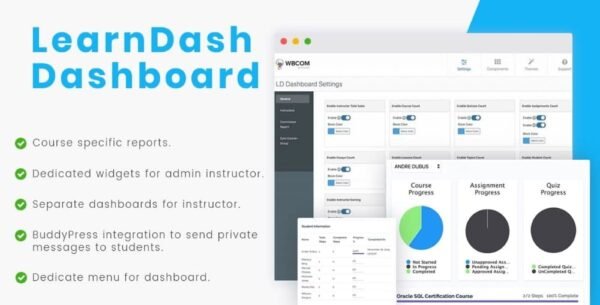
Dedicated dashboards for instructors and group leaders.
View course earnings, number of courses, quizzes, completed assignments, and pending essays.
Monitor lesson and topic counts and track student enrollments.
2. Detailed Course Analytics
Visualize course progress with pie charts.
Track student activity for each course, including total steps, completed steps, progress percentage, and completion dates.
3. Send Messages to Students
Communicate directly with students via multi-threaded messaging.
Students can reply, maintaining a conversation thread within the dashboard.
4. Advanced Email Options
Send emails to students directly from the dashboard.
Choose course names, student names, and compose the subject and content.
Efficiently notify students without leaving the dashboard.
5. Student Progress Overview
View detailed student data in one place: course progress, assignment completion, and quiz results.
6. Activity Feed
Real-time notifications for instructor and student activities.
Stay updated on submissions, course completions, and new interactions.
Additional Features
Customizable Blocks: Align, color, and reposition dashboard blocks according to your preferences.
Instructor Registration: Add instructor roles and register new instructors through a dedicated form.
Commission Distribution: Manage instructor commissions and payments efficiently.
Interactive Graphs: Visualize instructor and student performance for better insights.
Easy Contact Management: Import leads, map information, and track engagement history.
Advanced Email Builder: Drag-and-drop builder to design professional email campaigns.
Segmentation & Lists: Organize contacts into lists, tags, and segments for personalized campaigns.
Campaign Automation: Run single email campaigns or strategic sequences seamlessly.
💡 Benefits of LearnDash Dashboard Plugin
Centralized Management: Handle all course and student data from one dashboard.
Enhanced Communication: Send messages and emails directly to students.
Visual Analytics: Understand progress and performance with interactive charts.
Customizable & Flexible: Adjust the dashboard layout, colors, and visibility of blocks.
Increased Engagement: Keep students and instructors engaged with real-time notifications.
Why Choose LearnDash Dashboard Plugin?
Whether you are an admin, course instructor, or group leader, this plugin makes managing LearnDash courses easier and more efficient. It improves workflow, enhances communication, and provides a better overall learning experience. By combining a user-friendly interface with powerful analytics and communication tools, LearnDash Dashboard Plugin is the ultimate solution for managing an e-learning website.
Be the first to review “Learndash Dashboard 6.4.1” Cancel reply
How to Install
Follow these quick steps to install from a .zip file or directly from your WP dashboard.
-
1
Go to Plugins → Add New
In your WordPress dashboard, open Plugins and click Add New.
-
2
Click Upload Plugin
Press Upload Plugin → Choose File and select the downloaded
plugin-name.zip. -
3
Install & Activate
Click Install Now, then Activate. You’re done!
-
4
(Optional) Enter License / Use Shortcode
Open Plugins → Your Plugin → Settings to enter your license. Add the box on the product page with:
[plugin_info_box]
Alternative: Install from WordPress directory
Go to Plugins → Add New, search the plugin name, click Install then Activate.
Manual (FTP) method
Unzip locally → upload the folder to /wp-content/plugins/ using FTP → activate from Plugins.
-
1
Go to Appearance → Themes
Click Add New → Upload Theme.
-
2
Upload the .zip file
Select
theme-name.zip, click Install Now, then Activate. -
3
Install Required Plugins
If prompted, click Begin installing plugins and activate them.
-
4
(Optional) Import Starter Content
Use the theme’s Demo Import (if provided) to load sample pages and settings.
Manual (FTP) theme install
Unzip the theme → upload to /wp-content/themes/ → activate from Appearance → Themes.




Reviews
There are no reviews yet.