
- ✔ Verified by VirusTotal
- ✔ 100% Original Product & Virus-Free
- ✔ Lifetime Free Updates on Single Purchase
- ✔ Unlimited Website Usage
- ✔ Prices in USD (Tax Included)
🔥 Limited-Time Deal — Ends Soon!
LearnDash LMS WordPress Core Plugin 4.25.2
$159.00 Original price was: $159.00.$2.99Current price is: $2.99.
Instant Access
7 Day Money Back Guarantee
Online Support 24/7
Secure Payment
Description
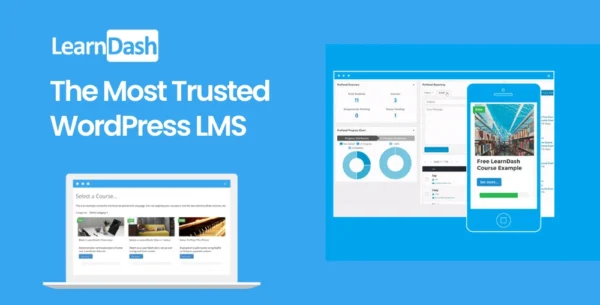
LearnDash LMS WordPress Plugin (GPL)
LearnDash is the most trusted WordPress Learning Management System (LMS) plugin, used by universities, companies, training organizations, and entrepreneurs worldwide. It transforms any WordPress site into a full-featured e-learning platform.
This is a GPL-distributed version – 100% clean, secure, and legally redistributed under the GPL license. No official support is included.
🎓 Why Choose LearnDash LMS?
Create professional online courses in minutes
Sell courses with flexible pricing models
Award certificates, badges, and points for gamification
Track learner progress & generate detailed reports
Used by Fortune 500 companies and major universities
🚀 LearnDash LMS Key Features
📚 Course Management
Create unlimited courses, lessons & topics
Drip-feed content on a set schedule
Prerequisites & course progression rules
Flexible navigation: linear or free-form
📝 Quizzes & Assignments
Advanced quiz builder with multiple question types
Timed quizzes, question banks, randomization
Assignments with manual or automatic grading
Certificates awarded upon course/quiz completion
💡 Engagement & Gamification
Deliver points & badges to motivate learners
Automated certificates for achievements
Engagement triggers (emails, actions, rewards)
Learner groups & forums for community learning
💰 Monetization & eCommerce
Sell courses with one-time payments, subscriptions, or memberships
Integrates with WooCommerce, Stripe, PayPal, 2Checkout, and more
Supports bundles, course packages, and discounts
Compatible with membership plugins like MemberPress, Restrict Content Pro
📊 Reporting & Administration
Track progress & performance with detailed analytics
Group management for instructors & organizations
Export reports for compliance and analysis
User-friendly frontend & backend dashboards
🌍 LearnDash LMS is Perfect For:
Universities & Schools – create structured learning portals
Corporates – train employees & partners efficiently
Coaches & Entrepreneurs – monetize expertise via courses
Nonprofits – provide educational resources & certifications
✅ With LearnDash GPL, you can build a professional online learning business with the same tools trusted by leading institutions — without limits.
Be the first to review “LearnDash LMS WordPress Core Plugin 4.25.2” Cancel reply
How to Install
Follow these quick steps to install from a .zip file or directly from your WP dashboard.
-
1
Go to Plugins → Add New
In your WordPress dashboard, open Plugins and click Add New.
-
2
Click Upload Plugin
Press Upload Plugin → Choose File and select the downloaded
plugin-name.zip. -
3
Install & Activate
Click Install Now, then Activate. You’re done!
-
4
(Optional) Enter License / Use Shortcode
Open Plugins → Your Plugin → Settings to enter your license. Add the box on the product page with:
[plugin_info_box]
Alternative: Install from WordPress directory
Go to Plugins → Add New, search the plugin name, click Install then Activate.
Manual (FTP) method
Unzip locally → upload the folder to /wp-content/plugins/ using FTP → activate from Plugins.
-
1
Go to Appearance → Themes
Click Add New → Upload Theme.
-
2
Upload the .zip file
Select
theme-name.zip, click Install Now, then Activate. -
3
Install Required Plugins
If prompted, click Begin installing plugins and activate them.
-
4
(Optional) Import Starter Content
Use the theme’s Demo Import (if provided) to load sample pages and settings.
Manual (FTP) theme install
Unzip the theme → upload to /wp-content/themes/ → activate from Appearance → Themes.




Reviews
There are no reviews yet.