
- ✔ Verified by VirusTotal
- ✔ 100% Original Product & Virus-Free
- ✔ Lifetime Free Updates on Single Purchase
- ✔ Unlimited Website Usage
- ✔ Prices in USD (Tax Included)
🔥 Limited-Time Deal — Ends Soon!
Media File Renamer Pro 6.1.2
$20.00 Original price was: $20.00.$2.99Current price is: $2.99.
Instant Access
7 Day Money Back Guarantee
Online Support 24/7
Secure Payment
Description
🗂️ Media File Renamer Pro – Automatic & Manual WordPress Media File Renaming
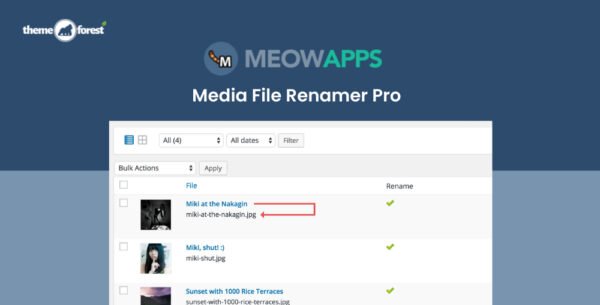
Media File Renamer Pro is a powerful WordPress plugin that renames your media files automatically or manually based on titles, attached posts, products, or custom rules. It ensures SEO-friendly filenames, keeps your WordPress library organized, and updates all references to renamed files automatically.
This GPL-distributed version is clean, secure, and legally redistributed, giving you access to all Pro features without official support.
⚡ Key Features of Media File Renamer Pro
Automatic & Manual Renaming
Rename media files automatically depending on post titles, products, or ALT text
Manual renaming option for full control over file names
Update all file references across your WordPress site to prevent broken links
SEO Optimization
Improve search engine visibility with descriptive, clean file names
Avoid duplicate filenames by numbering files automatically
Maintain consistent file naming for better site structure
Advanced Pro Features 🏆
Transliteration: Convert non-Latin characters to Latin-based filenames using thousands of tested rules
Additional Auto Methods: Auto-rename based on post title, ALT text, anonymization, and more
SQL Logging: Logs all SQL requests performed by the renamer for rollback and tracking
Sync Metadata: Automatically synchronize some media metadata with the file name for consistency
🛠️ Developer-Friendly
Fully extendable for developers to automate and customize renaming processes
Apply custom rules and methods for automatic renaming
Integrate seamlessly with WordPress media library workflows
✅ Benefits at a Glance
Automatic or manual file renaming for media library
SEO-friendly filenames to improve search engine performance
Keeps WordPress library organized and clean
Synchronizes file references across posts, pages, and products
Advanced transliteration for multilingual content
Automatic numbering to prevent duplicate filenames
SQL logging for safe rollbacks and tracking
Metadata sync for consistent file naming
Media File Renamer Pro is the perfect solution to organize, optimize, and maintain your WordPress media library. With automatic and manual renaming, advanced transliteration, metadata synchronization, and SEO-friendly features, it ensures your media files are clean, searchable, and fully optimized for your website. 🗂️✨
Be the first to review “Media File Renamer Pro 6.1.2” Cancel reply
How to Install
Follow these quick steps to install from a .zip file or directly from your WP dashboard.
-
1
Go to Plugins → Add New
In your WordPress dashboard, open Plugins and click Add New.
-
2
Click Upload Plugin
Press Upload Plugin → Choose File and select the downloaded
plugin-name.zip. -
3
Install & Activate
Click Install Now, then Activate. You’re done!
-
4
(Optional) Enter License / Use Shortcode
Open Plugins → Your Plugin → Settings to enter your license. Add the box on the product page with:
[plugin_info_box]
Alternative: Install from WordPress directory
Go to Plugins → Add New, search the plugin name, click Install then Activate.
Manual (FTP) method
Unzip locally → upload the folder to /wp-content/plugins/ using FTP → activate from Plugins.
-
1
Go to Appearance → Themes
Click Add New → Upload Theme.
-
2
Upload the .zip file
Select
theme-name.zip, click Install Now, then Activate. -
3
Install Required Plugins
If prompted, click Begin installing plugins and activate them.
-
4
(Optional) Import Starter Content
Use the theme’s Demo Import (if provided) to load sample pages and settings.
Manual (FTP) theme install
Unzip the theme → upload to /wp-content/themes/ → activate from Appearance → Themes.




Reviews
There are no reviews yet.