
- ✔ Verified by VirusTotal
- ✔ 100% Original Product & Virus-Free
- ✔ Lifetime Free Updates on Single Purchase
- ✔ Unlimited Website Usage
- ✔ Prices in USD (Tax Included)
🔥 Limited-Time Deal — Ends Soon!
Media File Renamer Pro 6.1.3
$20.00 Original price was: $20.00.$2.99Current price is: $2.99.
Instant Access
7 Day Money Back Guarantee
Online Support 24/7
Secure Payment
Description
🌟 Media File Renamer Pro – The Ultimate WordPress Media Organizer
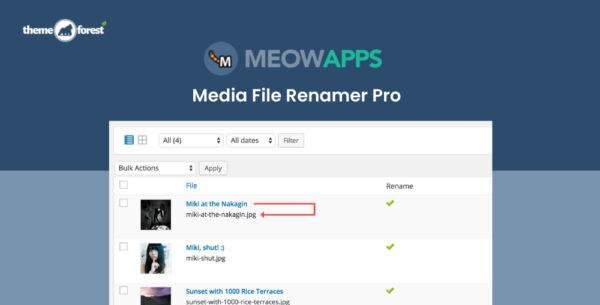
Media File Renamer Pro is a powerful WordPress plugin designed to automatically or manually rename your media files for better SEO, improved organization, and a cleaner website structure. It keeps all file references updated across your site, ensuring zero broken links and smooth performance.
⚙️ Key Features
🔁 Automatic & Manual Renaming
Easily rename files based on post titles, ALT text, or custom rules. Choose between full automation or manual control to match your workflow.
🧠 Advanced Transliteration
Handles thousands of use cases for non-English characters, ensuring filenames are SEO-friendly and globally compatible.
🔢 Numbered File Handling
Avoid filename conflicts—Media File Renamer Pro automatically appends and increments numbers when duplicate filenames exist.
🗃️ SQL Logging & Rollback
Every rename action is tracked with detailed SQL logs, allowing safe rollbacks whenever needed.
🔄 Sync Metadata
Keep your media titles, filenames, and metadata in sync automatically to enhance SEO performance and site consistency.
💼 What We Offer
100% GPL-licensed, clean, and secure distribution
Compatible with all major WordPress themes and plugins
Ideal for developers, bloggers, and eCommerce websites
Simple setup with a user-friendly dashboard
🚀 Conclusion
Media File Renamer Pro is the go-to solution for webmasters who want to optimize file naming, enhance SEO, and maintain perfect site organization. Whether you manage a small blog or a large WooCommerce store, this plugin ensures your media files are always clean, optimized, and reference-safe.
Be the first to review “Media File Renamer Pro 6.1.3” Cancel reply
How to Install
Follow these quick steps to install from a .zip file or directly from your WP dashboard.
-
1
Go to Plugins → Add New
In your WordPress dashboard, open Plugins and click Add New.
-
2
Click Upload Plugin
Press Upload Plugin → Choose File and select the downloaded
plugin-name.zip. -
3
Install & Activate
Click Install Now, then Activate. You’re done!
-
4
(Optional) Enter License / Use Shortcode
Open Plugins → Your Plugin → Settings to enter your license. Add the box on the product page with:
[plugin_info_box]
Alternative: Install from WordPress directory
Go to Plugins → Add New, search the plugin name, click Install then Activate.
Manual (FTP) method
Unzip locally → upload the folder to /wp-content/plugins/ using FTP → activate from Plugins.
-
1
Go to Appearance → Themes
Click Add New → Upload Theme.
-
2
Upload the .zip file
Select
theme-name.zip, click Install Now, then Activate. -
3
Install Required Plugins
If prompted, click Begin installing plugins and activate them.
-
4
(Optional) Import Starter Content
Use the theme’s Demo Import (if provided) to load sample pages and settings.
Manual (FTP) theme install
Unzip the theme → upload to /wp-content/themes/ → activate from Appearance → Themes.




Reviews
There are no reviews yet.