
- ✔ Verified by VirusTotal
- ✔ 100% Original Product & Virus-Free
- ✔ Lifetime Free Updates on Single Purchase
- ✔ Unlimited Website Usage
- ✔ Prices in USD (Tax Included)
🔥 Limited-Time Deal — Ends Soon!
MediCenter Theme – Health Medical Clinic WordPress Theme 16.0
$69.00 Original price was: $69.00.$2.99Current price is: $2.99.
Instant Access
7 Day Money Back Guarantee
Online Support 24/7
Secure Payment
Description
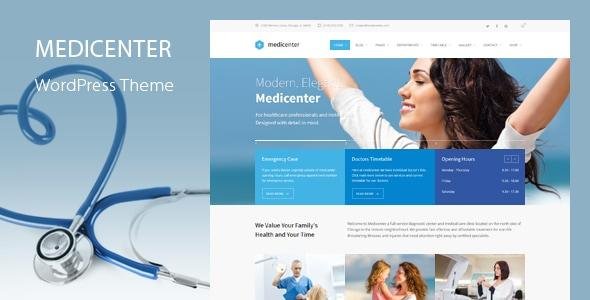
🏥 MediCenter Theme– Medical & Healthcare WordPress Theme (GPL Latest Version)
MediCenter Theme is a best-selling medical and healthcare WordPress theme trusted by clinics, hospitals, doctors, dentists, physiotherapists, surgeons, and all medical professionals. Whether you’re building a website for a private practice, diagnostic center, maternity hospital, veterinary clinic, or dental service, MediCenter Theme delivers powerful tools to present your services professionally and build patient trust.
Designed with healthcare standards in mind, the theme includes a built-in timetable system, Slider Revolution, WPBakery Page Builder, responsive layouts, and customizable color schemes — giving healthcare providers complete control to create a clean, informative, and patient-friendly website with ease.
✨ Key Features of MediCenter Theme
✅ Medical-Focused Design
Tailored layouts for hospitals, clinics, doctors, and specialists
Pre-built demos for pregnancy centers, dental clinics, vets & more
📅 Built-In Timetable System
Create doctor schedules, departments & service hours
Display calendars and work schedules in a clean visual format
🎨 Custom Design & Styling
6+ predefined color schemes + custom color picker
Full-width sections, parallax effects & retina-ready graphics
🔧 Powerful Page Builder Tools
WPBakery Page Builder included (worth $74)
60+ custom medical content blocks (doctor list, timetable, services, etc.)
🎞️ Engaging Visual Experience
Slider Revolution included (worth $109)
Video pop-ups & premium icon sets
📱 Responsive & Retina Ready
100% mobile-friendly
Smart sticky columns for better navigation
🛍️ WooCommerce Support
Built-in shop features for selling medicines, medical products & packages
⚙️ Easy Setup
One-click demo import
Theme options panel for easy customization
Google Fonts + contact & booking forms setup
💡 Why Choose MediCenter Theme?
💼 Industry-leading medical theme — proven, trusted, and professional
🎓 Perfect for all healthcare niches — hospitals to solo practitioners
⚡ Packed with premium plugins — huge value included for free
🎛️ Flexible & easy customization — no coding required
📅 Scheduling functionality built-in — no extra plugins needed
🛒 Full eCommerce support — sell medical products or services
MediCenter Theme helps you build a credible, reliable, and patient-friendly online presence — one that supports appointments, showcases services, and builds trust.
🏁 Conclusion
MediCenter Theme is a complete medical website solution designed for clinics and professionals who want a modern, fast, and patient-focused digital presence. With premium plugins, built-in schedules, and powerful customization tools, this theme gives you everything needed to launch a professional medical website quickly and efficiently.
Be the first to review “MediCenter Theme – Health Medical Clinic WordPress Theme 16.0” Cancel reply
How to Install
Follow these quick steps to install from a .zip file or directly from your WP dashboard.
-
1
Go to Plugins → Add New
In your WordPress dashboard, open Plugins and click Add New.
-
2
Click Upload Plugin
Press Upload Plugin → Choose File and select the downloaded
plugin-name.zip. -
3
Install & Activate
Click Install Now, then Activate. You’re done!
-
4
(Optional) Enter License / Use Shortcode
Open Plugins → Your Plugin → Settings to enter your license. Add the box on the product page with:
[plugin_info_box]
Alternative: Install from WordPress directory
Go to Plugins → Add New, search the plugin name, click Install then Activate.
Manual (FTP) method
Unzip locally → upload the folder to /wp-content/plugins/ using FTP → activate from Plugins.
-
1
Go to Appearance → Themes
Click Add New → Upload Theme.
-
2
Upload the .zip file
Select
theme-name.zip, click Install Now, then Activate. -
3
Install Required Plugins
If prompted, click Begin installing plugins and activate them.
-
4
(Optional) Import Starter Content
Use the theme’s Demo Import (if provided) to load sample pages and settings.
Manual (FTP) theme install
Unzip the theme → upload to /wp-content/themes/ → activate from Appearance → Themes.




Reviews
There are no reviews yet.