

- ✔ Verified by VirusTotal
- ✔ 100% Original Product & Virus-Free
- ✔ Lifetime Free Updates on Single Purchase
- ✔ Unlimited Website Usage
- ✔ Prices in USD (Tax Included)
🔥 Limited-Time Deal — Ends Soon!
MonsterInsights Forms Addon 2.3.3
$30.00 Original price was: $30.00.$2.99Current price is: $2.99.
Instant Access
7 Day Money Back Guarantee
Online Support 24/7
Secure Payment
Description
📝 MonsterInsights Forms Addon
This is a GPL-distributed version ✅. No official support. Clean, secure, and legally redistributed under the GPL license.
The MonsterInsights Forms Addon makes it effortless to track form conversions on your WordPress site. Whether you’re using contact forms, lead generation forms, surveys, or signup forms, this addon integrates seamlessly with Google Analytics to provide deep insights into how visitors are engaging with your forms.
⚡ Instantly Track Any Form – No Coding Needed
With just a simple activation, the Forms Addon starts working automatically. You don’t need any custom development or technical setup. It works right out of the box with:
WPForms 🖊️
Gravity Forms
Formidable Forms
Ninja Forms
Elementor Forms
Contact Form 7
Divi Forms
…and virtually any WordPress form plugin!
📊 See the Stats That Matter
No matter how many forms you have, this addon shows you:
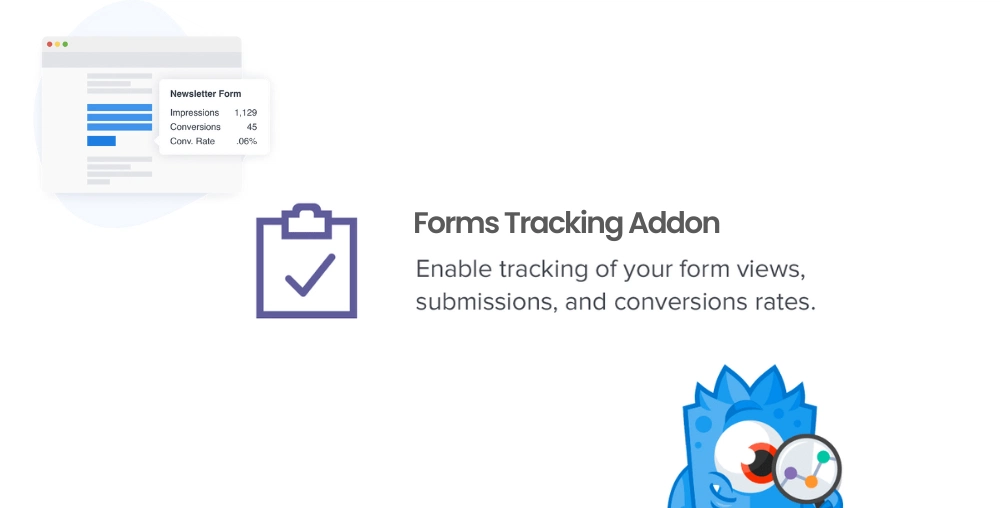
Form Impressions – How many people viewed your forms
Form Conversions – How many completed and submitted forms
Conversion Rates – See which forms are performing best
Detailed User Insights – Analyze browser types, devices, and traffic sources
These insights help you optimize your forms for higher engagement, better lead generation, and more revenue opportunities.
🔎 Why Use MonsterInsights Forms Addon?
✔️ Identify which forms bring in the most leads or sales
✔️ Improve low-converting forms with data-driven decisions
✔️ Optimize user experience across devices and browsers
✔️ Save time with automatic integration – no coding required
✔️ Access reports directly inside your WordPress dashboard
📈 Works Seamlessly Inside WordPress
The built-in reporting system makes it easy to track and analyze form performance without leaving WordPress. If you prefer more advanced insights, you can view detailed reports directly in Google Analytics for even deeper analysis.
✅ With the MonsterInsights Forms Addon, you’ll never guess which forms are effective again. Instead, you’ll have clear, actionable insights to boost conversions, capture more leads, and maximize the value of your visitors – all with just a few clicks.
Be the first to review “MonsterInsights Forms Addon 2.3.3” Cancel reply
How to Install
Follow these quick steps to install from a .zip file or directly from your WP dashboard.
-
1
Go to Plugins → Add New
In your WordPress dashboard, open Plugins and click Add New.
-
2
Click Upload Plugin
Press Upload Plugin → Choose File and select the downloaded
plugin-name.zip. -
3
Install & Activate
Click Install Now, then Activate. You’re done!
-
4
(Optional) Enter License / Use Shortcode
Open Plugins → Your Plugin → Settings to enter your license. Add the box on the product page with:
[plugin_info_box]
Alternative: Install from WordPress directory
Go to Plugins → Add New, search the plugin name, click Install then Activate.
Manual (FTP) method
Unzip locally → upload the folder to /wp-content/plugins/ using FTP → activate from Plugins.
-
1
Go to Appearance → Themes
Click Add New → Upload Theme.
-
2
Upload the .zip file
Select
theme-name.zip, click Install Now, then Activate. -
3
Install Required Plugins
If prompted, click Begin installing plugins and activate them.
-
4
(Optional) Import Starter Content
Use the theme’s Demo Import (if provided) to load sample pages and settings.
Manual (FTP) theme install
Unzip the theme → upload to /wp-content/themes/ → activate from Appearance → Themes.


Reviews
There are no reviews yet.