
- ✔ Verified by VirusTotal
- ✔ 100% Original Product & Virus-Free
- ✔ Lifetime Free Updates on Single Purchase
- ✔ Unlimited Website Usage
- ✔ Prices in USD (Tax Included)
🔥 Limited-Time Deal — Ends Soon!
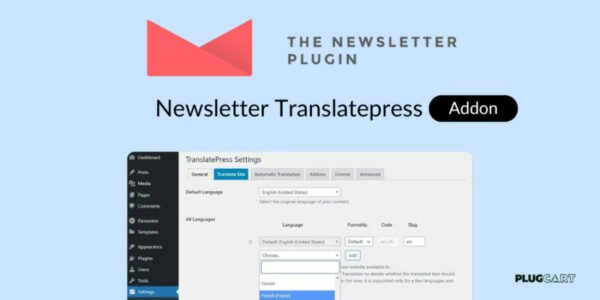
Newsletter Translatepress Addon 1.0.3
$71.00 Original price was: $71.00.$2.99Current price is: $2.99.
Instant Access
7 Day Money Back Guarantee
Online Support 24/7
Secure Payment
Description
🌐 Newsletter TranslatePress Addon – Multilanguage Support for WordPress Newsletters
Newsletter TranslatePress Addon brings full multilanguage support to WordPress newsletters with an easy-to-use translation feature directly on your site’s frontend.
This addon ensures that users enjoy a seamless multilingual experience while interacting with your newsletter subscription forms, profile editing, and cancellation processes.
🛠 Key Features
Frontend Translation: Easily translate newsletter content directly from your blog’s frontend using TranslatePress.
Admin Language Switcher: Adds a language switcher in the admin area when TranslatePress is installed, enabling multilingual configuration for Newsletter.
Seamless Multilingual Experience: Supports subscription, cancellation, and profile editing in multiple languages.
Compatibility: Works alongside other multilingual plugins like WPML and Polylang.
Language-List Linking: Ensures consistent user experience across all newsletter interactions in different languages.
✅ Benefits
Provide a fully translated newsletter experience to all users.
Simplify multilingual management for administrators.
Improve user engagement by offering newsletters in your visitors’ preferred language.
Compatible with popular WordPress multilingual plugins for maximum flexibility.
Conclusion
The Newsletter TranslatePress Addon is the perfect solution for WordPress sites that need multilingual newsletter functionality, making it easy to reach and engage a global audience.
Be the first to review “Newsletter Translatepress Addon 1.0.3” Cancel reply
How to Install
Follow these quick steps to install from a .zip file or directly from your WP dashboard.
-
1
Go to Plugins → Add New
In your WordPress dashboard, open Plugins and click Add New.
-
2
Click Upload Plugin
Press Upload Plugin → Choose File and select the downloaded
plugin-name.zip. -
3
Install & Activate
Click Install Now, then Activate. You’re done!
-
4
(Optional) Enter License / Use Shortcode
Open Plugins → Your Plugin → Settings to enter your license. Add the box on the product page with:
[plugin_info_box]
Alternative: Install from WordPress directory
Go to Plugins → Add New, search the plugin name, click Install then Activate.
Manual (FTP) method
Unzip locally → upload the folder to /wp-content/plugins/ using FTP → activate from Plugins.
-
1
Go to Appearance → Themes
Click Add New → Upload Theme.
-
2
Upload the .zip file
Select
theme-name.zip, click Install Now, then Activate. -
3
Install Required Plugins
If prompted, click Begin installing plugins and activate them.
-
4
(Optional) Import Starter Content
Use the theme’s Demo Import (if provided) to load sample pages and settings.
Manual (FTP) theme install
Unzip the theme → upload to /wp-content/themes/ → activate from Appearance → Themes.




Reviews
There are no reviews yet.