
- ✔ Verified by VirusTotal
- ✔ 100% Original Product & Virus-Free
- ✔ Lifetime Free Updates on Single Purchase
- ✔ Unlimited Website Usage
- ✔ Prices in USD (Tax Included)
🔥 Limited-Time Deal — Ends Soon!
Openpos – WooCommerce Point Of Sale(POS) 7.3.8
$64.00 Original price was: $64.00.$2.99Current price is: $2.99.
Instant Access
7 Day Money Back Guarantee
Online Support 24/7
Secure Payment
Description
🛒 OpenPOS – WooCommerce Point of Sale (POS) Plugin
Transform your WooCommerce store into a full-featured Point of Sale system!
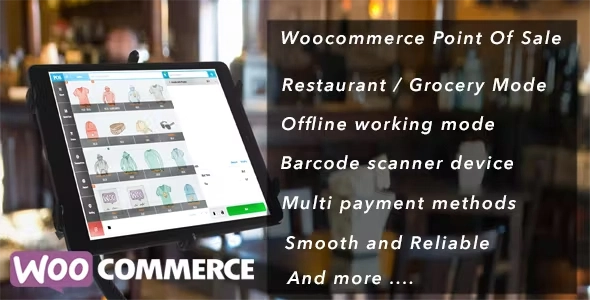
OpenPOS is a powerful POS solution for WordPress and WooCommerce that allows you to manage retail stores, cafes, restaurants, salons, rentals, and more—all while syncing seamlessly with your online store.
This is a GPL-distributed version:
✅ 100% Clean & Secure
❌ No official support included
🚀 Why OpenPOS?
If you need a real-time, multi-purpose POS system that integrates directly with your WooCommerce store, OpenPOS is your all-in-one solution. It’s perfect for restaurants (with table management), retail stores (with barcode scanning), and service businesses (like rentals and salons).
🔥 Key Features
⚡ Core POS Features
No Monthly Fees – Fully self-hosted with WooCommerce
Progressive Web App (PWA) – Install OpenPOS as a native app on desktop for faster, app-like performance
Offline Mode Support – Keep selling even without internet
Real-Time Sync – Orders sync instantly between devices (cashiers, kitchen, staff)
🍽️ Restaurant & Cafe Mode
Table management with merge & transfer table features
Kitchen view screen for streamlined order processing
Rental business support (karaoke rooms, pool tables, hotels)
Contactless/No-touch ordering for safer service
🛍️ Retail & General Store Features
Multi-Warehouse & Inventory Management
Decimal stock and negative quantity support
Digital weighing scale integration & barcode scanning
Rounding currency and weight-based pricing
Multi-cart checkout with saved cart support
💳 Checkout & Payments
Split payments and multiple payment methods
Discounts and coupon support (per item or cart)
Cash management, refunds, and exchanges (partial/full)
LayBuy (buy now, pay later) support
Print & email receipts, barcode labels
🧾 Reports & User Management
Sales & transaction reports
Active login session tracking (cashier name, location, IP)
Logoff function to secure sessions
Staff permissions and user-level access
🔗 Integrations
Works with WooCommerce Product Add-Ons & Bundles
QR code scanning via HTTPS camera
Compatible with default & extended WooCommerce payment gateways
🎯 Perfect For:
✔ Retail Shops
✔ Restaurants & Cafes
✔ Salons & Spas
✔ Rental Businesses
✔ Grocery Stores
With OpenPOS, your WooCommerce store becomes a professional POS system with real-time synchronization, PWA capabilities, and offline functionality—all without recurring costs.
Be the first to review “Openpos – WooCommerce Point Of Sale(POS) 7.3.8” Cancel reply
How to Install
Follow these quick steps to install from a .zip file or directly from your WP dashboard.
-
1
Go to Plugins → Add New
In your WordPress dashboard, open Plugins and click Add New.
-
2
Click Upload Plugin
Press Upload Plugin → Choose File and select the downloaded
plugin-name.zip. -
3
Install & Activate
Click Install Now, then Activate. You’re done!
-
4
(Optional) Enter License / Use Shortcode
Open Plugins → Your Plugin → Settings to enter your license. Add the box on the product page with:
[plugin_info_box]
Alternative: Install from WordPress directory
Go to Plugins → Add New, search the plugin name, click Install then Activate.
Manual (FTP) method
Unzip locally → upload the folder to /wp-content/plugins/ using FTP → activate from Plugins.
-
1
Go to Appearance → Themes
Click Add New → Upload Theme.
-
2
Upload the .zip file
Select
theme-name.zip, click Install Now, then Activate. -
3
Install Required Plugins
If prompted, click Begin installing plugins and activate them.
-
4
(Optional) Import Starter Content
Use the theme’s Demo Import (if provided) to load sample pages and settings.
Manual (FTP) theme install
Unzip the theme → upload to /wp-content/themes/ → activate from Appearance → Themes.




Reviews
There are no reviews yet.