
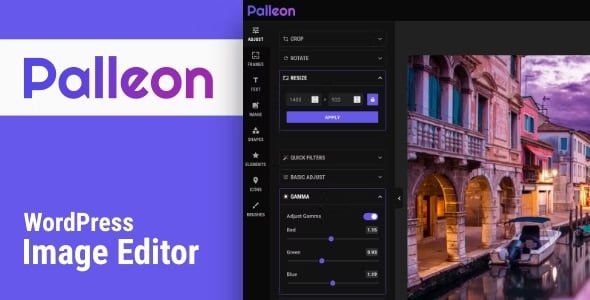
🖼️ Palleon WordPress Image Editor – The Ultimate WordPress Photo Editor
The Palleon WordPress Image Editor (Latest Version) is a complete image editing solution fully integrated with your WordPress site. Whether you’re a designer, blogger, or website owner, Palleon gives you all the tools you need to edit images effortlessly — right inside WordPress.
This is a GPL-distributed version, clean, secure, and legally redistributed under the GPL license (no official support included).
⚙️ Key Features
🧭 Back-End & Front-End Versions: Use the editor from your WordPress dashboard or enable front-end editing without login.
✂️ Image Adjustments: Crop, resize, rotate, or apply beautiful filters to your photos in a few clicks.
🖼️ Photo Frames: Add stylish frames instantly to enhance your images.
🔤 Add Text: Insert and customize text using Google Fonts and advanced text settings.
🖋️ Free Drawing: Use brushes to freely draw and paint on your canvas.
🔺 Add Shapes & Icons: Insert customizable shapes or choose from hundreds of modern icons.
🧩 Element Library: Access a growing library of SVG elements for creative designs.
📚 Template Library: Choose from ready-made templates or create and save your own.
📸 Pexels Integration: Access millions of high-quality, royalty-free stock images directly from the editor.
🗂️ Media Library Integration: Upload or choose images from your WordPress media library without leaving the editor.
💡 Light & Dark Themes: Switch between themes or apply your own custom CSS styles.
🔁 History Panel: Undo, redo, and restore previous actions easily.
💰 Membership Plugin Compatibility: Works perfectly with Paid Memberships Pro, Restrict Content Pro, and Simple Membership to control editor access.
💼 What We Offer
100% GPL-licensed version identical to the original developer’s plugin.
Secure, clean, and legal redistribution.
Simple installation and setup with no hidden modifications.
✅ Conclusion
The Palleon WordPress Image Editor is a professional-grade image editing tool built right into your WordPress environment. With powerful features like layers, filters, free drawing, templates, and stock image integration, Palleon makes designing and editing visuals easier than ever — all without leaving your website. Perfect for creators, businesses, and agencies looking to enhance visual content effortlessly.




Reviews
There are no reviews yet.