
- ✔ Verified by VirusTotal
- ✔ 100% Original Product & Virus-Free
- ✔ Lifetime Free Updates on Single Purchase
- ✔ Unlimited Website Usage
- ✔ Prices in USD (Tax Included)
🔥 Limited-Time Deal — Ends Soon!
ProductX Gutenberg WooCommerce Blocks 2.1.5
$30.00 Original price was: $30.00.$2.99Current price is: $2.99.
Instant Access
7 Day Money Back Guarantee
Online Support 24/7
Secure Payment
Description
🛒 ProductX Gutenberg WooCommerce Blocks – Build Stunning WooCommerce Stores
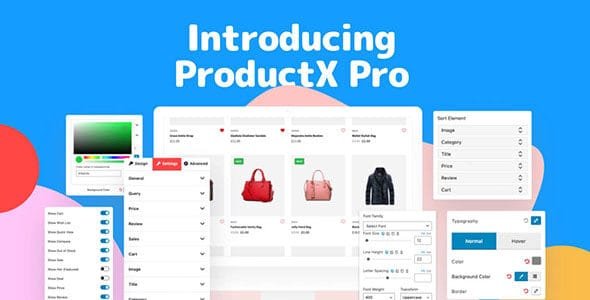
ProductX Gutenberg WooCommerce Blocks is a powerful WordPress plugin that helps you create visually stunning WooCommerce stores with ease. From product grids and sliders to category lists and carousels, ProductX makes it possible to showcase your products in beautiful layouts within seconds.
This GPL-distributed version is clean, secure, and legally redistributed, giving you full functionality without official support.
⚡ Key Features of ProductX
Ready-Made Layouts 🎨
Comes with a vast collection of pre-built layouts
Import any layout to your page with a single click
Perfect for grids, lists, sliders, and product carousels
Save time and skip complex design work
Advanced Query Builder 🛠️
Display products with custom queries based on your criteria
Filter products by category, tag, order, number of posts, exclude, offset, and more
Fully configurable from the block settings panel
Ideal for highlighting specific products or categories
WooCommerce Wishlist Integration 💖
Convert site visitors into loyal customers with Wishlist
Add Wishlist to any page using shortcodes
Login requirement option for adding products to Wishlist
Automatically empty Wishlist after checkout
Customize Wishlist button text and redirect users to cart
Easy Shop Creation ⚡
Create a WooCommerce shop without technical expertise
Build product layouts in minutes instead of hours
Works seamlessly with any WordPress theme
Fully compatible with Gutenberg editor blocks
✅ Benefits at a Glance
Create beautiful product grids, sliders, and carousels quickly
Display products using advanced custom queries
Boost engagement with Wishlist functionality
One-click import of pre-designed layouts
User-friendly drag-and-drop Gutenberg blocks
Perfect for building a professional WooCommerce store in minutes
ProductX Gutenberg WooCommerce Blocks is the ideal solution for online stores looking to showcase products in stunning layouts while improving usability and conversions. Whether you’re selling fashion, electronics, or any other products, ProductX makes WooCommerce shop creation fast, flexible, and visually impressive. 🛒✨
Be the first to review “ProductX Gutenberg WooCommerce Blocks 2.1.5” Cancel reply
How to Install
Follow these quick steps to install from a .zip file or directly from your WP dashboard.
-
1
Go to Plugins → Add New
In your WordPress dashboard, open Plugins and click Add New.
-
2
Click Upload Plugin
Press Upload Plugin → Choose File and select the downloaded
plugin-name.zip. -
3
Install & Activate
Click Install Now, then Activate. You’re done!
-
4
(Optional) Enter License / Use Shortcode
Open Plugins → Your Plugin → Settings to enter your license. Add the box on the product page with:
[plugin_info_box]
Alternative: Install from WordPress directory
Go to Plugins → Add New, search the plugin name, click Install then Activate.
Manual (FTP) method
Unzip locally → upload the folder to /wp-content/plugins/ using FTP → activate from Plugins.
-
1
Go to Appearance → Themes
Click Add New → Upload Theme.
-
2
Upload the .zip file
Select
theme-name.zip, click Install Now, then Activate. -
3
Install Required Plugins
If prompted, click Begin installing plugins and activate them.
-
4
(Optional) Import Starter Content
Use the theme’s Demo Import (if provided) to load sample pages and settings.
Manual (FTP) theme install
Unzip the theme → upload to /wp-content/themes/ → activate from Appearance → Themes.




Reviews
There are no reviews yet.