
- ✔ Verified by VirusTotal
- ✔ 100% Original Product & Virus-Free
- ✔ Lifetime Free Updates on Single Purchase
- ✔ Unlimited Website Usage
- ✔ Prices in USD (Tax Included)
🔥 Limited-Time Deal — Ends Soon!
PublishPress Checklists Pro 2.23.0
$39.00 Original price was: $39.00.$2.99Current price is: $2.99.
Instant Access
7 Day Money Back Guarantee
Online Support 24/7
Secure Payment
Description
✅ PublishPress Checklists Pro – WordPress Content Quality Control
💡 PublishPress Checklists Pro is a powerful WordPress plugin that helps maintain the quality of your website’s content by allowing you to define tasks that authors must complete before publishing. With this plugin, you can ensure consistency, completeness, and high standards across all posts, pages, and products.
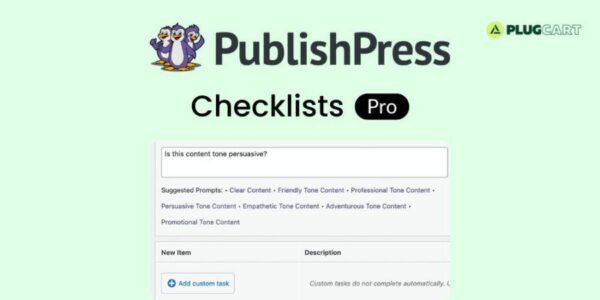
📝 Authors see a checklist box next to every post or page, displaying recommended or required tasks. As tasks are completed, the red text automatically turns green, giving instant visual feedback. You can set rules for minimum or maximum word counts, ensure featured images are added, and more.
⚙️ For WooCommerce products, PublishPress Checklists Pro lets you define over 20 requirements that must be met before a product goes live. Custom checklist rules allow you to create unlimited rules tailored to your workflow, ensuring every piece of content meets your site’s standards.
📊 Each checklist item can be configured as recommended, required, or ignored. Writers receive clear feedback if tasks are incomplete, reducing errors and streamlining your publishing process. PublishPress Checklists Pro is ideal for multi-author blogs, editorial teams, and e-commerce stores that require strict content quality control.
✨ Key Features
📝 Create custom checklists for posts, pages, and products
✅ Visual feedback: red to green as tasks are completed
⚙️ Over 20 requirements for WooCommerce product publishing
🖋️ Set minimum or maximum word counts
🖼️ Ensure featured images are included
💡 Add unlimited custom rules tailored to your workflow
📊 Recommended or required task configuration
🛠️ Feedback prompts for incomplete tasks
🛠️ What We Offer
💡 Maintain high content quality across your WordPress site
🎯 Customizable checklists for posts, pages, and products
⚙️ Streamlined editorial workflow with visual feedback
🌍 Ideal for multi-author blogs and e-commerce stores
🔒 GPL-compliant, secure, and developer-friendly
✅ Conclusion
🚀 PublishPress Checklists Pro ensures your WordPress content meets quality standards before publishing. With customizable checklists, visual feedback, and configurable rules for posts and products, it streamlines content creation while maintaining consistency and professionalism.
Be the first to review “PublishPress Checklists Pro 2.23.0” Cancel reply
How to Install
Follow these quick steps to install from a .zip file or directly from your WP dashboard.
-
1
Go to Plugins → Add New
In your WordPress dashboard, open Plugins and click Add New.
-
2
Click Upload Plugin
Press Upload Plugin → Choose File and select the downloaded
plugin-name.zip. -
3
Install & Activate
Click Install Now, then Activate. You’re done!
-
4
(Optional) Enter License / Use Shortcode
Open Plugins → Your Plugin → Settings to enter your license. Add the box on the product page with:
[plugin_info_box]
Alternative: Install from WordPress directory
Go to Plugins → Add New, search the plugin name, click Install then Activate.
Manual (FTP) method
Unzip locally → upload the folder to /wp-content/plugins/ using FTP → activate from Plugins.
-
1
Go to Appearance → Themes
Click Add New → Upload Theme.
-
2
Upload the .zip file
Select
theme-name.zip, click Install Now, then Activate. -
3
Install Required Plugins
If prompted, click Begin installing plugins and activate them.
-
4
(Optional) Import Starter Content
Use the theme’s Demo Import (if provided) to load sample pages and settings.
Manual (FTP) theme install
Unzip the theme → upload to /wp-content/themes/ → activate from Appearance → Themes.




Reviews
There are no reviews yet.