
- ✔ Verified by VirusTotal
- ✔ 100% Original Product & Virus-Free
- ✔ Lifetime Free Updates on Single Purchase
- ✔ Unlimited Website Usage
- ✔ Prices in USD (Tax Included)
🔥 Limited-Time Deal — Ends Soon!
Tasty Recipes – WP Recipe Plugin for Food Blogs 3.16.3
$44.00 Original price was: $44.00.$2.99Current price is: $2.99.
Instant Access
7 Day Money Back Guarantee
Online Support 24/7
Secure Payment
Description
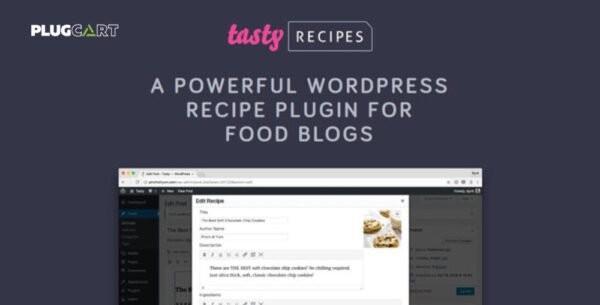
🍽️ Tasty Recipes – WP Recipe Plugin for Food Blogs (GPL Version)
This is a GPL-distributed version of Tasty Recipes – WP Recipe Plugin for WordPress.
No official support included. 100% clean, secure, and legally redistributed under the GPL license.
🧁 Give Your Readers Everything They Need
Tasty Recipes makes it simple to add stunning, user-friendly recipe cards to your food blog. With intuitive tools like recipe scaling and Cook Mode, your readers can easily follow along, adjust portion sizes, and enjoy a distraction-free cooking experience.
The plugin is designed with both readers and SEO in mind, ensuring your recipes look amazing and rank higher in search engines with structured data and optimized formatting.
⚙️ Key Features
🍳 Cook Mode for Hands-Free Cooking
Let your readers keep the screen awake while they cook—no more messy scrolling or phone locks in the kitchen.
⚖️ Recipe Scaling Made Simple
Automatically adjust ingredient quantities for larger or smaller portions with just one click.
🔍 SEO-Optimized Structured Data
Ensure your recipes appear beautifully in Google rich snippets and recipe carousels for maximum visibility.
🎨 Easy Recipe Formatting
Create professional-looking recipe cards that fit seamlessly into your blog design—no coding required.
⚡ Fast and User-Friendly Setup
Spend less time configuring plugins and more time creating recipes your readers will love.
🌟 Why Choose Tasty Recipes?
Streamlined Recipe Creation: Publish beautiful recipes in minutes.
Improved User Experience: Interactive features make cooking fun and easy.
Boost SEO Rankings: Structured data helps your recipes stand out in search results.
Time-Saving Workflow: Simple setup means you can focus on content, not tech hassles.
🏁 Conclusion
The Tasty Recipes Plugin (GPL Version) is a must-have tool for any food blogger looking to elevate their recipe content. With Cook Mode, scaling, and SEO optimization, it enhances both the reader’s experience and your blog’s performance.
If you want your recipes to look stunning, function flawlessly, and rank higher—Tasty Recipes is the perfect kitchen companion for your WordPress blog.
Be the first to review “Tasty Recipes – WP Recipe Plugin for Food Blogs 3.16.3” Cancel reply
How to Install
Follow these quick steps to install from a .zip file or directly from your WP dashboard.
-
1
Go to Plugins → Add New
In your WordPress dashboard, open Plugins and click Add New.
-
2
Click Upload Plugin
Press Upload Plugin → Choose File and select the downloaded
plugin-name.zip. -
3
Install & Activate
Click Install Now, then Activate. You’re done!
-
4
(Optional) Enter License / Use Shortcode
Open Plugins → Your Plugin → Settings to enter your license. Add the box on the product page with:
[plugin_info_box]
Alternative: Install from WordPress directory
Go to Plugins → Add New, search the plugin name, click Install then Activate.
Manual (FTP) method
Unzip locally → upload the folder to /wp-content/plugins/ using FTP → activate from Plugins.
-
1
Go to Appearance → Themes
Click Add New → Upload Theme.
-
2
Upload the .zip file
Select
theme-name.zip, click Install Now, then Activate. -
3
Install Required Plugins
If prompted, click Begin installing plugins and activate them.
-
4
(Optional) Import Starter Content
Use the theme’s Demo Import (if provided) to load sample pages and settings.
Manual (FTP) theme install
Unzip the theme → upload to /wp-content/themes/ → activate from Appearance → Themes.




Reviews
There are no reviews yet.