
- ✔ Verified by VirusTotal
- ✔ 100% Original Product & Virus-Free
- ✔ Lifetime Free Updates on Single Purchase
- ✔ Unlimited Website Usage
- ✔ Prices in USD (Tax Included)
🔥 Limited-Time Deal — Ends Soon!
ThemeIsle Feedzy RSS Feeds Premium 3.1.0
$59.00 Original price was: $59.00.$2.99Current price is: $2.99.
Instant Access
7 Day Money Back Guarantee
Online Support 24/7
Secure Payment
Description
ThemeIsle Feedzy RSS Feeds Pro – Automate Your Content Aggregation 📡
Automatically Import Content to WordPress
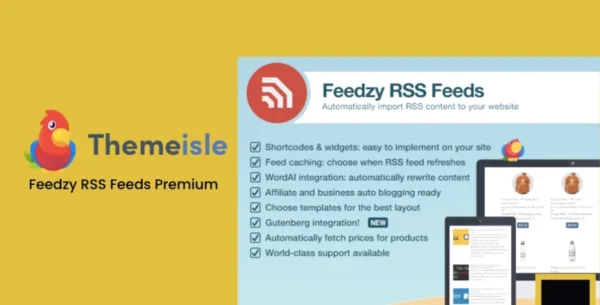
Feedzy RSS Feeds Pro is a powerful WordPress plugin that lets you auto-import content from RSS feeds directly into your posts, pages, or any custom post type. Ideal for affiliate websites, news aggregators, or content hub platforms, Feedzy automates your content workflow while keeping your site fast and SEO-friendly.
GPL-distributed, it’s secure, legally reusable, and easy to integrate, giving you full control over your content without limits.
ThemeIsle Perfect for Content Creators and Affiliates
Feedzy RSS Feeds Pro is perfect for:
News Aggregator Sites 📰
Affiliate Marketing Websites 💰
Niche Content Hubs 🖥️
Product Price Comparison Sites 🛒
Bloggers looking for automated content streams ✍️
With unlimited RSS feeds support, Feedzy ensures your website always has fresh, relevant content.
ThemeIsle Key Features of Feedzy RSS Feeds Pro
Content Import & Automation
Feed to Post – Automatically import RSS feed content to posts, pages, or custom post types
Affiliate Automation – Include affiliate/referral IDs automatically in your imported content
Unlimited RSS Sources – Collect content from unlimited RSS feeds
ThemeIsle Article Spinner Integration
Automatically rephrase imported content with WordAI or SpinnerChief (subscription required)
Avoid duplicate content penalties and refresh your site regularly
Templates & Media Support
Three Beautiful Templates – Choose the layout that fits your website style
Supports complex media such as audio playback and YouTube videos
Customize how imported content is displayed
Performance & Control
Feed Caching – Automatically cache feeds for fast site performance
Set refresh intervals for updated content
Blacklist keywords to control what content appears on your site
SEO & Brand Protection
Maintain SEO integrity while importing content
Protect your brand with filtered, relevant content
Build a professional content hub or affiliate website with minimal effort
Why Choose Feedzy RSS Feeds Pro?
Feedzy RSS Feeds Pro is the ultimate solution for automating content aggregation and building affiliate or news-driven websites. Its easy-to-use templates, article spinner integration, and unlimited RSS feed support allow you to create fresh, engaging, and monetizable content effortlessly.
Feedzy RSS Feeds Pro – Build an automated, high-performing content hub, affiliate site, or news aggregator with unlimited feeds, article spinning, and SEO-ready automation. 📡💻🚀
Be the first to review “ThemeIsle Feedzy RSS Feeds Premium 3.1.0” Cancel reply
How to Install
Follow these quick steps to install from a .zip file or directly from your WP dashboard.
-
1
Go to Plugins → Add New
In your WordPress dashboard, open Plugins and click Add New.
-
2
Click Upload Plugin
Press Upload Plugin → Choose File and select the downloaded
plugin-name.zip. -
3
Install & Activate
Click Install Now, then Activate. You’re done!
-
4
(Optional) Enter License / Use Shortcode
Open Plugins → Your Plugin → Settings to enter your license. Add the box on the product page with:
[plugin_info_box]
Alternative: Install from WordPress directory
Go to Plugins → Add New, search the plugin name, click Install then Activate.
Manual (FTP) method
Unzip locally → upload the folder to /wp-content/plugins/ using FTP → activate from Plugins.
-
1
Go to Appearance → Themes
Click Add New → Upload Theme.
-
2
Upload the .zip file
Select
theme-name.zip, click Install Now, then Activate. -
3
Install Required Plugins
If prompted, click Begin installing plugins and activate them.
-
4
(Optional) Import Starter Content
Use the theme’s Demo Import (if provided) to load sample pages and settings.
Manual (FTP) theme install
Unzip the theme → upload to /wp-content/themes/ → activate from Appearance → Themes.




Reviews
There are no reviews yet.