
- ✔ Verified by VirusTotal
- ✔ 100% Original Product & Virus-Free
- ✔ Lifetime Free Updates on Single Purchase
- ✔ Unlimited Website Usage
- ✔ Prices in USD (Tax Included)
🔥 Limited-Time Deal — Ends Soon!
Transition Slider – Responsive WordPress Slider Plugin 2.20.2
$35.00 Original price was: $35.00.$2.99Current price is: $2.99.
Instant Access
7 Day Money Back Guarantee
Online Support 24/7
Secure Payment
Description
🎞️ Transition Slider – Responsive WordPress Slider Plugin GPL (Latest Version)
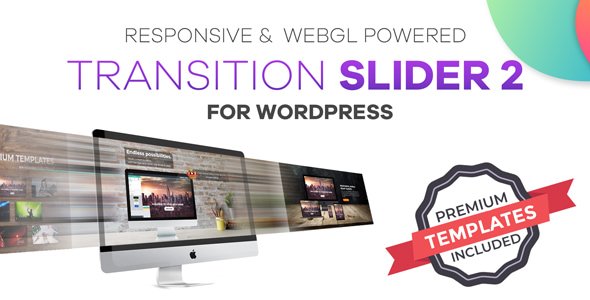
The Transition Slider GPL Plugin is a powerful, innovative, and fully responsive image & video slider for WordPress. With cinematic transition effects, animated layers, and optimized performance, this slider helps you create professional-grade visuals without coding.
Perfect for portfolios, business websites, product showcases, and landing pages, Transition Slider ensures your content looks engaging and dynamic across all devices.
🌟 Key Features of Transition Slider GPL
🎬 Next-Gen Transitions
Video editing–style effects: motion blur, radial blur, flash, fade, zoom, warp, crossfade, stretch, twirl & roll.
Bring cinematic-quality transitions to your WordPress site.
🖼️ Animated Layer Editor
Add text, buttons, images, and video layers.
Customize In/Out animations, duration, and delay.
Fully responsive across mobile, tablet, and desktop.
📱 Mobile & Tablet Optimization
Create unique settings per device (portrait for mobile, landscape for desktop/tablet).
Adjust font size, spacing, and positioning independently for each device.
🎨 Slider Templates
Start quickly with pre-designed templates.
Swap images, edit elements, and publish instantly.
🖱️ Interactive & High Performance
Draggable slides with touch and mouse support.
Lazy loading for fast page speeds.
Render only when visible to boost performance even with multiple sliders.
✨ New Feature – Line Transitions (v2.11)
Sleek line-based slide transitions for a modern, creative look.
🚀 Why Use Transition Slider GPL?
Create professional sliders with video-like transitions.
Boost engagement with interactive animations.
Maintain high performance with lazy loading & viewport rendering.
Easy to use with a visual editor & ready templates.
100% GPL licensed – secure, clean, and legally redistributed.
✅ Perfect For
Creative Portfolios & Photography Sites
Product Showcases & E-Commerce Stores
Business Websites & Agencies
Landing Pages & Marketing Campaigns
👉 With the Transition Slider GPL Plugin (Latest Version), you can transform ordinary sliders into captivating visual experiences that impress visitors and improve engagement.
Be the first to review “Transition Slider – Responsive WordPress Slider Plugin 2.20.2” Cancel reply
How to Install
Follow these quick steps to install from a .zip file or directly from your WP dashboard.
-
1
Go to Plugins → Add New
In your WordPress dashboard, open Plugins and click Add New.
-
2
Click Upload Plugin
Press Upload Plugin → Choose File and select the downloaded
plugin-name.zip. -
3
Install & Activate
Click Install Now, then Activate. You’re done!
-
4
(Optional) Enter License / Use Shortcode
Open Plugins → Your Plugin → Settings to enter your license. Add the box on the product page with:
[plugin_info_box]
Alternative: Install from WordPress directory
Go to Plugins → Add New, search the plugin name, click Install then Activate.
Manual (FTP) method
Unzip locally → upload the folder to /wp-content/plugins/ using FTP → activate from Plugins.
-
1
Go to Appearance → Themes
Click Add New → Upload Theme.
-
2
Upload the .zip file
Select
theme-name.zip, click Install Now, then Activate. -
3
Install Required Plugins
If prompted, click Begin installing plugins and activate them.
-
4
(Optional) Import Starter Content
Use the theme’s Demo Import (if provided) to load sample pages and settings.
Manual (FTP) theme install
Unzip the theme → upload to /wp-content/themes/ → activate from Appearance → Themes.




Reviews
There are no reviews yet.