
- ✔ Verified by VirusTotal
- ✔ 100% Original Product & Virus-Free
- ✔ Lifetime Free Updates on Single Purchase
- ✔ Unlimited Website Usage
- ✔ Prices in USD (Tax Included)
🔥 Limited-Time Deal — Ends Soon!
Ultimate Dashboard PRO 3.10.4
$50.00 Original price was: $50.00.$2.99Current price is: $2.99.
Instant Access
7 Day Money Back Guarantee
Online Support 24/7
Secure Payment
Description
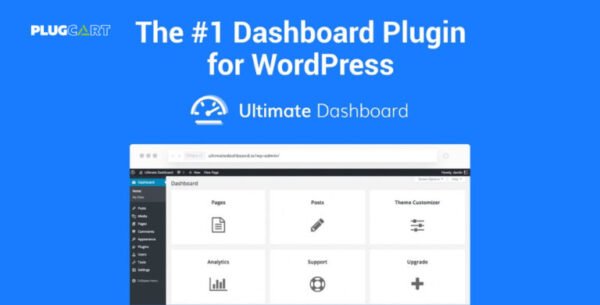
🛠️ Custom WordPress Dashboard Plugin – Ultimate Dashboard PRO GPL
The Ultimate Dashboard PRO GPL Plugin is the best solution to customize and simplify your WordPress admin dashboard. Whether you want to remove unnecessary widgets, create your own, or white-label WordPress for clients, this plugin gives you full control over the backend.
🌟 Key Features of Ultimate Dashboard PRO
🚫 Remove 3rd Party Widgets
Declutter your dashboard by removing unwanted or irrelevant widgets from plugins and themes.
🧩 PRO Widgets
Add custom widgets such as notes, links, videos, or quick access tools to improve the user experience.
🎨 Advanced Login Customizer
Redesign your login page with custom branding, logos, and styles for a professional look.
👥 User Role Access
Control which widgets and menu items are visible for different user roles.
📝 Admin Menu Editor
Easily reorder, hide, or rename admin menu items to streamline navigation.
🚀 Advanced Functionalities
✅ Page Builder Support – Create and assign custom dashboard widgets with Elementor, Beaver Builder, or Gutenberg.
✅ Multisite Ready – Manage multiple dashboards across your WordPress network.
✅ Custom Admin Pages – Build your own branded admin pages for clients or team members.
✅ White Label WordPress – Remove WordPress branding and replace it with your own.
🎯 Why Choose Ultimate Dashboard PRO GPL?
If you manage client websites, membership portals, or multisite networks, this plugin ensures your dashboard is clean, branded, and user-friendly. With its advanced white-label options, it’s the go-to tool for agencies, developers, and freelancers.
Be the first to review “Ultimate Dashboard PRO 3.10.4” Cancel reply
How to Install
Follow these quick steps to install from a .zip file or directly from your WP dashboard.
-
1
Go to Plugins → Add New
In your WordPress dashboard, open Plugins and click Add New.
-
2
Click Upload Plugin
Press Upload Plugin → Choose File and select the downloaded
plugin-name.zip. -
3
Install & Activate
Click Install Now, then Activate. You’re done!
-
4
(Optional) Enter License / Use Shortcode
Open Plugins → Your Plugin → Settings to enter your license. Add the box on the product page with:
[plugin_info_box]
Alternative: Install from WordPress directory
Go to Plugins → Add New, search the plugin name, click Install then Activate.
Manual (FTP) method
Unzip locally → upload the folder to /wp-content/plugins/ using FTP → activate from Plugins.
-
1
Go to Appearance → Themes
Click Add New → Upload Theme.
-
2
Upload the .zip file
Select
theme-name.zip, click Install Now, then Activate. -
3
Install Required Plugins
If prompted, click Begin installing plugins and activate them.
-
4
(Optional) Import Starter Content
Use the theme’s Demo Import (if provided) to load sample pages and settings.
Manual (FTP) theme install
Unzip the theme → upload to /wp-content/themes/ → activate from Appearance → Themes.




Reviews
There are no reviews yet.