
- ✔ Verified by VirusTotal
- ✔ 100% Original Product & Virus-Free
- ✔ Lifetime Free Updates on Single Purchase
- ✔ Unlimited Website Usage
- ✔ Prices in USD (Tax Included)
🔥 Limited-Time Deal — Ends Soon!
User Registration WooCommerce Integration 1.6.1
$35.00 Original price was: $35.00.$2.99Current price is: $2.99.
Instant Access
7 Day Money Back Guarantee
Online Support 24/7
Secure Payment
Description
🛒 User Registration WooCommerce Integration – Sync Accounts Effortlessly
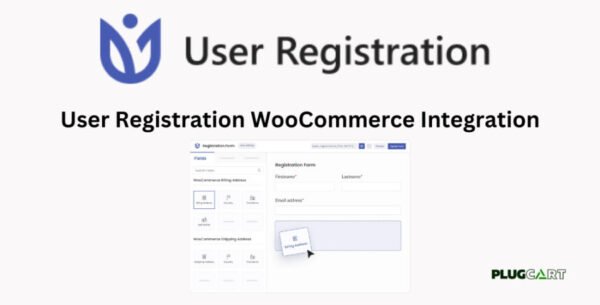
The User Registration WooCommerce Integration Addon allows you to seamlessly integrate WooCommerce with the User Registration plugin, giving your users a centralized, convenient experience for managing their account, orders, and billing/shipping information.
This GPL-distributed version is clean, secure, and legally redistributed, offering full functionality without official support.
⚡ Key Features
WooCommerce Billing & Shipping on Registration Form 💳
Drag and drop WooCommerce Billing and Shipping fields on your registration form
Sync user details automatically with WooCommerce
Users can update billing/shipping info directly from the account page
My Account Tabs Integration 📂
Integrates the Orders tab showing all user purchases
Adds a Downloads tab for downloadable products
Includes an Addresses tab for viewing/editing billing and shipping details
Option to display tabs horizontally or vertically
Checkout & Extra Fields Integration 🛍️
Register new users directly from the WooCommerce Checkout page
Include extra registration fields not present in the default WooCommerce registration form
Sync Firstname and Lastname automatically with WooCommerce Checkout
Supports WooCommerce Extensions ⚙️
Fully compatible with WooCommerce Subscriptions
Compatible with WooCommerce Memberships
Ensures smooth functionality even with premium WooCommerce features
User-Friendly Experience ✨
Simplifies account management for users
Consolidates all essential WooCommerce info in one place
Reduces friction by eliminating duplicate forms and fields
✅ Benefits at a Glance
Synchronize registration, billing, and shipping info with WooCommerce
Display orders, downloads, and addresses in the account page
Register users directly from Checkout
Include extra fields from User Registration plugin
Compatible with subscriptions and memberships extensions
Create a seamless, professional user experience
User Registration WooCommerce Integration Addon is the perfect solution for websites that want to enhance user account management, streamline registrations, and integrate WooCommerce seamlessly. Simplify your checkout, improve usability, and keep all customer information synchronized across your WordPress store. 🛒✨
Be the first to review “User Registration WooCommerce Integration 1.6.1” Cancel reply
How to Install
Follow these quick steps to install from a .zip file or directly from your WP dashboard.
-
1
Go to Plugins → Add New
In your WordPress dashboard, open Plugins and click Add New.
-
2
Click Upload Plugin
Press Upload Plugin → Choose File and select the downloaded
plugin-name.zip. -
3
Install & Activate
Click Install Now, then Activate. You’re done!
-
4
(Optional) Enter License / Use Shortcode
Open Plugins → Your Plugin → Settings to enter your license. Add the box on the product page with:
[plugin_info_box]
Alternative: Install from WordPress directory
Go to Plugins → Add New, search the plugin name, click Install then Activate.
Manual (FTP) method
Unzip locally → upload the folder to /wp-content/plugins/ using FTP → activate from Plugins.
-
1
Go to Appearance → Themes
Click Add New → Upload Theme.
-
2
Upload the .zip file
Select
theme-name.zip, click Install Now, then Activate. -
3
Install Required Plugins
If prompted, click Begin installing plugins and activate them.
-
4
(Optional) Import Starter Content
Use the theme’s Demo Import (if provided) to load sample pages and settings.
Manual (FTP) theme install
Unzip the theme → upload to /wp-content/themes/ → activate from Appearance → Themes.




Reviews
There are no reviews yet.