
- ✔ Verified by VirusTotal
- ✔ 100% Original Product & Virus-Free
- ✔ Lifetime Free Updates on Single Purchase
- ✔ Unlimited Website Usage
- ✔ Prices in USD (Tax Included)
🔥 Limited-Time Deal — Ends Soon!
UsersWP Groups Addon 1.0.13
$58.00 Original price was: $58.00.$2.99Current price is: $2.99.
Instant Access
7 Day Money Back Guarantee
Online Support 24/7
Secure Payment
Description
👥 UsersWP Groups Addon – Build Community Discussion Groups
💡 UsersWP Groups Addon lets you easily create Facebook-style discussion groups on your WordPress website. Perfect for membership sites, communities, or social networks, it brings interactive group functionality to your online platform, enabling users to connect, share, and engage.
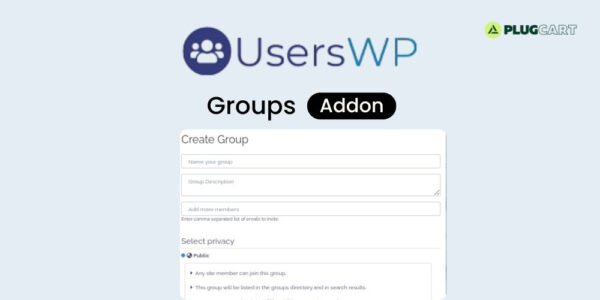
⚡ Users can create their own groups with full control over settings such as privacy (Public, Private, Hidden), post moderation (auto-publish or approval required), banners, rules, and member invites. Group creators can define who has the ability to invite new members, whether it’s the admin, owner, moderators, or all members.
🛠️ Group moderation is simple and effective. Owners can assign moderators to approve or reject posts and manage flagged content. Each post can be reported, ensuring a safe and well-managed community environment.
📝 Members can post text, links, YouTube videos, and images. Posts can be liked and commented on, while replies can include images and each comment can also be liked, creating an engaging social experience.
🌐 With UsersWP Groups Addon, your WordPress site gains a fully functional community system. Encourage interaction, user engagement, and networking within your website with a familiar interface inspired by Facebook groups.
✨ Key Features
👤 Create private, public, or hidden groups
🖼️ Set group name, description, banner image, and rules
🛡️ Post moderation: auto-publish or approval required
👥 Assign moderators for managing content
📝 Users can post text, links, videos, and images
❤️ Members can like and comment on posts
⚠️ Flag inappropriate posts for review
🌐 Fully inspired by Facebook group functionality
🛠️ What We Offer
💡 Build interactive social community groups
🎯 Control privacy, posting, and member invites
⚙️ Efficient moderation with owner & moderator roles
🌍 Enhance user engagement and social interaction
🔒 GPL-compliant, secure, and easy-to-use
✅ Conclusion
🚀 UsersWP Groups Addon transforms your WordPress site into a social hub where members can create and engage in discussion groups. With privacy controls, moderation, multimedia posts, and interactive features, it’s perfect for building vibrant online communities.
Be the first to review “UsersWP Groups Addon 1.0.13” Cancel reply
How to Install
Follow these quick steps to install from a .zip file or directly from your WP dashboard.
-
1
Go to Plugins → Add New
In your WordPress dashboard, open Plugins and click Add New.
-
2
Click Upload Plugin
Press Upload Plugin → Choose File and select the downloaded
plugin-name.zip. -
3
Install & Activate
Click Install Now, then Activate. You’re done!
-
4
(Optional) Enter License / Use Shortcode
Open Plugins → Your Plugin → Settings to enter your license. Add the box on the product page with:
[plugin_info_box]
Alternative: Install from WordPress directory
Go to Plugins → Add New, search the plugin name, click Install then Activate.
Manual (FTP) method
Unzip locally → upload the folder to /wp-content/plugins/ using FTP → activate from Plugins.
-
1
Go to Appearance → Themes
Click Add New → Upload Theme.
-
2
Upload the .zip file
Select
theme-name.zip, click Install Now, then Activate. -
3
Install Required Plugins
If prompted, click Begin installing plugins and activate them.
-
4
(Optional) Import Starter Content
Use the theme’s Demo Import (if provided) to load sample pages and settings.
Manual (FTP) theme install
Unzip the theme → upload to /wp-content/themes/ → activate from Appearance → Themes.




Reviews
There are no reviews yet.