
- ✔ Verified by VirusTotal
- ✔ 100% Original Product & Virus-Free
- ✔ Lifetime Free Updates on Single Purchase
- ✔ Unlimited Website Usage
- ✔ Prices in USD (Tax Included)
🔥 Limited-Time Deal — Ends Soon!
Veen – Minimal Lightweight AMP Blog for WordPress 2.6.0
$39.00 Original price was: $39.00.$2.99Current price is: $2.99.
Instant Access
7 Day Money Back Guarantee
Online Support 24/7
Secure Payment
Description
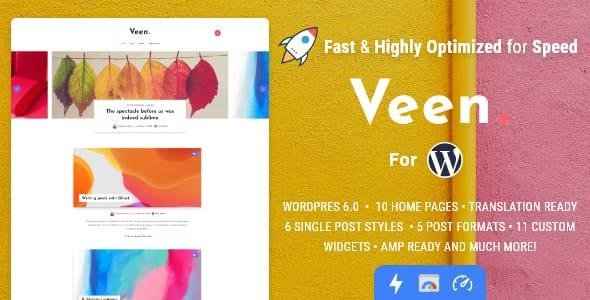
📝 Veen – Super Modern & Lightweight Blog WordPress Theme
Veen GPL Theme is a super modern, lightweight, and fast-loading WordPress theme designed specifically for bloggers who want high performance, clean design, and SEO optimization. Whether you’re running a personal blog, photography portfolio, travel diary, biography blog, or lifestyle site, Veen is built to deliver a smooth reading experience with blazing speed.
With AMP compatibility, multilingual support, and a minimalist yet stylish layout, Veen ensures your blog looks stunning across all devices while maintaining excellent scores on Google PageSpeed.
👉 This is a GPL-distributed version – 100% clean, secure, and legally redistributed under GPL license. No official support included.
🔑Key Features of Theme
✔ Super Lightweight Design – Optimized to be under 1.5Mb, ensuring ultra-fast performance
✔ AMP Support (Transitional Mode) – Improve mobile performance & SEO ranking
✔ Modern & Clean Layouts – Perfect for lifestyle, travel, and personal blogging
✔ SEO Optimized – Built with clean, semantic code for higher search engine rankings
✔ Custom Widgets (11 included) – Enhance your blog with author box, tag cloud, galleries & more
✔ Lazy Load Support – Boosts speed by loading images, iframes & embeds only when needed
✔ Monetization Ready – Dedicated advertising sections (header, between posts, after content, etc.)
✔ Multiple Post Layouts – Fullwidth, sidebar, or classic layouts for flexible design
✔ Responsive & Retina Ready – Looks flawless on desktop, iPad, iPhone, and Android
✔ Translation & Multilingual – Comes with English & Spanish, easily translatable into any language
✔ Disqus & Facebook Comments – Enhance community engagement
✔ Regular Updates – Always improving with speed and performance in mind
📊 Why Choose Veen GPL Theme?
⚡ Blazing Fast – Built for speed, lightweight design & optimized code
🌍 AMP + Multilingual – Ready for global audiences & Google ranking
💼 Professional & Clean – Minimalist style, perfect for writers & creators
🎯 Easy Monetization – Built-in ad placement sections
🛠️ Customization Options – Powerful admin panel for easy setup
📱 Mobile First – 100% responsive & retina-ready layouts
🏆 Best Use Cases for Veen Theme
✍️ Personal Blogging
📸 Photography Blog
🌍 Travel & Lifestyle Blog
👤 Biography & Author Pages
🎥 Media & Creative Portfolios
📌 Conclusion
The Veen GPL WordPress Theme is the ultimate choice for bloggers who value speed, simplicity, and SEO performance. Its AMP support, lazy loading, and multilingual options make it a future-proof blogging theme. Whether you’re starting a personal blog, travel journal, or photo storytelling site, Veen provides a clean, professional, and user-friendly experience for both readers and authors.
If you want a minimal, high-speed blog theme under GPL, Veen is a perfect fit.
Be the first to review “Veen – Minimal Lightweight AMP Blog for WordPress 2.6.0” Cancel reply
How to Install
Follow these quick steps to install from a .zip file or directly from your WP dashboard.
-
1
Go to Plugins → Add New
In your WordPress dashboard, open Plugins and click Add New.
-
2
Click Upload Plugin
Press Upload Plugin → Choose File and select the downloaded
plugin-name.zip. -
3
Install & Activate
Click Install Now, then Activate. You’re done!
-
4
(Optional) Enter License / Use Shortcode
Open Plugins → Your Plugin → Settings to enter your license. Add the box on the product page with:
[plugin_info_box]
Alternative: Install from WordPress directory
Go to Plugins → Add New, search the plugin name, click Install then Activate.
Manual (FTP) method
Unzip locally → upload the folder to /wp-content/plugins/ using FTP → activate from Plugins.
-
1
Go to Appearance → Themes
Click Add New → Upload Theme.
-
2
Upload the .zip file
Select
theme-name.zip, click Install Now, then Activate. -
3
Install Required Plugins
If prompted, click Begin installing plugins and activate them.
-
4
(Optional) Import Starter Content
Use the theme’s Demo Import (if provided) to load sample pages and settings.
Manual (FTP) theme install
Unzip the theme → upload to /wp-content/themes/ → activate from Appearance → Themes.




Reviews
There are no reviews yet.