
- ✔ Verified by VirusTotal
- ✔ 100% Original Product & Virus-Free
- ✔ Lifetime Free Updates on Single Purchase
- ✔ Unlimited Website Usage
- ✔ Prices in USD (Tax Included)
🔥 Limited-Time Deal — Ends Soon!
WooCommerce Bookings Premium 2.2.9
$57.00 Original price was: $57.00.$2.99Current price is: $2.99.
Instant Access
7 Day Money Back Guarantee
Online Support 24/7
Secure Payment
Description
📅 WooCommerce Bookings Premium – Latest Version
This is a GPL-distributed version — clean, secure, and legally redistributed under the GPL license. (No official support included.)
The WooCommerce Bookings Premium plugin allows your customers to book appointments, reservations, or rentals right from your website. Say goodbye to back-and-forth scheduling and let your store handle everything automatically — from time slots to confirmations.
🌟 Key Features of WooCommerce Bookings
🕒 Save Time and Simplify Scheduling
Let customers book classes, appointments, or rentals directly from your site — no calls or emails required. Automatically manage availability and keep your schedule full.
Define fixed time slots for classes or appointments.
Let users select custom time ranges, like hotel check-ins.
Block un-bookable periods or create buffers between bookings.
👥 One-on-One or Group Bookings
Offer individual appointments or allow multiple participants for events like tours or classes.
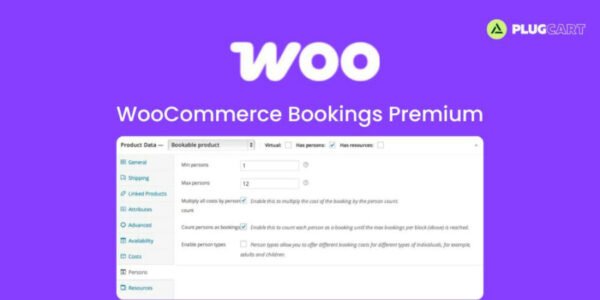
Set minimum/maximum participants per booking.
Manage group capacity easily and prevent overbooking.
💰 Flexible Pricing Options
Customize pricing to fit your business model:
Offer discounts for groups, early birds, or multi-slot bookings.
Set different prices by day, duration, or customer type.
Manage peak and off-peak rates effortlessly.
🌍 Time Zone Smartness
Show availability in your customer’s local time zone to prevent confusion — ideal for online classes, virtual consultations, or global services.
✅ Manage Confirmations & Cancellations
Enable manual confirmation before finalizing bookings.
Allow or restrict cancellations as per your policy.
Send automated reminders to reduce no-shows.
🔄 Prevent Double Bookings
Assign resources like rooms, staff, or equipment to avoid conflicts. If one resource is booked, it’s automatically marked unavailable for overlapping times.
📆 Manage and Sync Your Calendar
View and manage bookings by day, week, or month.
Add manual bookings directly from the dashboard.
Sync with Google Calendar in real time — no manual updates needed!
⚙️ Recommended Add-ons
Take your booking system to the next level:
💳 WooCommerce Deposits – Accept deposits for reservations.
🤖 AutomateWoo – Send automated confirmations or upsell offers.
📨 Follow-Ups – Power up your reminder and follow-up emails.
🏨 Accommodation Bookings – Perfect for hotels and B&Bs.
🧾 Product Vendors – Let service providers manage their bookings.
🎁 Product Add-Ons – Offer upgrades like gift wrapping or extra services.
🏁 Conclusion
💡 WooCommerce Bookings Premium transforms your WooCommerce store into a complete booking and scheduling solution. Whether you’re running a salon, hotel, gym, rental service, or online coaching, this plugin handles everything — from flexible scheduling to automated confirmations and Google Calendar sync.
Be the first to review “WooCommerce Bookings Premium 2.2.9” Cancel reply
How to Install
Follow these quick steps to install from a .zip file or directly from your WP dashboard.
-
1
Go to Plugins → Add New
In your WordPress dashboard, open Plugins and click Add New.
-
2
Click Upload Plugin
Press Upload Plugin → Choose File and select the downloaded
plugin-name.zip. -
3
Install & Activate
Click Install Now, then Activate. You’re done!
-
4
(Optional) Enter License / Use Shortcode
Open Plugins → Your Plugin → Settings to enter your license. Add the box on the product page with:
[plugin_info_box]
Alternative: Install from WordPress directory
Go to Plugins → Add New, search the plugin name, click Install then Activate.
Manual (FTP) method
Unzip locally → upload the folder to /wp-content/plugins/ using FTP → activate from Plugins.
-
1
Go to Appearance → Themes
Click Add New → Upload Theme.
-
2
Upload the .zip file
Select
theme-name.zip, click Install Now, then Activate. -
3
Install Required Plugins
If prompted, click Begin installing plugins and activate them.
-
4
(Optional) Import Starter Content
Use the theme’s Demo Import (if provided) to load sample pages and settings.
Manual (FTP) theme install
Unzip the theme → upload to /wp-content/themes/ → activate from Appearance → Themes.




Reviews
There are no reviews yet.