-96%
GPL License
  • ✔ Verified by VirusTotal
  • 100% Original Product & Virus-Free
  • ✔ Lifetime Free Updates on Single Purchase
  • ✔ Unlimited Website Usage
  • ✔ Prices in USD (Tax Included)

🔥 Limited-Time Deal — Ends Soon!

12HOURS
00MIN
00SEC
Get Instant Access 🚀

WooCommerce Box Office 1.3.6

Original price was: $71.00.Current price is: $2.99.

Last updated: 7 Oct 2025
Version 1.3.6
Direct Download
No credits left

Instant Access

7 Day Money Back Guarantee

Online Support 24/7

Secure Payment

Description

🎟️ WooCommerce Box Office – Sell Event Tickets Directly from Your Store (GPL Version)

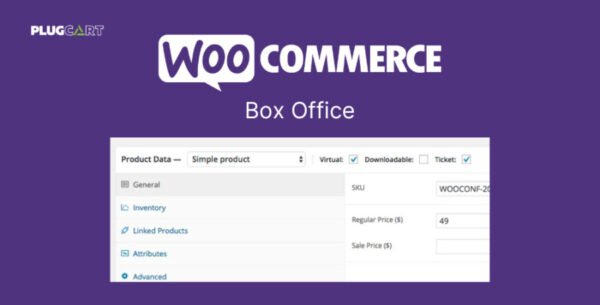
WooCommerce Box Office lets you create, sell, and manage event tickets directly on your WordPress website, without relying on external platforms. Perfect for conferences, concerts, fundraisers, webinars, or any event, it empowers you to handle everything — from ticket creation to attendee management — right inside WooCommerce.

This GPL-distributed version is clean, secure, and legally redistributed, offering full premium functionality without licensing restrictions.

⚙️ Key Features

  • 🛒 Sell Tickets on Your Site: Keep customers onsite while managing all sales through WooCommerce.

  • 🎫 Multiple Ticket Types: Create unlimited ticket categories with individual pricing, perks, and stock levels.

  • 📋 Custom Attendee Fields: Collect attendee details through customizable registration forms.

  • 💌 Email Personalization: Send automated or bulk emails to ticket holders for updates or promotions.

  • 🔒 Restrict Access: Grant exclusive access to webinars, downloads, or private event content for ticket buyers.

  • 📂 Attendee CSV Export: Easily download and manage attendee data in bulk.

  • 🔍 Search & Manage Attendees: Locate ticket holders by name, ID, email, or company.

  • 📈 Ticket Inventory Control: Set per-ticket limits to prevent overselling and manage availability.

  • 💸 Discount Codes: Create and track coupon codes for sponsors or partners to boost sales.

🚀 What We Offer

Get the WooCommerce Box Office GPL version, featuring all premium tools and unlimited installations. Enjoy complete event control, secure code, and full compatibility with your existing WooCommerce setup.

🏁 Conclusion

With WooCommerce Box Office, you can turn your website into a complete ticketing platform — sell event passes, manage attendees, and deliver personalized experiences without any third-party service fees. It’s the ultimate GPL solution for professional event management directly from your WordPress store.


Reviews

There are no reviews yet.


Be the first to review “WooCommerce Box Office 1.3.6”

How to Install

Follow these quick steps to install from a .zip file or directly from your WP dashboard.

Plugin (.zip) Buy Plugin .zip
  1. 1

    Go to Plugins → Add New

    In your WordPress dashboard, open Plugins and click Add New.

  2. 2

    Click Upload Plugin

    Press Upload PluginChoose File and select the downloaded plugin-name.zip.

  3. 3

    Install & Activate

    Click Install Now, then Activate. You’re done!

  4. 4

    (Optional) Enter License / Use Shortcode

    Open Plugins → Your Plugin → Settings to enter your license. Add the box on the product page with: [plugin_info_box]

Alternative: Install from WordPress directory

Go to Plugins → Add New, search the plugin name, click Install then Activate.

Manual (FTP) method

Unzip locally → upload the folder to /wp-content/plugins/ using FTP → activate from Plugins.

Theme (.zip) Buy Theme .zip
  1. 1

    Go to Appearance → Themes

    Click Add NewUpload Theme.

  2. 2

    Upload the .zip file

    Select theme-name.zip, click Install Now, then Activate.

  3. 3

    Install Required Plugins

    If prompted, click Begin installing plugins and activate them.

  4. 4

    (Optional) Import Starter Content

    Use the theme’s Demo Import (if provided) to load sample pages and settings.

Manual (FTP) theme install

Unzip the theme → upload to /wp-content/themes/ → activate from Appearance → Themes.

Related Products
