
- ✔ Verified by VirusTotal
- ✔ 100% Original Product & Virus-Free
- ✔ Lifetime Free Updates on Single Purchase
- ✔ Unlimited Website Usage
- ✔ Prices in USD (Tax Included)
🔥 Limited-Time Deal — Ends Soon!
WooCommerce Bulk Variations – By Barn2 Plugins 2.4.6
$40.00 Original price was: $40.00.$2.99Current price is: $2.99.
Instant Access
7 Day Money Back Guarantee
Online Support 24/7
Secure Payment
Description
🛒 WooCommerce Bulk Variations by Barn2 Media (GPL) – Sell More Variations with Ease
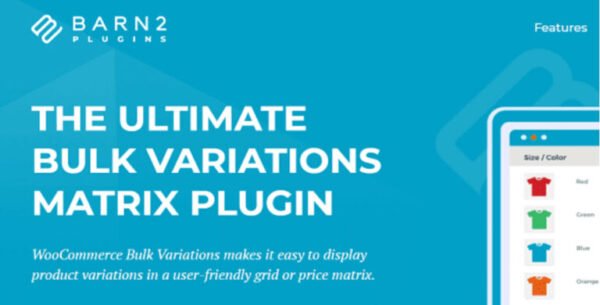
The WooCommerce Bulk Variations GPL Plugin by Barn2 Media helps you sell variable products faster by displaying all product attributes, prices, and stock in an easy-to-use grid or matrix. Customers can add multiple variations to the cart at once, making it perfect for wholesale, B2B, and bulk order stores.
This is a GPL-licensed version – clean, secure, and legally redistributed under the GPL. No official developer support is included.
🚀 Why Choose WooCommerce Bulk Variations?
Managing multiple variations can be frustrating with the default WooCommerce dropdowns. This plugin replaces them with a user-friendly variations table so customers can:
View all product options, prices, and stock at a glance.
Enter quantities quickly.
Add multiple variations to the cart in one click.
Ideal for clothing, food, wholesale products, and any store selling items with many variations.
🛠️ WooCommerce Bulk Variations GPL Features
📊 Order Form & Price Matrix Modes
Display variations as an order form with quantity boxes.
Or use price-only mode for a clean matrix display.
Replace default dropdowns or insert the grid anywhere via shortcode.
🧾 Quick & Flexible Setup
Create grids for selected variable products in just 2 minutes.
Works with any WordPress theme.
Beginner-friendly but also developer customizable.
🔎 Customer-Friendly Buying Experience
Show stock levels and prices instantly.
Reduce clicks and frustration for bulk buyers.
Perfect for large-volume orders.
✅ Benefits of Using WooCommerce Bulk Variations GPL
Boost sales by simplifying bulk ordering.
Save time for customers = more conversions.
Improve UX with clear tables instead of dropdowns.
GPL license = use on unlimited sites, free updates, lifetime access.
📌 Perfect For
🏢 Wholesale & B2B stores.
👕 Clothing & apparel shops with multiple sizes/colors.
🍴 Food, restaurant, or catering suppliers.
🛒 Any WooCommerce store selling in large volumes.
🎉 Conclusion
The WooCommerce Bulk Variations GPL Plugin by Barn2 Media is the ultimate solution for selling multiple product variations quickly and easily. With its flexible order forms and price matrix display, you’ll streamline your customer’s shopping experience while increasing your sales.
Be the first to review “WooCommerce Bulk Variations – By Barn2 Plugins 2.4.6” Cancel reply
How to Install
Follow these quick steps to install from a .zip file or directly from your WP dashboard.
-
1
Go to Plugins → Add New
In your WordPress dashboard, open Plugins and click Add New.
-
2
Click Upload Plugin
Press Upload Plugin → Choose File and select the downloaded
plugin-name.zip. -
3
Install & Activate
Click Install Now, then Activate. You’re done!
-
4
(Optional) Enter License / Use Shortcode
Open Plugins → Your Plugin → Settings to enter your license. Add the box on the product page with:
[plugin_info_box]
Alternative: Install from WordPress directory
Go to Plugins → Add New, search the plugin name, click Install then Activate.
Manual (FTP) method
Unzip locally → upload the folder to /wp-content/plugins/ using FTP → activate from Plugins.
-
1
Go to Appearance → Themes
Click Add New → Upload Theme.
-
2
Upload the .zip file
Select
theme-name.zip, click Install Now, then Activate. -
3
Install Required Plugins
If prompted, click Begin installing plugins and activate them.
-
4
(Optional) Import Starter Content
Use the theme’s Demo Import (if provided) to load sample pages and settings.
Manual (FTP) theme install
Unzip the theme → upload to /wp-content/themes/ → activate from Appearance → Themes.




Reviews
There are no reviews yet.