
- ✔ Verified by VirusTotal
- ✔ 100% Original Product & Virus-Free
- ✔ Lifetime Free Updates on Single Purchase
- ✔ Unlimited Website Usage
- ✔ Prices in USD (Tax Included)
🔥 Limited-Time Deal — Ends Soon!
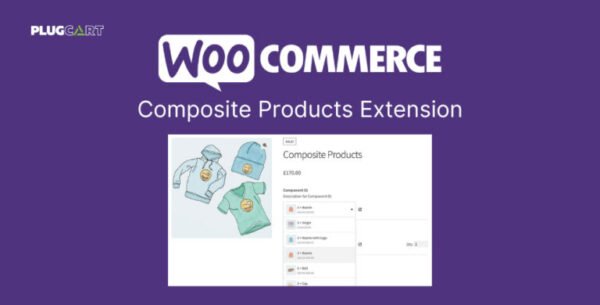
WooCommerce Composite Products Extension 11.0.0
$50.00 Original price was: $50.00.$2.99Current price is: $2.99.
Instant Access
7 Day Money Back Guarantee
Online Support 24/7
Secure Payment
Description
Composite Products – The Definitive WooCommerce Product Builder 🛠️
Composite Products is the ultimate WooCommerce extension for creating customizable product kits, offering customers a tailored shopping experience. Perfect for custom computers, skateboards, gift boxes, or made-to-order jewelry, this powerful plugin lets you assemble complex, engaging products from existing catalog items with full inventory management support.
⚡ Key Features of Composite Products
Advanced Product Grouping & Customization 🏗️
Combine multiple products into a single composite product.
Create multi-component kits with flexible selection rules.
Include simple, variable, downloadable, and virtual products seamlessly.
Flexible Pricing & Shipping 💰🚚
Price components individually or set a fixed total price for the kit.
Apply custom shipping options based on kit components.
Supports real-time inventory tracking across all components.
Conditional Logic & Visibility Rules 🔄
Control which components or steps appear based on customer selections.
Offer dynamic product options and create a personalized purchasing journey.
Hide or show options conditionally to streamline the checkout experience.
Interactive & Engaging Layouts 🎨
Choose from multiple layouts and option styles for an engaging shopping experience.
Support for pagination, sorting, and filtering for catalogs with thousands of options.
Fully responsive design ensures a smooth experience on desktops, tablets, and mobile devices.
Extendable Architecture 🛠️
Use built-in hooks and snippets to customize almost every aspect of the product builder.
Ideal for developers building complex, kit-based product workflows.
Supports integration with other WooCommerce extensions and add-ons.
💡 How Composite Products Works
Create Components: Start with the building blocks of your product (e.g., deck, trucks, wheels for a skateboard).
Add Options: Populate each component with products or categories from your catalog.
Configure Flow & Layout: Choose step order, layout, and option visibility for a smooth user experience.
Sell Your Custom Product: Customers select options, view dynamic pricing, and complete checkout seamlessly.
🔹 Benefits of Using Composite Products
✅ Boost conversion rates by letting customers build personalized products.
✅ Streamline inventory and manage complex product kits effortlessly.
✅ Offer advanced conditional logic to simplify complex selections.
✅ Compatible with thousands of products, even in large catalogs.
✅ Fully customizable with hooks, filters, and developer tools.
🔹 Use Cases
E-commerce Stores 🛒
Build custom computers, skateboards, jewelry, or furniture kits.
Let customers mix and match components while maintaining inventory control.
Gift & Subscription Boxes 🎁
Offer pre-built or fully customizable subscription boxes.
Allow customers to select items based on preferences or conditional rules.
B2B & Wholesale Kits 🏢
Perfect for companies offering bulk or tailored product packages.
Conditional pricing and product selection rules for business clients.
Complex Product Catalogs 📦
Handle thousands of products with pagination, filtering, and dynamic layouts.
Ensure a smooth shopping experience without overwhelming customers.
🔹 Why Choose Composite Products?
Composite Products is the most flexible and robust WooCommerce product builder, designed for merchants who want to create advanced kit-based products with multiple components, dynamic pricing, and conditional options. Whether you run a small boutique or a large eCommerce operation, this plugin empowers customers, enhances shopping experiences, and drives conversions.
Be the first to review “WooCommerce Composite Products Extension 11.0.0” Cancel reply
How to Install
Follow these quick steps to install from a .zip file or directly from your WP dashboard.
-
1
Go to Plugins → Add New
In your WordPress dashboard, open Plugins and click Add New.
-
2
Click Upload Plugin
Press Upload Plugin → Choose File and select the downloaded
plugin-name.zip. -
3
Install & Activate
Click Install Now, then Activate. You’re done!
-
4
(Optional) Enter License / Use Shortcode
Open Plugins → Your Plugin → Settings to enter your license. Add the box on the product page with:
[plugin_info_box]
Alternative: Install from WordPress directory
Go to Plugins → Add New, search the plugin name, click Install then Activate.
Manual (FTP) method
Unzip locally → upload the folder to /wp-content/plugins/ using FTP → activate from Plugins.
-
1
Go to Appearance → Themes
Click Add New → Upload Theme.
-
2
Upload the .zip file
Select
theme-name.zip, click Install Now, then Activate. -
3
Install Required Plugins
If prompted, click Begin installing plugins and activate them.
-
4
(Optional) Import Starter Content
Use the theme’s Demo Import (if provided) to load sample pages and settings.
Manual (FTP) theme install
Unzip the theme → upload to /wp-content/themes/ → activate from Appearance → Themes.



Reviews
There are no reviews yet.