
- ✔ Verified by VirusTotal
- ✔ 100% Original Product & Virus-Free
- ✔ Lifetime Free Updates on Single Purchase
- ✔ Unlimited Website Usage
- ✔ Prices in USD (Tax Included)
🔥 Limited-Time Deal — Ends Soon!
WooCommerce Dynamic Pricing 3.4.6
$71.00 Original price was: $71.00.$2.99Current price is: $2.99.
Instant Access
7 Day Money Back Guarantee
Online Support 24/7
Secure Payment
Description
🎯 WooCommerce Dynamic Pricing Overview
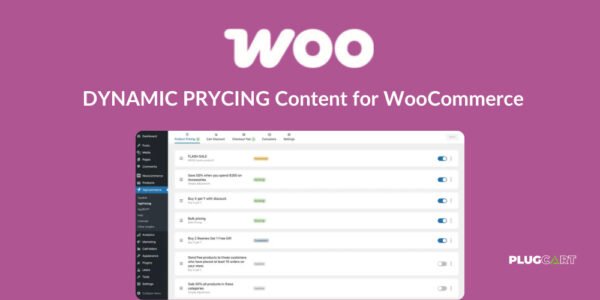
WooCommerce Dynamic Pricing is a powerful plugin that allows you to configure advanced pricing rules for products and categories in your store. Offer bulk discounts, role-based pricing, and targeted promotions to increase sales and reward loyal customers.
This GPL-distributed version is clean, secure, and legally redistributed under the GPL license.
📦 Advanced Product Pricing
Set bulk discounts for individual products using tables of quantities and discount amounts:
Choose fixed price adjustments, percentage adjustments, or set a fixed product price.
Optionally apply pricing rules to specific customer roles, like “Gold Members.”
Tally quantities based on product, variation, cart line item, or product categories.
Examples:
10% discount when purchasing 5+ of a product.
$20 discount for Gold Members when buying 2-5 items, $25 discount for 5+.
Laptop carrying case at a discount if purchasing items from the Laptops category.
🏷️ Advanced Category Pricing
Apply bulk discounts to entire product categories:
Set discount tables by quantity.
Choose fixed price or percentage adjustments.
Optionally assign category pricing to specific roles.
Examples:
10% discount on all Paperback Books when buying 5+ items.
$10 discount on Carrying Cases for Gold Members purchasing E-Readers.
🔹 Simple Category Pricing
Apply straightforward discounts to all items in a category:
Discounts are visible while browsing the catalog.
Choose fixed price or percentage adjustments.
Example:
10% discount on all T-Shirts.
👥 Simple Role-Based Pricing
Offer store-wide discounts for specific user roles:
Discounts automatically display to logged-in users.
Examples:
10% discount for Gold Members on all products.
$1 discount for Premium Members on all items.
🌟 Key Features of WooCommerce Dynamic Pricing
Advanced product and category-based discounts.
Bulk pricing rules with multiple quantity tiers.
Role-based pricing for targeted customer groups.
Flexible quantity tallying methods.
Real-time visible discounts while shopping.
Easy configuration for store-wide promotions.
✅ What We Offer
Tools to boost sales with smart discounts.
Reward loyal customers with role-based pricing.
Increase average order value with bulk discounts.
Full control over product and category pricing rules.
🏁 Conclusion
WooCommerce Dynamic Pricing empowers store owners to create flexible pricing strategies, rewarding loyal customers and boosting conversions. From advanced product and category pricing to role-based discounts, this plugin gives you everything you need to maximize revenue and improve customer satisfaction
Be the first to review “WooCommerce Dynamic Pricing 3.4.6” Cancel reply
How to Install
Follow these quick steps to install from a .zip file or directly from your WP dashboard.
-
1
Go to Plugins → Add New
In your WordPress dashboard, open Plugins and click Add New.
-
2
Click Upload Plugin
Press Upload Plugin → Choose File and select the downloaded
plugin-name.zip. -
3
Install & Activate
Click Install Now, then Activate. You’re done!
-
4
(Optional) Enter License / Use Shortcode
Open Plugins → Your Plugin → Settings to enter your license. Add the box on the product page with:
[plugin_info_box]
Alternative: Install from WordPress directory
Go to Plugins → Add New, search the plugin name, click Install then Activate.
Manual (FTP) method
Unzip locally → upload the folder to /wp-content/plugins/ using FTP → activate from Plugins.
-
1
Go to Appearance → Themes
Click Add New → Upload Theme.
-
2
Upload the .zip file
Select
theme-name.zip, click Install Now, then Activate. -
3
Install Required Plugins
If prompted, click Begin installing plugins and activate them.
-
4
(Optional) Import Starter Content
Use the theme’s Demo Import (if provided) to load sample pages and settings.
Manual (FTP) theme install
Unzip the theme → upload to /wp-content/themes/ → activate from Appearance → Themes.




Reviews
There are no reviews yet.