
- ✔ Verified by VirusTotal
- ✔ 100% Original Product & Virus-Free
- ✔ Lifetime Free Updates on Single Purchase
- ✔ Unlimited Website Usage
- ✔ Prices in USD (Tax Included)
🔥 Limited-Time Deal — Ends Soon!
Woocommerce Easy Checkout Field Editor & Checkout Fees 3.8.0
Instant Access
7 Day Money Back Guarantee
Online Support 24/7
Secure Payment
Description
🎁Woocommerce Easy Checkout
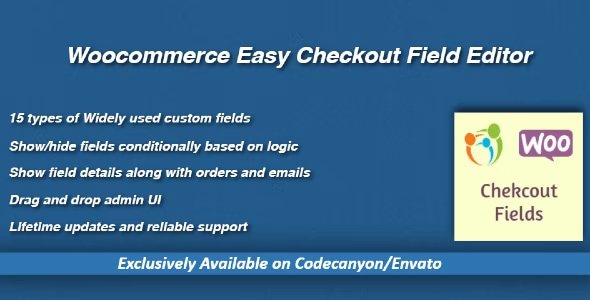
WooCommerce Easy Checkout Field Editor is a powerful plugin that allows you to fully customize your WooCommerce checkout page effortlessly. 🛒 With this plugin, you can add, edit, delete, and reorder checkout fields using a simple drag-and-drop interface. It supports 15+ widely used field types including text, textarea, dropdowns, checkboxes, radio buttons, date pickers, email, and more.
You can show or hide fields conditionally based on other field values, making your checkout smarter and tailored to your customers. The plugin also allows displaying custom field data in order emails, admin order pages, and PDF invoices, ensuring that every detail is captured and visible where needed.
It offers flexibility to add custom fields to existing billing and shipping forms, show fields on My Account or Edit Address pages, and even restrict fields to specific products or categories in the cart. With field previews in the admin panel and the option to restore default fields anytime, managing your checkout is hassle-free.
This plugin ensures a smooth, professional, and user-friendly checkout experience, improving conversions and customer satisfaction for your WooCommerce store.
✨ Key Features of Woocommerce Easy Checkout
📝 Add, Edit, Delete, & Reorder Checkout Fields
🔄 Conditional Checkout Fields
👤 Show fields under My Account/Edit Address pages
📧🧾 Display submitted field data in emails, order pages & PDFs
🛠️ Support for 15+ field types: text, email, password, checkbox, radio, dropdown, date pickers, and more
🛍️ Product/Category-specific field display
🔄 Restore default fields anytime
👀 Field preview in admin panel
🎁 What We Offer
Complete control over WooCommerce checkout form customization
Easy drag-and-drop interface for managing fields
Seamless integration with WooCommerce order management and PDFs
Conditional logic for smarter checkout experiences
Enhanced customer experience for higher conversions
✅ Conclusion
WooCommerce Easy Checkout Field Editor is the ultimate solution for customizing your WooCommerce checkout page. Add, edit, delete, and reorder fields effortlessly while using conditional logic, email, and PDF integrations. Enhance your store’s checkout experience, streamline operations, and boost conversions today
Be the first to review “Woocommerce Easy Checkout Field Editor & Checkout Fees 3.8.0” Cancel reply
How to Install
Follow these quick steps to install from a .zip file or directly from your WP dashboard.
-
1
Go to Plugins → Add New
In your WordPress dashboard, open Plugins and click Add New.
-
2
Click Upload Plugin
Press Upload Plugin → Choose File and select the downloaded
plugin-name.zip. -
3
Install & Activate
Click Install Now, then Activate. You’re done!
-
4
(Optional) Enter License / Use Shortcode
Open Plugins → Your Plugin → Settings to enter your license. Add the box on the product page with:
[plugin_info_box]
Alternative: Install from WordPress directory
Go to Plugins → Add New, search the plugin name, click Install then Activate.
Manual (FTP) method
Unzip locally → upload the folder to /wp-content/plugins/ using FTP → activate from Plugins.
-
1
Go to Appearance → Themes
Click Add New → Upload Theme.
-
2
Upload the .zip file
Select
theme-name.zip, click Install Now, then Activate. -
3
Install Required Plugins
If prompted, click Begin installing plugins and activate them.
-
4
(Optional) Import Starter Content
Use the theme’s Demo Import (if provided) to load sample pages and settings.
Manual (FTP) theme install
Unzip the theme → upload to /wp-content/themes/ → activate from Appearance → Themes.




Reviews
There are no reviews yet.