
- ✔ Verified by VirusTotal
- ✔ 100% Original Product & Virus-Free
- ✔ Lifetime Free Updates on Single Purchase
- ✔ Unlimited Website Usage
- ✔ Prices in USD (Tax Included)
🔥 Limited-Time Deal — Ends Soon!
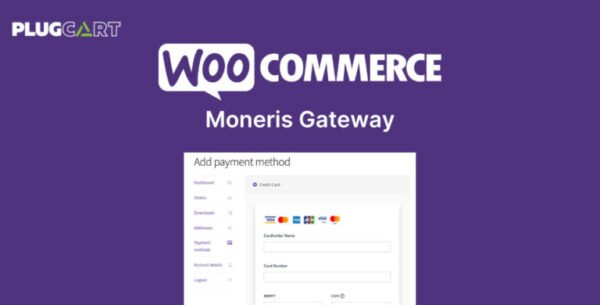
WooCommerce Moneris Gateway 3.4.5
$57.00 Original price was: $57.00.$2.99Current price is: $2.99.
Instant Access
7 Day Money Back Guarantee
Online Support 24/7
Secure Payment
Description
💳 WooCommerce Moneris Gateway (GPL) – Accept Payments in CAD & USD
The WooCommerce Moneris Gateway GPL plugin allows you to securely accept credit and debit card payments directly on your WooCommerce store. Moneris is one of Canada’s leading payment processors, handling over 3 billion transactions annually for more than 350,000 merchants across North America.
This is a GPL-distributed version – 100% clean, secure, and legally redistributed under the GPL license. No official developer support is included.
🚀 Why Choose WooCommerce Moneris Gateway?
Unlike off-site gateways, Moneris keeps your customers on your site during checkout. This ensures a seamless, professional buying experience while giving you full control over your store’s design and conversion strategy.
✅ Accept CAD & USD payments
✅ Process refunds & voids directly from the WooCommerce dashboard
✅ Capture charges within WooCommerce
✅ Supports Subscriptions & Pre-Orders
✅ Securely save customer cards for future purchases
🛠️ WooCommerce Moneris Gateway GPL Features
💲 Multi-Currency Payments
Accept Canadian & US dollars depending on your merchant account.
Perfect for Canadian businesses serving U.S. customers.
🔐 Advanced Fraud & Security
SSL certificate required for PCI compliance.
Supports Moneris eFraud tools with address and card verification.
Display detailed decline messages to customers instead of generic errors.
🔁 Subscription & Pre-Order Support
Full integration with WooCommerce Subscriptions for recurring billing.
Works with WooCommerce Pre-Orders for seamless future payments.
💳 Saved Payment Methods
Customers can securely save credit/debit cards to their account.
Allows one-click future purchases and easy account management.
🖥️ Checkout Flexibility
Use direct on-site checkout or Moneris Checkout hosted form.
Customize the entire checkout experience for maximum conversions.
📌 Supported Payment Methods
Visa®, MasterCard®, American Express®, Discover®, Diner’s Club, JCB
Debit cards accepted
Works with WooCommerce’s virtual products (force charges for instant delivery).
✅ Benefits for Store Owners
Trusted Canadian processor for secure payments.
Reduce cart abandonment with seamless checkout.
Improve fraud protection with Moneris eFraud tools.
Easy refunds & charge captures without leaving WooCommerce.
GPL license = use on unlimited sites, free updates, lifetime access.
🎯 Conclusion
The WooCommerce Moneris Gateway GPL Plugin is the perfect payment solution for Canadian businesses selling in CAD or USD. With advanced fraud protection, saved cards, and full support for subscriptions and pre-orders, it’s a professional-grade payment gateway tailored for WooCommerce stores.
Be the first to review “WooCommerce Moneris Gateway 3.4.5” Cancel reply
How to Install
Follow these quick steps to install from a .zip file or directly from your WP dashboard.
-
1
Go to Plugins → Add New
In your WordPress dashboard, open Plugins and click Add New.
-
2
Click Upload Plugin
Press Upload Plugin → Choose File and select the downloaded
plugin-name.zip. -
3
Install & Activate
Click Install Now, then Activate. You’re done!
-
4
(Optional) Enter License / Use Shortcode
Open Plugins → Your Plugin → Settings to enter your license. Add the box on the product page with:
[plugin_info_box]
Alternative: Install from WordPress directory
Go to Plugins → Add New, search the plugin name, click Install then Activate.
Manual (FTP) method
Unzip locally → upload the folder to /wp-content/plugins/ using FTP → activate from Plugins.
-
1
Go to Appearance → Themes
Click Add New → Upload Theme.
-
2
Upload the .zip file
Select
theme-name.zip, click Install Now, then Activate. -
3
Install Required Plugins
If prompted, click Begin installing plugins and activate them.
-
4
(Optional) Import Starter Content
Use the theme’s Demo Import (if provided) to load sample pages and settings.
Manual (FTP) theme install
Unzip the theme → upload to /wp-content/themes/ → activate from Appearance → Themes.




Reviews
There are no reviews yet.