
- ✔ Verified by VirusTotal
- ✔ 100% Original Product & Virus-Free
- ✔ Lifetime Free Updates on Single Purchase
- ✔ Unlimited Website Usage
- ✔ Prices in USD (Tax Included)
🔥 Limited-Time Deal — Ends Soon!
WooCommerce Multi Locations Inventory Management 4.2.11
$99.00 Original price was: $99.00.$2.99Current price is: $2.99.
Instant Access
7 Day Money Back Guarantee
Online Support 24/7
Secure Payment
Description
🏬 WooCommerce Multi Locations Inventory Management (Latest Version)
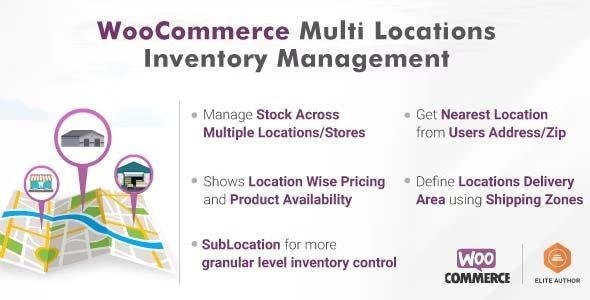
WooCommerce Multi Locations Inventory Management Plugin is the ultimate solution for stores that sell and ship products from multiple warehouses or retail locations. Designed for WooCommerce-based eCommerce sites, it helps you manage product stock, pricing, and availability by location — all automatically.
With built-in Google Maps integration, the plugin detects the nearest product location for each customer, enhancing shopping experience and reducing delivery time. Perfect for global stores, regional suppliers, or businesses managing multiple outlets.
⚙️ Key Features
🧭 Multi-Location Stock Control
✔ Manage inventory across multiple warehouses or stores.
✔ Auto-detect nearest location using customer geolocation.
✔ Allow visitors to choose preferred store or pickup point.
🚀 Smart Order Fulfillment
✔ Fulfill orders by stock quantity, nearest warehouse, or priority.
✔ Ajax add-to-cart support for faster checkout.
✔ Bulk product editing from one central dashboard.
🗺 Store Locator Integration
✔ Display stores on Google Maps with filters by product or radius.
✔ Show product availability and distance to the nearest location.
✔ Enable backend-only fulfillment or customer location selection.
💼 Compatibility & Control
✔ Works with WP All Import, OpenPOS, and Multi-Currency plugins.
✔ Compatible with leading shipping plugins (UPS, FedEx, EasyPost).
✔ Supports REST API for stock management and multi-currency options.
🎁 What We Offer
A GPL-licensed, clean, and secure plugin that simplifies multi-location inventory, improves logistics, and boosts conversions by always showing the nearest product availability.
✅ Conclusion
With WooCommerce Multi Locations Inventory Management, you gain full control over your inventory across different warehouses and stores. Deliver faster, reduce out-of-stock frustration, and enhance customer satisfaction — all with one powerful plugin.
Be the first to review “WooCommerce Multi Locations Inventory Management 4.2.11” Cancel reply
How to Install
Follow these quick steps to install from a .zip file or directly from your WP dashboard.
-
1
Go to Plugins → Add New
In your WordPress dashboard, open Plugins and click Add New.
-
2
Click Upload Plugin
Press Upload Plugin → Choose File and select the downloaded
plugin-name.zip. -
3
Install & Activate
Click Install Now, then Activate. You’re done!
-
4
(Optional) Enter License / Use Shortcode
Open Plugins → Your Plugin → Settings to enter your license. Add the box on the product page with:
[plugin_info_box]
Alternative: Install from WordPress directory
Go to Plugins → Add New, search the plugin name, click Install then Activate.
Manual (FTP) method
Unzip locally → upload the folder to /wp-content/plugins/ using FTP → activate from Plugins.
-
1
Go to Appearance → Themes
Click Add New → Upload Theme.
-
2
Upload the .zip file
Select
theme-name.zip, click Install Now, then Activate. -
3
Install Required Plugins
If prompted, click Begin installing plugins and activate them.
-
4
(Optional) Import Starter Content
Use the theme’s Demo Import (if provided) to load sample pages and settings.
Manual (FTP) theme install
Unzip the theme → upload to /wp-content/themes/ → activate from Appearance → Themes.




Reviews
There are no reviews yet.