
- ✔ Verified by VirusTotal
- ✔ 100% Original Product & Virus-Free
- ✔ Lifetime Free Updates on Single Purchase
- ✔ Unlimited Website Usage
- ✔ Prices in USD (Tax Included)
🔥 Limited-Time Deal — Ends Soon!
WooCommerce Multiple Customer Addresses & Shipping 25.5
$21.00 Original price was: $21.00.$2.99Current price is: $2.99.
Instant Access
7 Day Money Back Guarantee
Online Support 24/7
Secure Payment
Description
WooCommerce Multiple Customer Addresses & Shipping 25.5
WooCommerce Multiple Customer Addresses & Shipping is a powerful plugin designed to extend the default WooCommerce functionality, allowing customers to manage multiple shipping and billing addresses within their account. It improves the shopping experience for customers who need to send orders to different locations, such as homes, offices, or multiple business addresses.
This plugin is GPL-distributed, clean, secure, and comes with no official support, making it a fully legal redistribution under the GPL license.
🎯 WooCommerce Multiple Key Features
Multiple Shipping & Billing Addresses
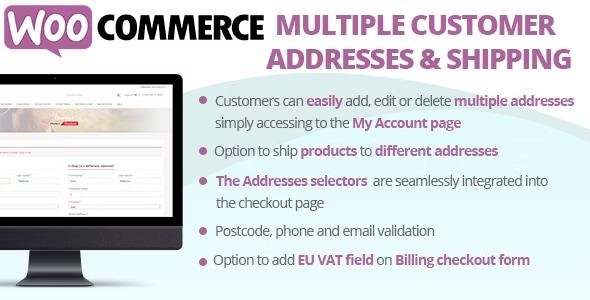
Allow customers to add, edit, or delete multiple addresses in their account.
Set default billing and shipping addresses for faster checkout.
Display addresses in a clear, user-friendly layout on the “My Account” page.
Multiple Shipping Addresses Per Order
Customers can assign different products to different shipping addresses in a single order.
Split orders based on shipping locations while keeping everything under one checkout.
Option to choose shipping methods per address, giving flexibility for delivery options.
Bulk Address Management
Customers can add multiple addresses at once.
Easily manage addresses from the account dashboard without navigating away.
Supports address autocomplete to speed up the checkout process.
Admin Capabilities
View and manage customer addresses from the WooCommerce backend.
Assign shipping addresses for a customer manually if required.
Order management integration – orders shipped to multiple addresses are correctly tracked.
Checkout & Cart Integration
Customers can select addresses for each item during checkout.
Cart calculates shipping costs per address, ensuring accurate totals.
Compatible with popular WooCommerce shipping plugins.
Compatibility & Optimization
Works with WooCommerce core and major extensions.
Compatible with variable, grouped, and simple products.
Fully responsive and works across desktop, tablet, and mobile devices.
🚀 Benefits
Enhances customer experience – perfect for users who regularly send items to multiple locations.
Increases order flexibility – customers can consolidate purchases while shipping to different addresses.
Improves business efficiency – admin can manage all customer addresses and split shipments easily.
Saves time – reduces the need for multiple checkouts for different addresses.
📌 Summary
WooCommerce Multiple Customer Addresses & Shipping 25.5 is essential for WooCommerce stores catering to customers who need multiple shipping or billing addresses. It improves checkout flexibility, simplifies order management, and provides a seamless shopping experience for repeat buyers or business customers.
Be the first to review “WooCommerce Multiple Customer Addresses & Shipping 25.5” Cancel reply
How to Install
Follow these quick steps to install from a .zip file or directly from your WP dashboard.
-
1
Go to Plugins → Add New
In your WordPress dashboard, open Plugins and click Add New.
-
2
Click Upload Plugin
Press Upload Plugin → Choose File and select the downloaded
plugin-name.zip. -
3
Install & Activate
Click Install Now, then Activate. You’re done!
-
4
(Optional) Enter License / Use Shortcode
Open Plugins → Your Plugin → Settings to enter your license. Add the box on the product page with:
[plugin_info_box]
Alternative: Install from WordPress directory
Go to Plugins → Add New, search the plugin name, click Install then Activate.
Manual (FTP) method
Unzip locally → upload the folder to /wp-content/plugins/ using FTP → activate from Plugins.
-
1
Go to Appearance → Themes
Click Add New → Upload Theme.
-
2
Upload the .zip file
Select
theme-name.zip, click Install Now, then Activate. -
3
Install Required Plugins
If prompted, click Begin installing plugins and activate them.
-
4
(Optional) Import Starter Content
Use the theme’s Demo Import (if provided) to load sample pages and settings.
Manual (FTP) theme install
Unzip the theme → upload to /wp-content/themes/ → activate from Appearance → Themes.




Reviews
There are no reviews yet.