
- ✔ Verified by VirusTotal
- ✔ 100% Original Product & Virus-Free
- ✔ Lifetime Free Updates on Single Purchase
- ✔ Unlimited Website Usage
- ✔ Prices in USD (Tax Included)
🔥 Limited-Time Deal — Ends Soon!
WooCommerce Partial COD – Payment Gateway Restrictions & Fees 1.3.2
$60.00 Original price was: $60.00.$2.99Current price is: $2.99.
Instant Access
7 Day Money Back Guarantee
Online Support 24/7
Secure Payment
Description
WooCommerce Partial COD – Flexible Partial Payment & Gateway Management
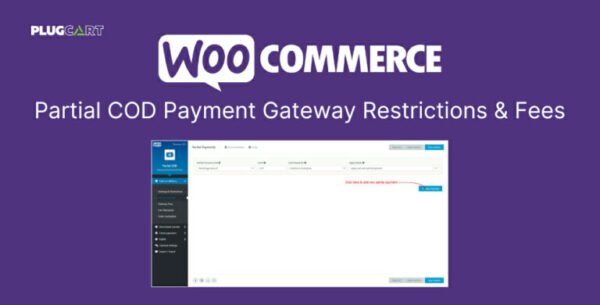
WooCommerce Partial COD is a powerful extension for WooCommerce that allows store owners to manage payment gateways, apply conditional fees/discounts, and offer partial payments (also called risk-free COD). It provides advanced control over your checkout process, giving you flexibility to implement secure, customized payment solutions.
Key Features of WooCommerce Partial COD 🛠️
1. Payment Gateway Settings & Restrictions
Configure dynamic payment gateway options such as Restrictions, Method Title, Description, and Button Text
Apply rules based on 84+ conditions for products, cart, or user behavior
Ensure only eligible customers see specific payment methods
2. Partial Payments (Risk-Free COD)
Enable Partial COD or split payments based on multiple calculation types
Supported calculations include product totals, shipping costs, cart fees, taxes, and cart subtotals
Apply partial payments based on 85+ conditions and 22+ product rules
3. Gateway Fees
Set up conditional payment gateway fees based on cart contents, products, or user conditions
Fee types include fixed amount, cart percentage, and product totals percentage
Combine conditions and rules to create tailored checkout experiences
4. Cart Discounts
Offer cart discounts based on conditions and product rules
Use similar calculation methods as gateway fees for flexibility
Increase sales with dynamic discounts applied only when certain conditions are met
5. Order Autopilots
Automate order management with triggers such as Cron tasks, order creation, or status changes
Update order status, add notes, or modify order/customer metadata automatically
Apply automation rules based on product conditions and checkout behavior
Why Choose WooCommerce Partial COD?
Risk-Free COD: Allow partial payments to reduce financial risk
Advanced Conditional Rules: Customize payment methods, fees, and discounts based on cart, product, or user-specific conditions
Automated Order Management: Streamline order workflows and save time with autopilot triggers
Full WooCommerce Integration: Works seamlessly with any WooCommerce setup
WooCommerce Partial COD is the ultimate solution for store owners who want full control over payments, discounts, and automation, ensuring a smooth and secure checkout experience for customers.
Be the first to review “WooCommerce Partial COD – Payment Gateway Restrictions & Fees 1.3.2” Cancel reply
How to Install
Follow these quick steps to install from a .zip file or directly from your WP dashboard.
-
1
Go to Plugins → Add New
In your WordPress dashboard, open Plugins and click Add New.
-
2
Click Upload Plugin
Press Upload Plugin → Choose File and select the downloaded
plugin-name.zip. -
3
Install & Activate
Click Install Now, then Activate. You’re done!
-
4
(Optional) Enter License / Use Shortcode
Open Plugins → Your Plugin → Settings to enter your license. Add the box on the product page with:
[plugin_info_box]
Alternative: Install from WordPress directory
Go to Plugins → Add New, search the plugin name, click Install then Activate.
Manual (FTP) method
Unzip locally → upload the folder to /wp-content/plugins/ using FTP → activate from Plugins.
-
1
Go to Appearance → Themes
Click Add New → Upload Theme.
-
2
Upload the .zip file
Select
theme-name.zip, click Install Now, then Activate. -
3
Install Required Plugins
If prompted, click Begin installing plugins and activate them.
-
4
(Optional) Import Starter Content
Use the theme’s Demo Import (if provided) to load sample pages and settings.
Manual (FTP) theme install
Unzip the theme → upload to /wp-content/themes/ → activate from Appearance → Themes.




Reviews
There are no reviews yet.