
- ✔ Verified by VirusTotal
- ✔ 100% Original Product & Virus-Free
- ✔ Lifetime Free Updates on Single Purchase
- ✔ Unlimited Website Usage
- ✔ Prices in USD (Tax Included)
🔥 Limited-Time Deal — Ends Soon!
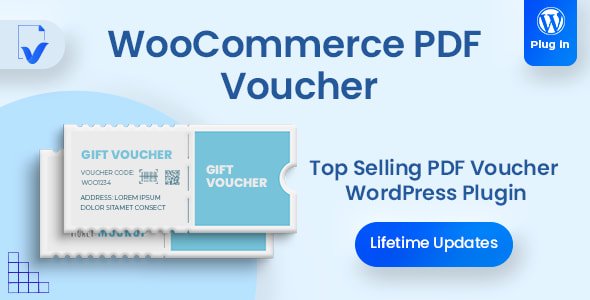
WooCommerce PDF Vouchers Ultimate Gift Cards WordPress Plugin 5.2.0
$54.00 Original price was: $54.00.$2.99Current price is: $2.99.
Instant Access
7 Day Money Back Guarantee
Online Support 24/7
Secure Payment
Description
🎟️ WooCommerce PDF Vouchers Extension (Latest GPL Version)
This is a GPL-distributed version. No official support. Clean, secure, and legally redistributed under the GPL license.
🌟 Introduction
The WooCommerce PDF Vouchers Extension is the ultimate solution for selling gift vouchers, event tickets, promotions, and rewards directly from your WooCommerce store. Customers can redeem vouchers online or in person, giving your business unmatched flexibility whether you operate fully online, offline, or in a hybrid model.
🎁 Why Use WooCommerce PDF Vouchers?
Gift cards and discount codes are great, but what if you’re selling experiences, services, or physical events? With this plugin, you can:
Sell products or services online.
Deliver vouchers that customers can print & redeem later.
Offer secure, unique, and trackable vouchers with QR or barcodes.
🛠️ Key Features
🔖 Unlimited Vouchers – Create as many vouchers as your business needs.
🖌️ Fully Customizable – Design your own templates with drag & drop tools.
🔐 Unique & Secure Codes – Generate codes automatically or import via CSV.
📲 Barcode & QR Support – Verify vouchers instantly when redeemed.
📊 Voucher Management Dashboard – Track purchased, used & unused vouchers.
📤 Export Options – Export codes and customer details to PDF or CSV.
🎉 Perfect for Gifts – Customers can personalize vouchers with recipient details & messages.
🚀 Benefits
💡 Boost Sales – Attract customers who want to give gifts or buy experiences.
⏳ Save Time – Automate voucher generation & redemption process.
😀 Enhance Customer Experience – Fast, secure redemption via QR/barcode.
🛍️ Flexible Use Cases – Ideal for stores, restaurants, spas, classes, and events.
✅ Conclusion
With the WooCommerce PDF Vouchers Extension, you can bridge the gap between your online shop and offline services. Offer customers a secure and convenient way to purchase, gift, and redeem vouchers while enjoying powerful admin tools to manage everything effortlessly.
Be the first to review “WooCommerce PDF Vouchers Ultimate Gift Cards WordPress Plugin 5.2.0” Cancel reply
How to Install
Follow these quick steps to install from a .zip file or directly from your WP dashboard.
-
1
Go to Plugins → Add New
In your WordPress dashboard, open Plugins and click Add New.
-
2
Click Upload Plugin
Press Upload Plugin → Choose File and select the downloaded
plugin-name.zip. -
3
Install & Activate
Click Install Now, then Activate. You’re done!
-
4
(Optional) Enter License / Use Shortcode
Open Plugins → Your Plugin → Settings to enter your license. Add the box on the product page with:
[plugin_info_box]
Alternative: Install from WordPress directory
Go to Plugins → Add New, search the plugin name, click Install then Activate.
Manual (FTP) method
Unzip locally → upload the folder to /wp-content/plugins/ using FTP → activate from Plugins.
-
1
Go to Appearance → Themes
Click Add New → Upload Theme.
-
2
Upload the .zip file
Select
theme-name.zip, click Install Now, then Activate. -
3
Install Required Plugins
If prompted, click Begin installing plugins and activate them.
-
4
(Optional) Import Starter Content
Use the theme’s Demo Import (if provided) to load sample pages and settings.
Manual (FTP) theme install
Unzip the theme → upload to /wp-content/themes/ → activate from Appearance → Themes.




Reviews
There are no reviews yet.