
- ✔ Verified by VirusTotal
- ✔ 100% Original Product & Virus-Free
- ✔ Lifetime Free Updates on Single Purchase
- ✔ Unlimited Website Usage
- ✔ Prices in USD (Tax Included)
🔥 Limited-Time Deal — Ends Soon!
WooCommerce Product Variations Swatches 1.1.7
$22.00 Original price was: $22.00.$2.99Current price is: $2.99.
Instant Access
7 Day Money Back Guarantee
Online Support 24/7
Secure Payment
Description
WooCommerce Product Variations Swatches – Enhance Your Product Display
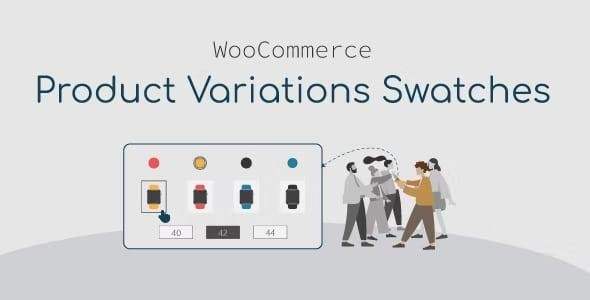
The WooCommerce Product Variations Swatches plugin transforms standard dropdown variation fields into color, image, and button swatches, giving your store a modern and professional look. Instead of choosing product attributes from a plain dropdown, customers can easily see visual swatches, making the shopping experience faster, more attractive, and more user-friendly.
This plugin is essential for WooCommerce stores that sell products with multiple variations such as fashion, electronics, accessories, furniture, cosmetics, or digital items.
🔑 Key Features of WooCommerce Product Variations Swatches
🎨 Flexible Display Options
Display attributes as Color, Image, Variation Image, Button, Radio, or Select.
Horizontal or vertical display styles for better design flexibility.
Supports both global attributes and custom attributes.
Option to show variation swatches on product lists (Shop/Category pages).
🖼 Smarter Product Previews
Auto image change when switching among attributes.
Add tooltips with detailed attribute info (color, font, size, position).
Enable or disable attribute names under swatches.
Show “Add to Cart” button directly after selecting variations.
⚡ Customization & Profiles
Create unlimited swatch profiles by cloning or editing existing ones.
Customize each profile’s:
Default Status (name, size, color, border, background).
Hover Status (color, border, background, box-shadow).
Selected Status (highlighting styles).
Tooltip design (font size, color, border, and position).
📱 Mobile-Friendly & Easy to Use
Fully responsive design – works seamlessly on all devices.
Intuitive admin panel with search, clone, and edit options.
No coding required – simple drag-and-click setup.
🚀 Benefits of Using WooCommerce Product Variations Swatches
Improves customer experience with a visual, modern interface.
Boosts sales by helping buyers choose quickly and confidently.
Reduces cart abandonment since users can see products clearly.
Customizable layouts that match your theme and branding.
Works perfectly on mobile, ensuring smooth shopping for all users.
📌 Use Cases
Clothing & Fashion Stores – Color and size swatches for shirts, dresses, and shoes.
Cosmetic & Beauty Stores – Shade swatches for makeup and skincare.
Electronics Stores – Memory size, color, or style variations.
Furniture Stores – Fabric, material, or size selection.
General WooCommerce Stores – Any product with variations.
📝 Summary
The WooCommerce Product Variations Swatches plugin replaces boring dropdowns with engaging and interactive swatches. With advanced customization options, unlimited swatch profiles, and full mobile compatibility, it enhances the user experience, increases conversions, and makes your WooCommerce store look more professional.
If you want your products to stand out, look attractive, and sell faster, this plugin is the perfect choice.
Be the first to review “WooCommerce Product Variations Swatches 1.1.7” Cancel reply
How to Install
Follow these quick steps to install from a .zip file or directly from your WP dashboard.
-
1
Go to Plugins → Add New
In your WordPress dashboard, open Plugins and click Add New.
-
2
Click Upload Plugin
Press Upload Plugin → Choose File and select the downloaded
plugin-name.zip. -
3
Install & Activate
Click Install Now, then Activate. You’re done!
-
4
(Optional) Enter License / Use Shortcode
Open Plugins → Your Plugin → Settings to enter your license. Add the box on the product page with:
[plugin_info_box]
Alternative: Install from WordPress directory
Go to Plugins → Add New, search the plugin name, click Install then Activate.
Manual (FTP) method
Unzip locally → upload the folder to /wp-content/plugins/ using FTP → activate from Plugins.
-
1
Go to Appearance → Themes
Click Add New → Upload Theme.
-
2
Upload the .zip file
Select
theme-name.zip, click Install Now, then Activate. -
3
Install Required Plugins
If prompted, click Begin installing plugins and activate them.
-
4
(Optional) Import Starter Content
Use the theme’s Demo Import (if provided) to load sample pages and settings.
Manual (FTP) theme install
Unzip the theme → upload to /wp-content/themes/ → activate from Appearance → Themes.




Reviews
There are no reviews yet.