
- ✔ Verified by VirusTotal
- ✔ 100% Original Product & Virus-Free
- ✔ Lifetime Free Updates on Single Purchase
- ✔ Unlimited Website Usage
- ✔ Prices in USD (Tax Included)
🔥 Limited-Time Deal — Ends Soon!
WooCommerce Shipment Tracking Extension 2.6.2
$49.00 Original price was: $49.00.$2.99Current price is: $2.99.
Instant Access
7 Day Money Back Guarantee
Online Support 24/7
Secure Payment
Description
🚚 WooCommerce Shipment Tracking (GPL) – Add Tracking to Your Orders
📦 Give Customers Peace of Mind with Easy Shipment Tracking
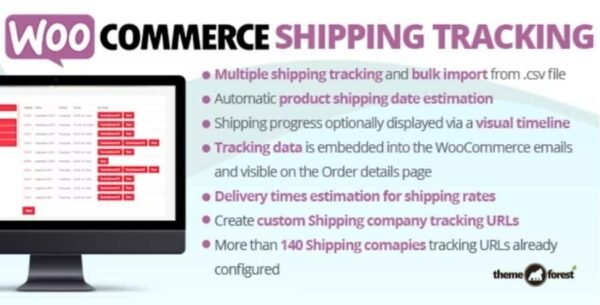
Shipping transparency is key to customer satisfaction 💯. With the WooCommerce Shipment Tracking (GPL) plugin, you can add tracking numbers and links to orders so customers always know where their package is.
Tracking details are displayed in order emails, on the order tracking page, and in the customer’s account order view 🖥️. Simply enter the shipment info before completing the order, and the plugin handles the rest.
✨ Key Features of WooCommerce Shipment Tracking
1️⃣ Easy Tracking Integration
Add tracking numbers directly to orders ✅
Information shows up automatically in:
Order confirmation emails 📧
Customer’s My Account → Orders 🔑
Order tracking page 🔍
2️⃣ Wide Range of Shipping Providers
Out of the box, the plugin supports custom links and major carriers worldwide 🌍, including:
🚚 Australia Post
🇨🇦 Canada Post
🇬🇧 Royal Mail
🇺🇸 USPS, UPS, FedEx, OnTrac
🌐 DHL, TNT Express, DPD, ParcelForce
🇿🇦 SAPO, Fastway South Africa
🇵🇱 Polish shipping providers
many more with custom tracking URLs
3️⃣ Custom Tracking Links
Don’t see your provider on the list? No problem 🙌. Add your own custom tracking URL template so customers are redirected straight to the carrier’s website.
4️⃣ Automatic Links for Major Carriers
For supported providers, the plugin automatically generates tracking links 🔗—no manual setup required.
5️⃣ Improved Customer Experience
Customers no longer need to contact support for delivery status 📞
Reduced refund/chargeback risk by keeping buyers informed 🔒
Boosts trust and increases repeat purchases 💳
6️⃣ Admin-Friendly Workflow
Add tracking while editing an order in WooCommerce
Save time by entering details before marking as complete
Works seamlessly with WooCommerce core 🚀
🏆 Why Use WooCommerce Shipment Tracking (GPL)?
✅ Better communication – customers stay updated on their orders
✅ Reduce support requests – fewer “Where’s my order?” emails 📩
✅ Flexible tracking – works with global carriers + custom links
✅ GPL Licensed – safe, secure & legally redistributed 🔒
✅ No coding required – quick setup, beginner-friendly
🎯 Final Thoughts
The WooCommerce Shipment Tracking Plugin (GPL) is a must-have tool for any WooCommerce store owner looking to improve shipping transparency and customer satisfaction 🚀. With support for global carriers, custom links, and seamless order integration, it takes the hassle out of shipment tracking—for you and your customers.
Be the first to review “WooCommerce Shipment Tracking Extension 2.6.2” Cancel reply
How to Install
Follow these quick steps to install from a .zip file or directly from your WP dashboard.
-
1
Go to Plugins → Add New
In your WordPress dashboard, open Plugins and click Add New.
-
2
Click Upload Plugin
Press Upload Plugin → Choose File and select the downloaded
plugin-name.zip. -
3
Install & Activate
Click Install Now, then Activate. You’re done!
-
4
(Optional) Enter License / Use Shortcode
Open Plugins → Your Plugin → Settings to enter your license. Add the box on the product page with:
[plugin_info_box]
Alternative: Install from WordPress directory
Go to Plugins → Add New, search the plugin name, click Install then Activate.
Manual (FTP) method
Unzip locally → upload the folder to /wp-content/plugins/ using FTP → activate from Plugins.
-
1
Go to Appearance → Themes
Click Add New → Upload Theme.
-
2
Upload the .zip file
Select
theme-name.zip, click Install Now, then Activate. -
3
Install Required Plugins
If prompted, click Begin installing plugins and activate them.
-
4
(Optional) Import Starter Content
Use the theme’s Demo Import (if provided) to load sample pages and settings.
Manual (FTP) theme install
Unzip the theme → upload to /wp-content/themes/ → activate from Appearance → Themes.




Reviews
There are no reviews yet.