
- ✔ Verified by VirusTotal
- ✔ 100% Original Product & Virus-Free
- ✔ Lifetime Free Updates on Single Purchase
- ✔ Unlimited Website Usage
- ✔ Prices in USD (Tax Included)
🔥 Limited-Time Deal — Ends Soon!
WooCommerce Ultimate Gift Card 2.9.6
$49.00 Original price was: $49.00.$2.99Current price is: $2.99.
Instant Access
7 Day Money Back Guarantee
Online Support 24/7
Secure Payment
Description
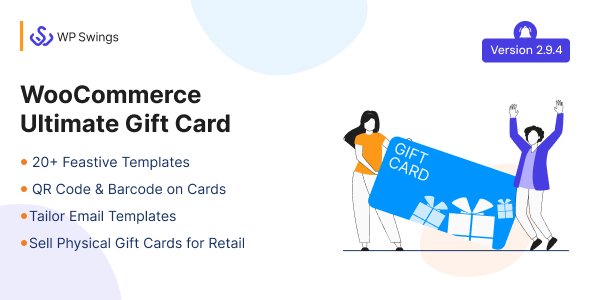
WooCommerce Ultimate Gift Cards 🎁💳
WooCommerce Ultimate Gift Cards is the complete solution for selling gift cards on your WooCommerce store. Whether for birthdays, anniversaries, or holidays, this plugin helps you boost sales, attract new customers, and increase brand loyalty.
With multiple customizable templates, flexible pricing options, and offline/online redemption, it’s perfect for businesses wanting to delight their customers while maximizing revenue.
Why WooCommerce Ultimate Gift Cards? 🌟
Gift cards are the #1 requested presents during holidays and special occasions. They are more personal than cash, easier to use, and help you:
Increase recurring sales 💰
Attract new customers 🌍
Improve brand visibility and loyalty ❤️
Reduce fraud on cash returns 🚫
Key Features 🎯
1. Customizable Gift Cards 🖌️
Upload custom images or restrict to predefined designs
Add personalized messages for recipients
20+ pre-defined templates ready to use
2. Multiple Pricing Options 💵
Fixed Price, Selected Price, Range Price, User Price, Variation Price
Flexible options allow customers to choose the perfect gift
3. Gift Card Email & Notification System 📧
Resend failed emails
PDF attachment options (A3 & A4)
20+ default email templates with customization
Email notifications for gift card usage
4. Coupon Codes & Redemption 🔑
Bulk import/export of gift card codes
Dynamic coupon length settings
Multiple usability options for single or multiple transactions
QRCode/Barcode security for physical cards
5. Delivery Options 🚚
Schedule gift cards for later delivery
Send via email or offline shipping
Buyers can download and send gift cards themselves
6. Offline Gift Cards 🏪
Create and redeem gift cards in-store
Manual coupon insertion for offline sales
7. Integration & Compatibility 🔗
Compatible with WooCommerce Price Based on Country
Supports WooCommerce currency switchers
Customizable tax handling and front-end date formatting
Benefits of Using WooCommerce Ultimate Gift Cards 🌈
Build a gift card program that enhances ROI
Delight customers with personalized gift experiences
Boost brand loyalty and visibility
Easy to manage online and offline sales in one dashboard
Increase repeat purchases with flexible redemption options
WooCommerce Ultimate Gift Cards is the all-in-one solution for businesses looking to expand their sales, delight customers, and manage gift cards efficiently. 🎉 Sell digital or physical gift cards, customize designs, schedule deliveries, and grow your WooCommerce store effortlessly!
Be the first to review “WooCommerce Ultimate Gift Card 2.9.6” Cancel reply
How to Install
Follow these quick steps to install from a .zip file or directly from your WP dashboard.
-
1
Go to Plugins → Add New
In your WordPress dashboard, open Plugins and click Add New.
-
2
Click Upload Plugin
Press Upload Plugin → Choose File and select the downloaded
plugin-name.zip. -
3
Install & Activate
Click Install Now, then Activate. You’re done!
-
4
(Optional) Enter License / Use Shortcode
Open Plugins → Your Plugin → Settings to enter your license. Add the box on the product page with:
[plugin_info_box]
Alternative: Install from WordPress directory
Go to Plugins → Add New, search the plugin name, click Install then Activate.
Manual (FTP) method
Unzip locally → upload the folder to /wp-content/plugins/ using FTP → activate from Plugins.
-
1
Go to Appearance → Themes
Click Add New → Upload Theme.
-
2
Upload the .zip file
Select
theme-name.zip, click Install Now, then Activate. -
3
Install Required Plugins
If prompted, click Begin installing plugins and activate them.
-
4
(Optional) Import Starter Content
Use the theme’s Demo Import (if provided) to load sample pages and settings.
Manual (FTP) theme install
Unzip the theme → upload to /wp-content/themes/ → activate from Appearance → Themes.




Reviews
There are no reviews yet.